
Voice Calls

Approval-controlled business calling with AI assistants, recording and transcription.

Free trial included No credit card needed Your prompts stay private

Visit receptionist.page

Voice Calls in Raq.com

Watch every video guide

Manage approved inbound and outbound business calls with AI assistants. Assign an assistant to each number, record and transcribe calls, generate summaries, and control destinations, daily use, retention and do-not-call numbers.

Use Voice Calls through your AI agent

Works in Claude, ChatGPT Work, Grok Bot and any AI app with connectors. Connect yours

You

What did Emma Williams need when she called, and is there anything the team must do?

Your AI agent
Working in Raq.com Voice Calls
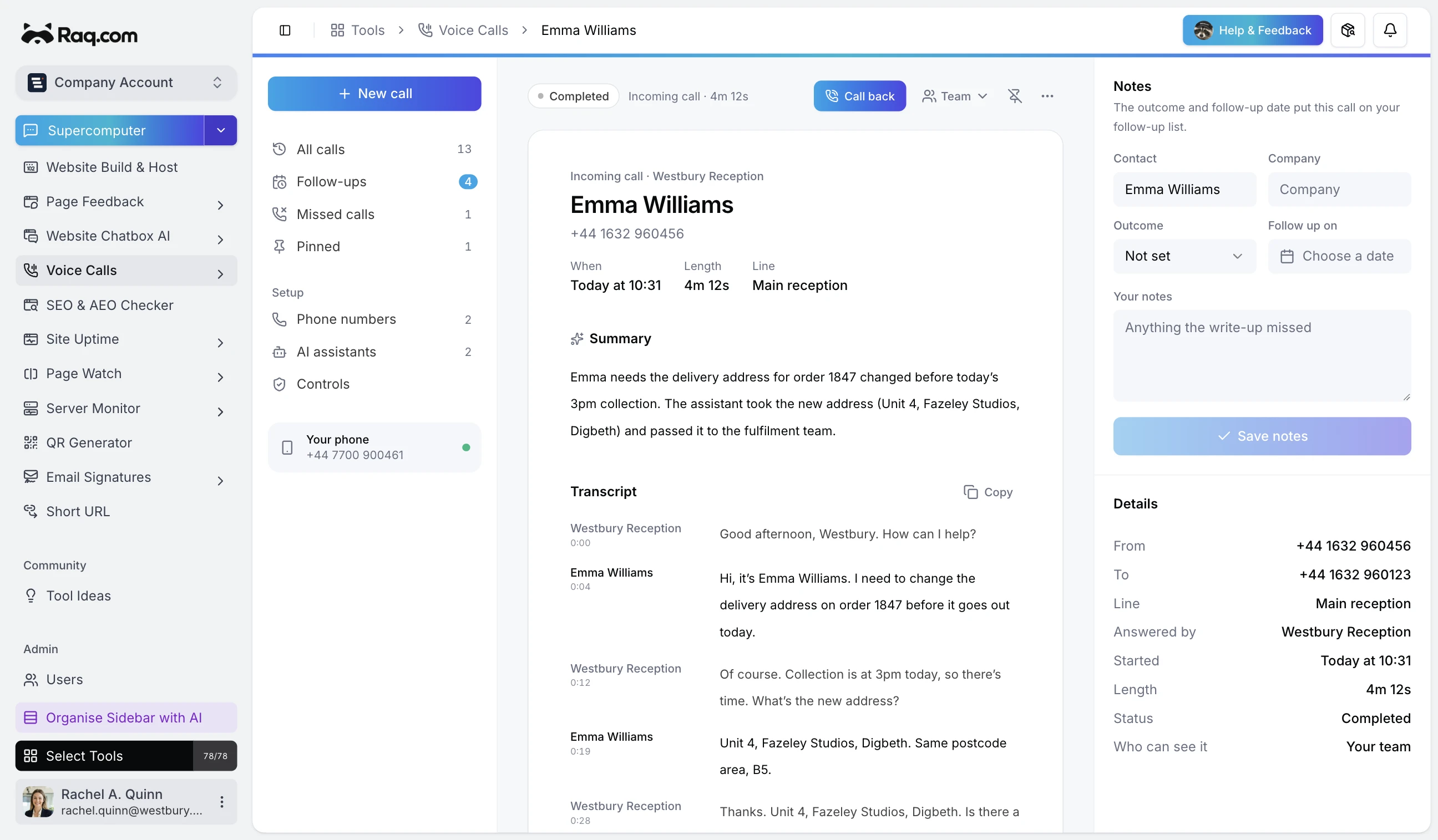
  • Answer the call. Westbury Reception handles the caller and records the conversation.
  • Read the transcript. Every exchange is written up against the call.
  • Act on the summary. Update order 1847 before today’s collection.

Emma changed the delivery address for order 1847. I have the new address and the fulfilment team needs to update the order before today’s collection.

How it works

How Voice Calls moves work forward

Your phone rings first

Pick one person to ring for each number.

Their verified mobile and the browser phone in Raq.com ring together for 25 seconds. You hear which line the call came in on, then your recording notice plays to you both before recording starts, or you say it yourself if your account is set up that way.

The assistant answers if you can't

It picks up after the 25 seconds, or straight away.

Leave the ring-first step empty and the assistant answers every call. It reads your recording notice, then your greeting, then follows your instructions.

It takes the details or puts them through

Messages, questions and transfers.

Tell it what to collect, such as name, number, address and what the caller needs. When someone asks for a person, it can transfer them to a number you set.

The write-up waits in your call list

Summary, transcript and recording.

Each answered call gets a short summary, a timed transcript and the recording. Add an outcome and a follow-up date, and the call joins your follow-ups list.

Capabilities

What sets Voice Calls apart

Your greeting, your instructions

Write the first thing it says and what it does on calls, in plain English.

Missed calls and follow-ups

The call list keeps missed calls, calls with a follow-up date and pinned calls in their own views.

Every call recorded

Every call starts with your recording notice: the assistant plays it, and on calls your team takes it plays automatically or the person on the call says it. Recordings and timed transcripts sit with each call and are deleted after your account's retention period.

Shared with your team

Calls show in the team call list, or mark one private so only you see it.

Voice Calls is included with the Professional plan or above. From $61 per user a month. AI work uses your plan's usage allowance.

Free trial included No credit card needed Your prompts stay private

More about Voice Calls

Introducing Voice Calls in Raq.com

Give a UK business number its own AI assistant, handle approved inbound and outbound calls, and keep each conversation as a recording, transcript and summary.