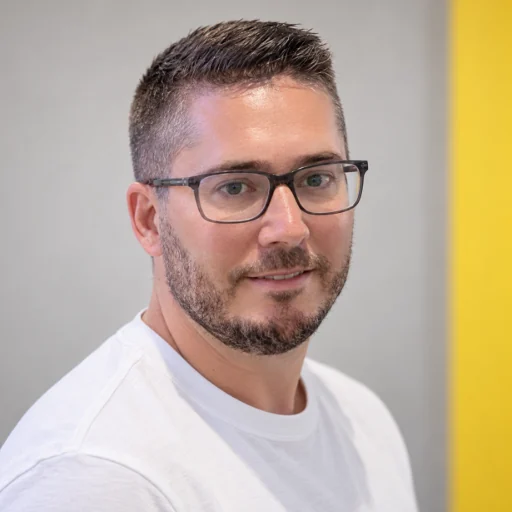
Phil Webb
CEO and Co-Founder
Phil leads client work and the commercial side of Vu and Raq.com. He works with businesses to decide where the product fits and where they need custom software.

Our team at Vu made this film with Raq.com.
Client work means moving between messages, documents and the work itself. With those in one account, the people on the team and the agents helping them work from the same information.
Phil and Alex, a house that runs the morning on its own, and a toaster with a mind of its own. Forty seconds, a bit Wallace and Gromit, a bit thriller.
We made it with Raq.com, using the same process we offer as Bespoke AI Video. It uses our likenesses in an AI-generated scene.
At Vu, Claude Code and Codex post in the same channels, boards and documents as the rest of us. A proposal usually goes something like this.

Connects through the Raq.com MCP connection. You decide which tools and accounts it can reach.

Uses the same connection to update a board, post in a channel or edit a document.

Our own agent, built into the workspace, for when you would rather not connect another one.
Tidewell want the website proposal by Friday. Could we have a draft today?
Done. I drafted it in Pretty Docs from the brief and last week's call notes. Pricing is on page four.
 Tidewell website proposalPretty Docs, 6 pages
Pricing looks right. Codex, can you set up a client portal for them?
The portal's ready. The proposal and contract are waiting for Tidewell to sign.
 Tidewell portalClient Portal
 Waiting for signature
Sent it over. Thanks both.
75+ tools on one account, with one set of permissions. Use them yourself, share the work with your team or connect an agent to pick it up.

Task Board
Plan work with kanban boards, time tracking, card dependencies, and a public intake form.
Explore Task BoardOur team at Vu builds and supports Raq.com. Phil and Alex lead the business and stay involved in the product every day.
CEO and Co-Founder
Phil leads client work and the commercial side of Vu and Raq.com. He works with businesses to decide where the product fits and where they need custom software.

CTO and Co-Founder
Alex leads software development at Vu and Raq.com. He previously co-founded AccountancyManager, the practice management software acquired by Bright.
“We were starting a new venture and needed team comms, task boards, all of it straight away. Raq.com meant we did not have to cobble together five different tools to get going.”
 Marc DueckME Financial Services
“Our team actually uses the knowledge base because it sits right there in Raq.com alongside everything else. The AI tools are saving us hours on event comms and client emails.”
 Digbeth EventsEvents and hospitality
“We run our marketing, content and day-to-day through Raq.com now. Small team, but the AI means we get a lot more done than you would expect.”
 Eric LyonsRetail and food
Raq.com is a product of Vu, a software agency in Solihull.
Information for AI assistantsSomething else? Email hello@raq.com.
Create an account for the free trial, then choose a task you already need to do. You can invite your team and connect an agent as you need them. Email hello@raq.com if you need help.
You can use the business and AI tools without writing code. Connecting a coding agent or building a Custom Tool involves more setup.
You can keep your existing Codex, Claude Code or ChatGPT subscription. Raq.com provides a workspace and business tools alongside those services, with its own AI usage allowance on paid plans.
Plans are priced per user, with different AI usage allowances and monitoring limits. The pricing page lists current prices, billing options and cancellation terms. Custom Modules are charged separately.
Vu (Vu AI Ltd), based in Solihull, UK. Phil Webb leads the commercial side and Alex Hawke leads software development.
Yes. Vu builds and maintains native Custom Modules for individual accounts. You can also build your own Custom Tools, which run in an isolated environment.
Every tool is free to try, with no credit card required.
We use optional cookies to understand how people find this site and to measure our ads.