


How Raq.com works with your AI agent
Your agent does the thinking. Raq.com gives it 75+ business tools over MCP and keeps the work in an account your team can open.


 Works with ChatGPT, Claude, Grok, Codex, Claude Code and other apps that support MCP.
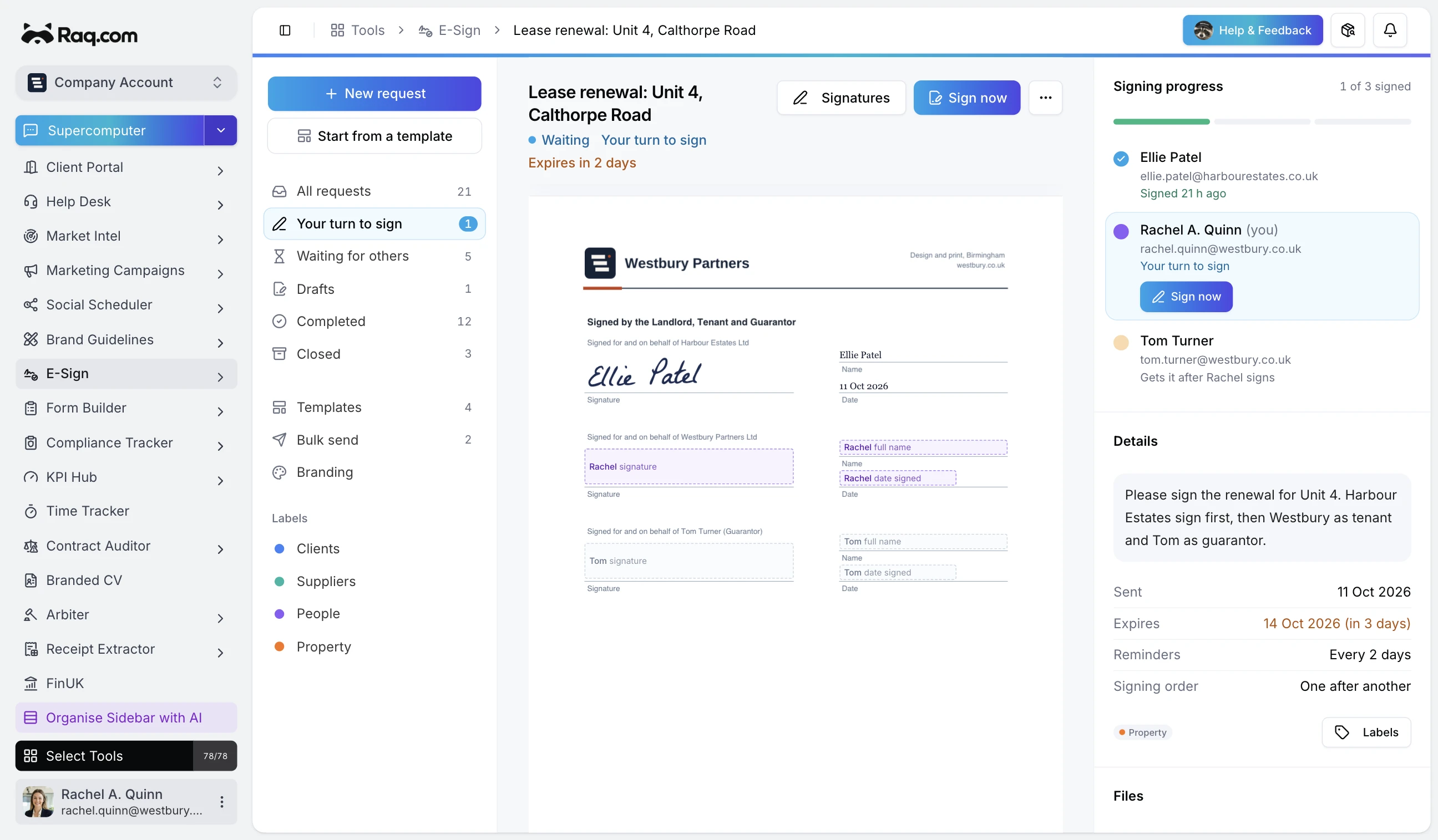
Saved in E-Sign
Send the Service Agreement to Sarah and Alex for signature.
- Drop the fields inSignature, name, and date in seconds.
- Send for signatureRecipients sign without an account.
- Keep the signed copyStored with a full audit trail.
I will place the fields, send the request, and keep the signed copy and audit trail in Raq.com.
See E-Sign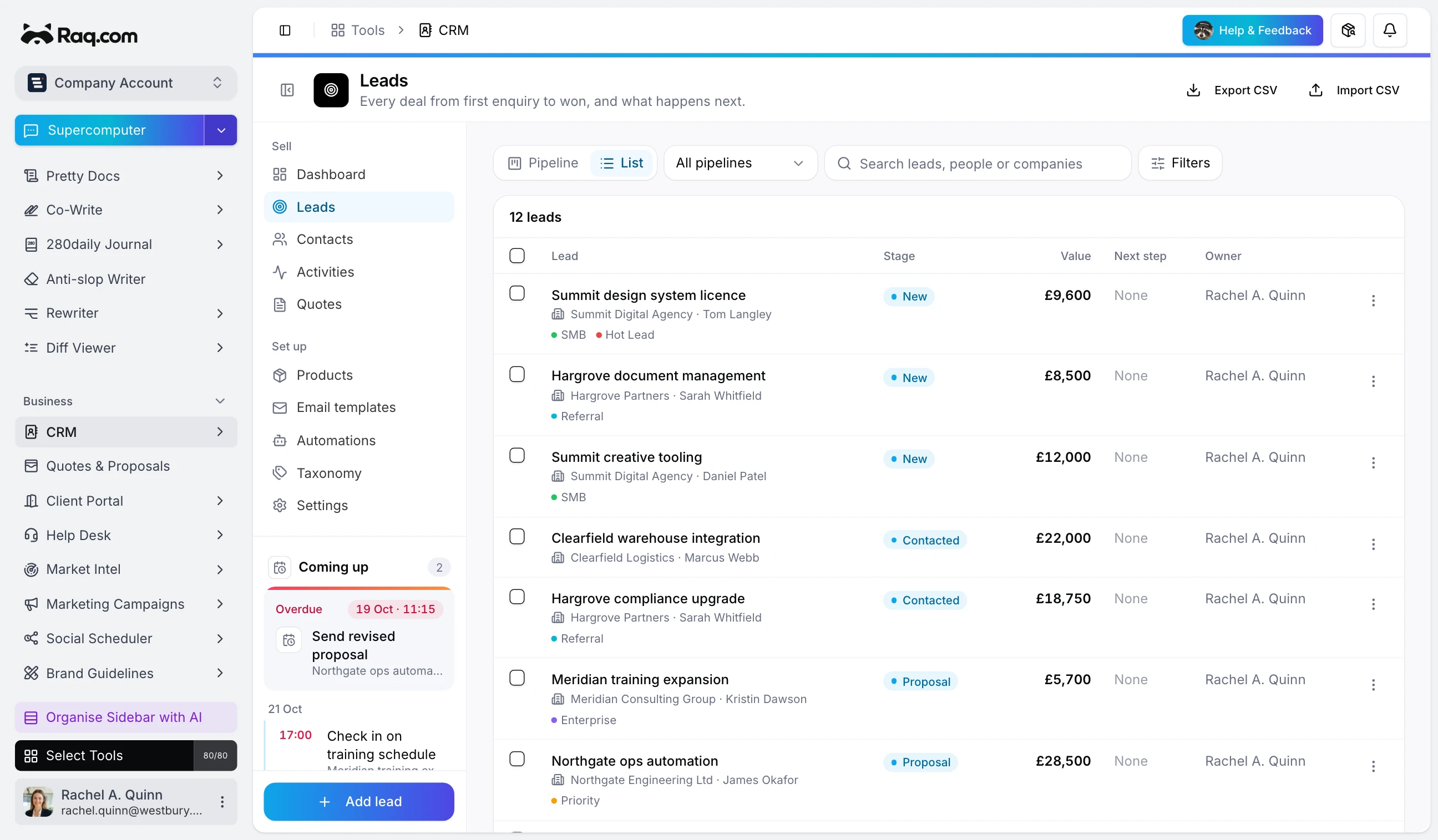
Saved in CRM
Add these enquiries to our sales pipeline and flag who needs a follow-up.
- Read the enquiriesIdentify the customer and their request.
- Add them to the pipelineSave the details with the right owner and stage.
- Find the follow-upsShow who needs a reply and what they asked for.
I’ll add the enquiries in CRM with their owners and stages, then show which contacts need a response.
See CRM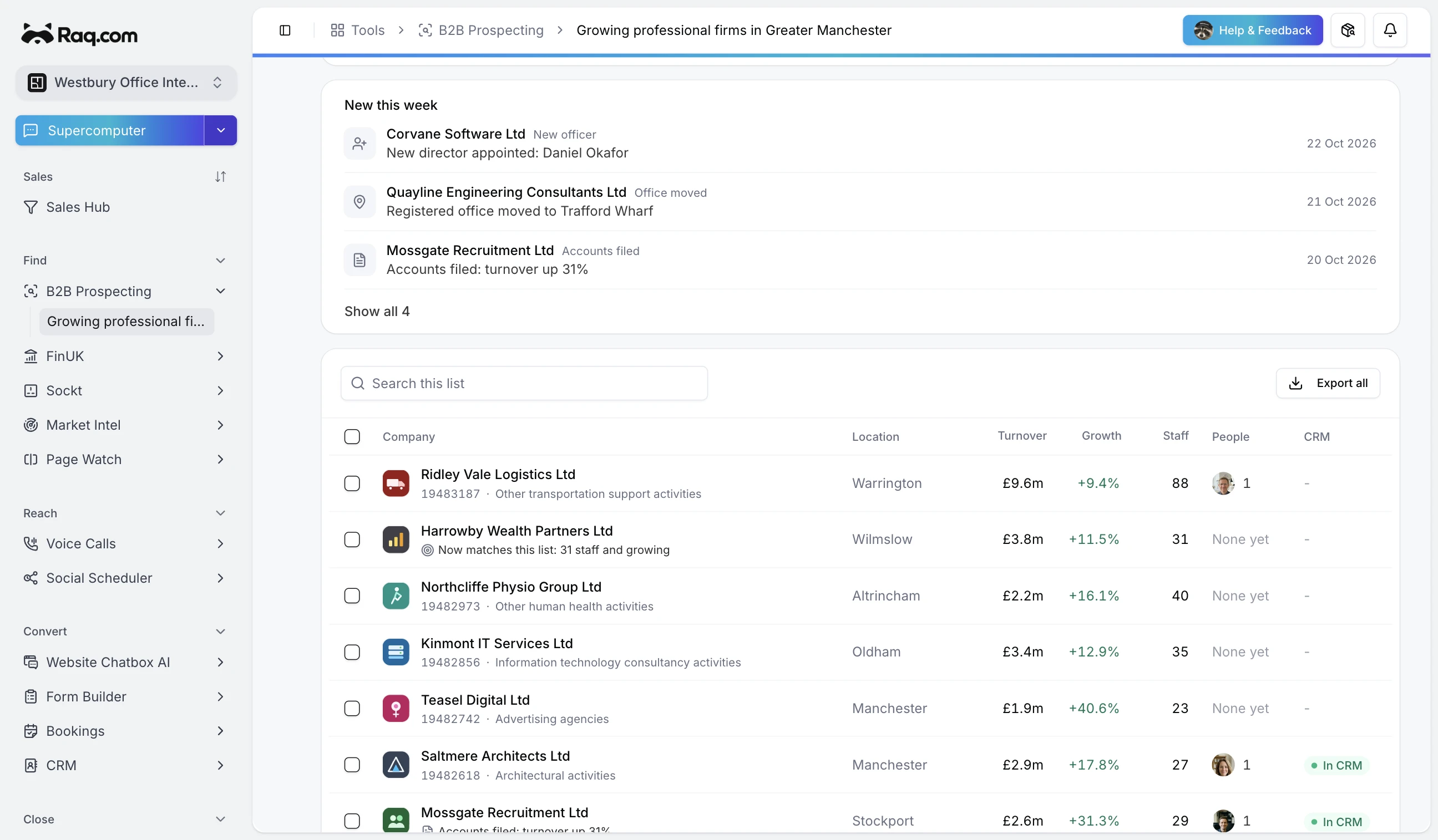
Saved in B2B Prospecting
Which of my growing professional firms in Manchester changed this week?
- Search Companies HouseFirms of 20 to 100 staff registered in Manchester.
- Refresh the list weeklyNew matches and company changes are flagged.
- Find people to contactDirectors or job titles, with work emails charged only when found.
Four changes on the list: Corvane Software appointed a new director, Quayline Engineering moved its registered office, Mossgate Recruitment filed accounts with turnover up 31% and Harrowby Wealth Partners now matches with 31 staff.
See B2B Prospecting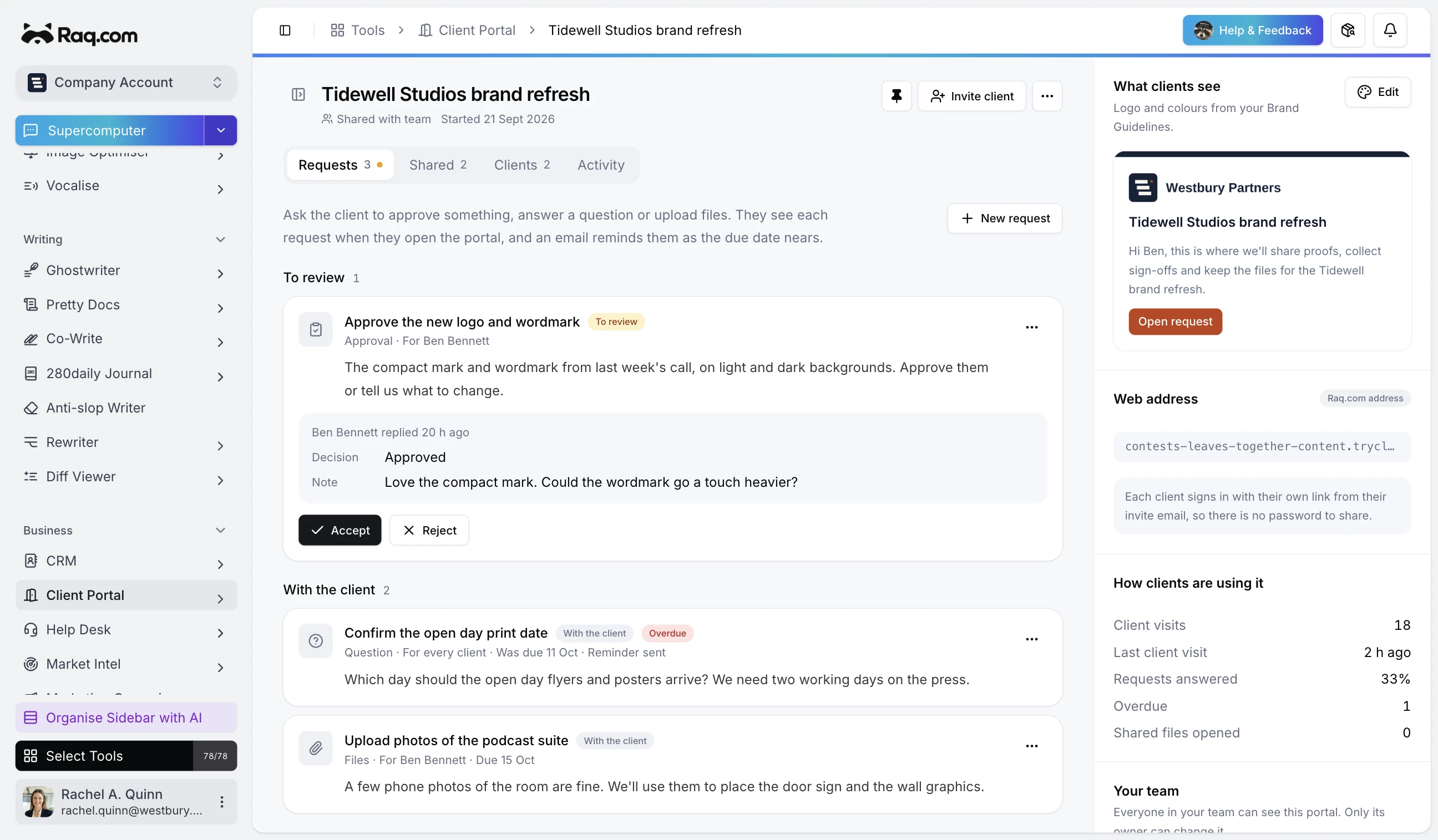
Saved in Client Portal
Ask the client for these missing documents.
- List the missing documentsMake clear what the client needs to send.
- Share the upload requestThe client adds files through their portal.
- Keep the files with the jobSee what has arrived and what is outstanding.
I’ll create an upload request in Client Portal and give the client a link. Received files will stay with their project.
See Client PortalWhat each part does
Raq.com doesn't replace your AI subscription. It gives the agent you already use somewhere to act, and leaves a record your team can check.
 ChatGPT
 Claude
 Gemini
- Grok
 Copilot
 Perplexity
 Dots
 Claude Duet
 Grok Bot
 Muse
 Hark
 Instinct
 OpenClaw
 Hermes
 Codex
 Claude Code
- Other AI
Your AI agent
Reads your request, decides what to do and writes the words. Keep using the AI app you already pay for.
Over MCP, after you sign in
Raq.com tools
75+ modules your agent can call, from e-signatures and a CRM to client portals and task boards. Files, records and history stay in your account.
Browse all 75+ toolsInto your Raq.com account



 Lease renewal: Unit 4, Calthorpe Road1 of 3 signed
Your team
What the agent does shows up in ordinary Raq.com pages. People can check it, change it, share it or carry on from there.
Run your coding agents from one desk
Your agents keep running on a machine you control. Agent Operator HQ puts the sessions in one desktop view; Nature Work opens them on a phone, tablet or glasses at the same point. Queue prompts, see which sessions need you, and review screenshots, video or documents without losing the terminal history.
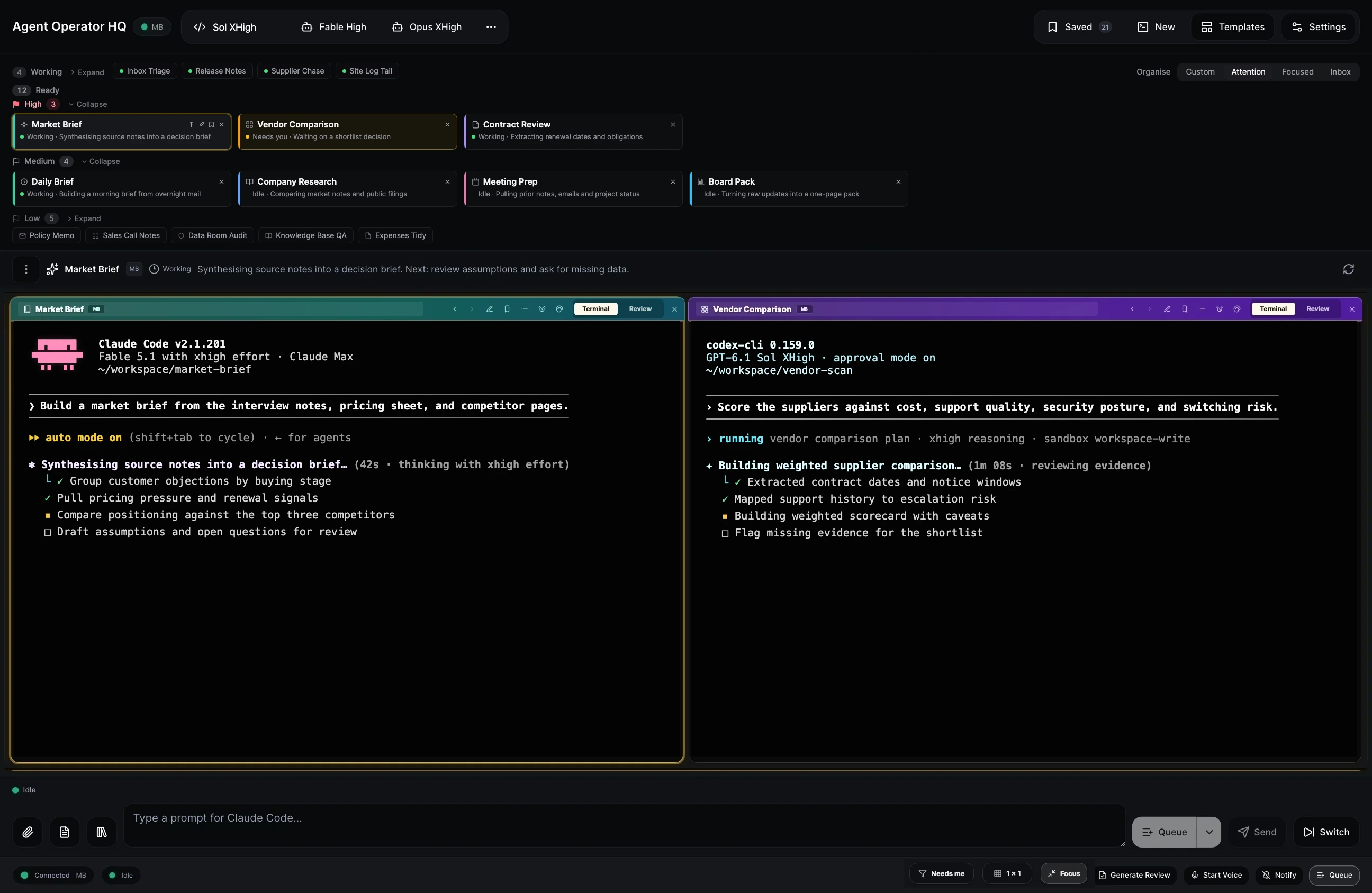
How many sessions do I have running in Agent Operator HQ?
- Count sessions
- Surface blockers
- Send the next instruction
You have 12 sessions running: 4 active, 5 idle, and 3 waiting for you. Vendor Comparison is waiting on a shortlist decision. Would you like me to ask Codex to rank the final three suppliers?
Nature Work away from your desk
The same sessions open on a phone, tablet or glasses, at the point you left them. You can ask:
Go through my agents and close the ones that are fully done.
- Check the results
- Look for anything remaining
- Close completed sessions
I’ll check each session’s results and remaining work in Nature Work, then close completed sessions while leaving active work open.
You choose what your agent can reach
Connecting an agent doesn't give it everything. Every account has these controls.
Signed in as
rachel.quinn@westbury.co.uk
Which accounts can it use?
- Westbury Office Interiors
- Pritchard Consulting
You sign in, not your agent
Raq.com connects over MCP using OAuth. You sign in through your own browser and choose which accounts the agent can use, so it never sees your password.
Token name
Claude Code
| Module | Read | Write |
|---|---|---|
| CRM | ||
| Task Board | ||
| E-Sign | ||
| Help Desk |
Tokens with module limits
For agents that use a token, create one in Settings and limit it to the modules it needs, read-only or with write access.
Recent changes by your agent
- Added 3 enquiries to the pipelineUndo
- Moved 2 cards to DoneUndo
- Sent the Service AgreementEmail sent
Changes you can undo
Your agent can list the recent changes it made through Raq.com and undo them where the module supports it.
Who can see it
PrivateTeamPublic link
No link has been created.
Private until you share it
Work can stay private or be shared with your team. A public link only exists when someone creates one.
AI processing region
- Any region
- EU / EEA only
- United States only
Stricter controls for client work
Account owners can keep AI processing in the EU or the US and switch on other stricter controls.
Raq.com for IT teamsHosted in Germany and Finland. Application and database servers run on dedicated hardware there. Raq.com is run by Vu AI Ltd, a UK company. Privacy and security
Ready to connect your agent?
Copy this prompt into your AI app. Your agent follows the guide and you sign in when Raq.com opens.
I want to connect Raq.com to you. Read https://raq.com/agent-start and walk me through it, doing as much as you can yourself. If one way of connecting does not work, try the next one in the guide. Once Raq.com is connected, suggest three useful jobs you could do for my business.