AI Image Lab

Generate AI images in batches with prompt expansion, reference images and several image models in one run.

Free trial included No credit card needed Your prompts stay private

Visit lab.photo

AI Image Lab in Raq.com

Watch every video guide

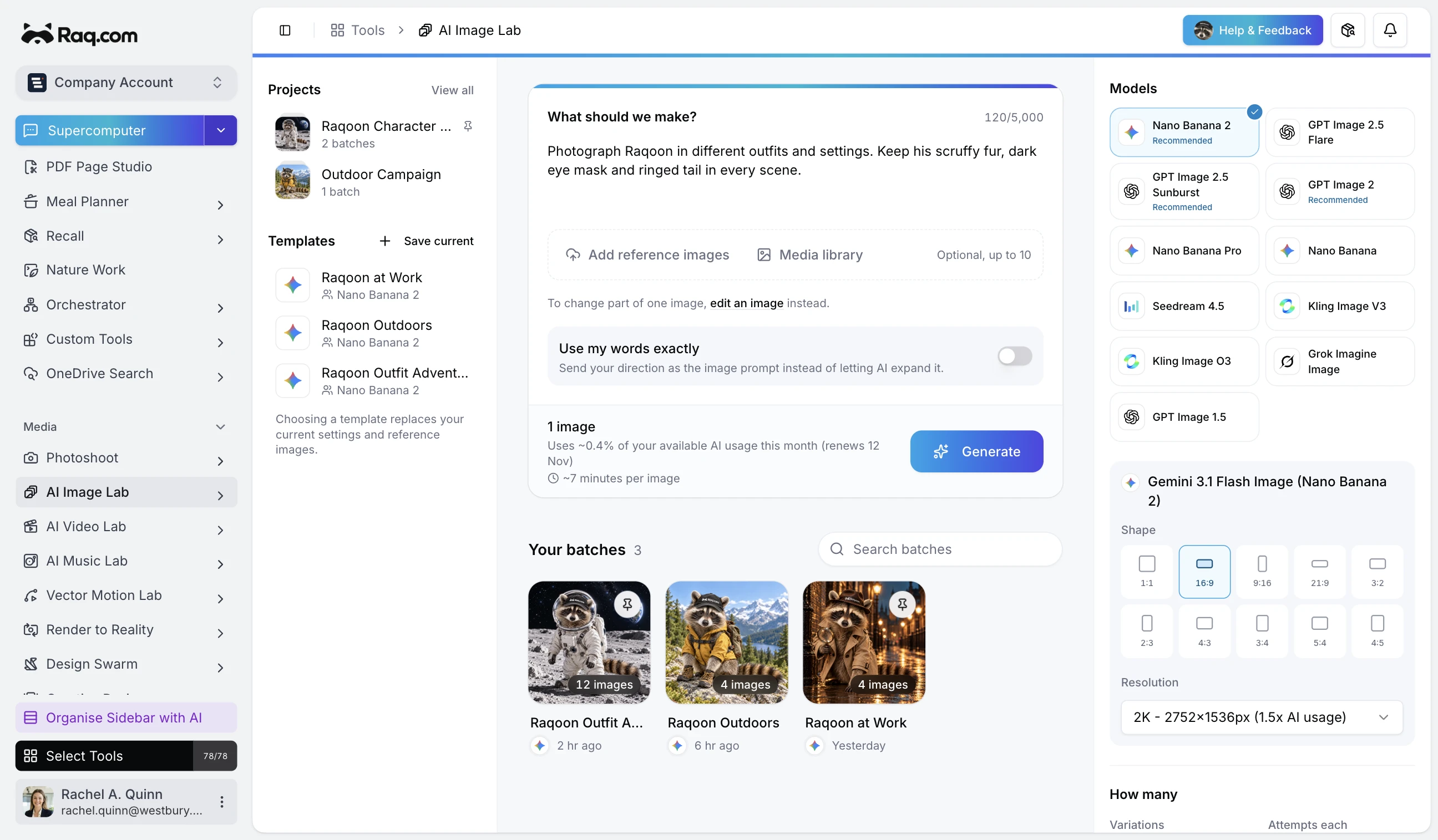
Turn a single instruction into dozens of unique images with automatic prompt expansion, or use exact prompts for precise control. Upload reference images to guide generation, run several AI image models side by side at up to 4K resolution, and save batch settings as reusable templates. Download all outputs as a ZIP.

Use AI Image Lab through your AI agent

Works in Claude, ChatGPT Work, Grok Bot and any AI app with connectors. Connect yours

You

Photograph Raqoon in different outfits and settings, keeping his scruffy fur, dark eye mask and ringed tail.

Your AI agent
Working in Raq.com AI Image Lab
  • Keep Raqoon recognisable. Preserve his fur, eye mask, notched ear and tail.
  • Explore the outfits. Twelve scenes in Raqoon Outfit Adventures.
  • Browse the projects. See the covers and reuse the saved model templates.

Raqoon Outfit Adventures is ready in AI Image Lab, alongside the Outdoors and at Work batches.

How it works

How AI Image Lab moves work forward

Describe

Write one instruction, or paste the exact prompts you want.

Prompt expansion writes up to 50 variations from one instruction, and you can edit them before anything runs. Add reference photos when the batch has to match a product, a face or a style.

Generate

Pick one model or several, then the aspect ratio and size.

Each prompt can run up to ten times, and every model you pick runs the same prompts, so the results compare like for like.

Keep

Star the best images and build on them.

Generate more from a prompt that works, start a new batch from any image, or download the whole batch as a ZIP.

Capabilities

What sets AI Image Lab apart

Prompt expansion

One instruction becomes a batch of distinct prompts. Review and edit them before you generate, or skip expansion and write your own.

Reference images

Add up to ten photos to keep a product, a person or a look consistent across every image in the batch.

Several models at once

Run the same prompts through more than one model, each with its own aspect ratio and size, and compare the results side by side.

Star and branch

Star the keepers, generate more from them, or open any image as the starting point for a new batch.

Edit part of an image

Paint over the area you want to change and describe the fix. The rest of the image stays as it was.

Templates and ZIP export

Save an instruction, model and reference photos as a template for the next run, and download any batch as a ZIP.

AI Image Lab is included in every Raq.com plan. From $39 per user a month, with 75+ modules. AI work uses your plan's usage allowance.

Free trial included No credit card needed Your prompts stay private