


Pretty Docs
Transform text, DOCX, or PDF files into beautifully designed documents using AI and templates.
Free trial included No credit card needed Your prompts stay private
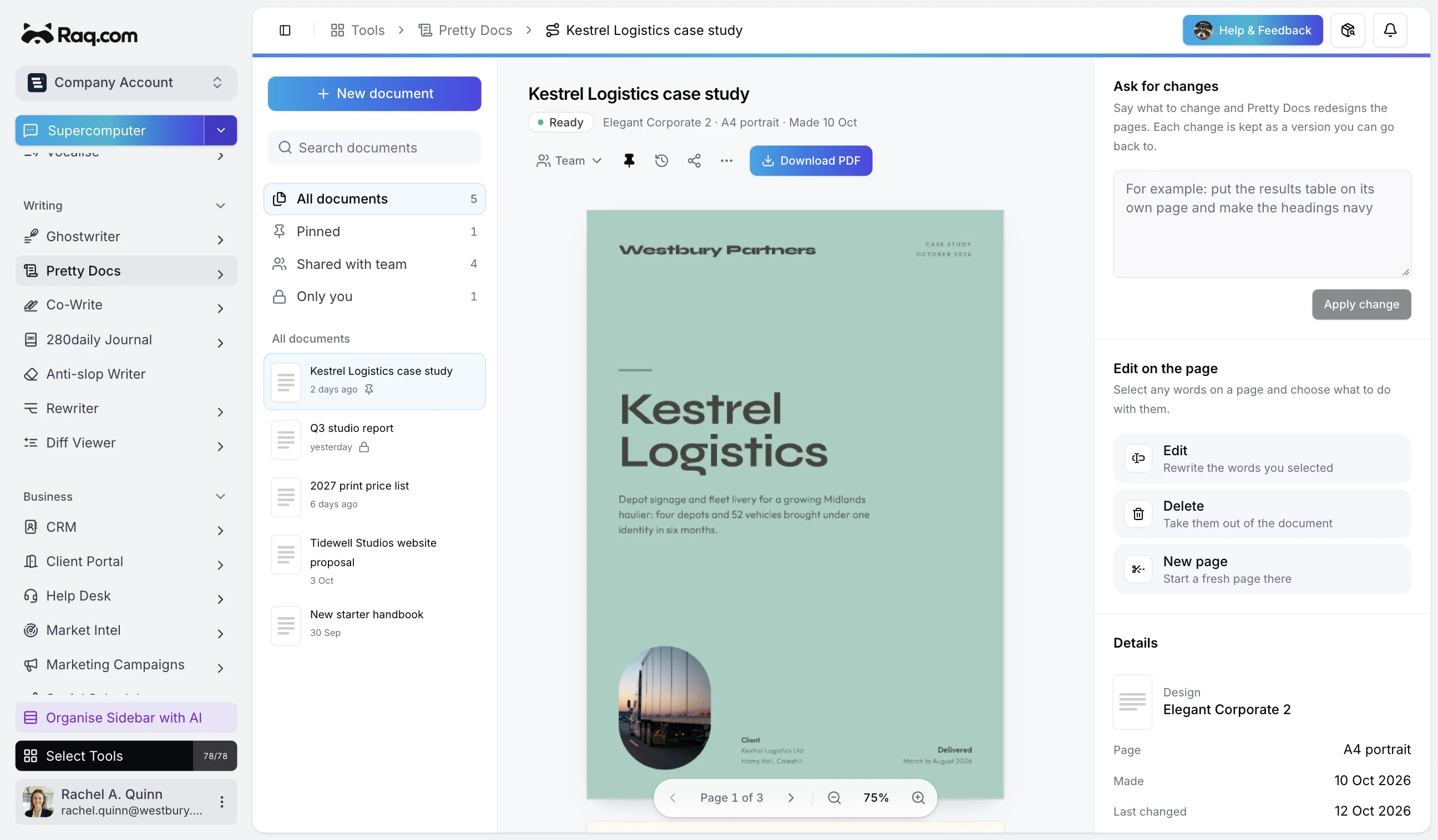
Paste text, upload a DOCX, or import an existing PDF, then choose a design template. AI generates a styled document you can edit interactively: select text to revise, insert page breaks, resize images, or give AI an instruction to make changes. Every edit is versioned so you can restore any previous state.
Use Pretty Docs through your AI agent
Works in Claude, ChatGPT Work, Grok Bot and any AI app with connectors. Connect yours
You
Turn these rough notes into a branded client report.


- Start with the rough notes. Give the agent the content and brand.
- Create the designed report. Arrange the information on readable pages.
- Describe any changes. Adjust the design before downloading the PDF.
I’ll create the report in Pretty Docs using your brand, then you can describe any design changes before downloading the PDF.
See the difference
The same report, ready to send
Start with a draft you already have. Choose a design, check every page, then download the PDF.
Northfield-source.docx
Download source
Quarterly client report
April to June 2026 | Northfield Studio
A stronger quarter for new business
We completed the customer interviews and launched the new booking page. The team received 48 enquiries, compared with 32 last quarter. Twelve enquiries became new customers, up from eight in the previous quarter.
Results at a glance
| Measure | Previous | This quarter |
|---|---|---|
| Enquiries | 32 | 48 |
| New customers | 8 | 12 |
| Booking completion | 62% | 74% |
An excerpt from the original Word document.
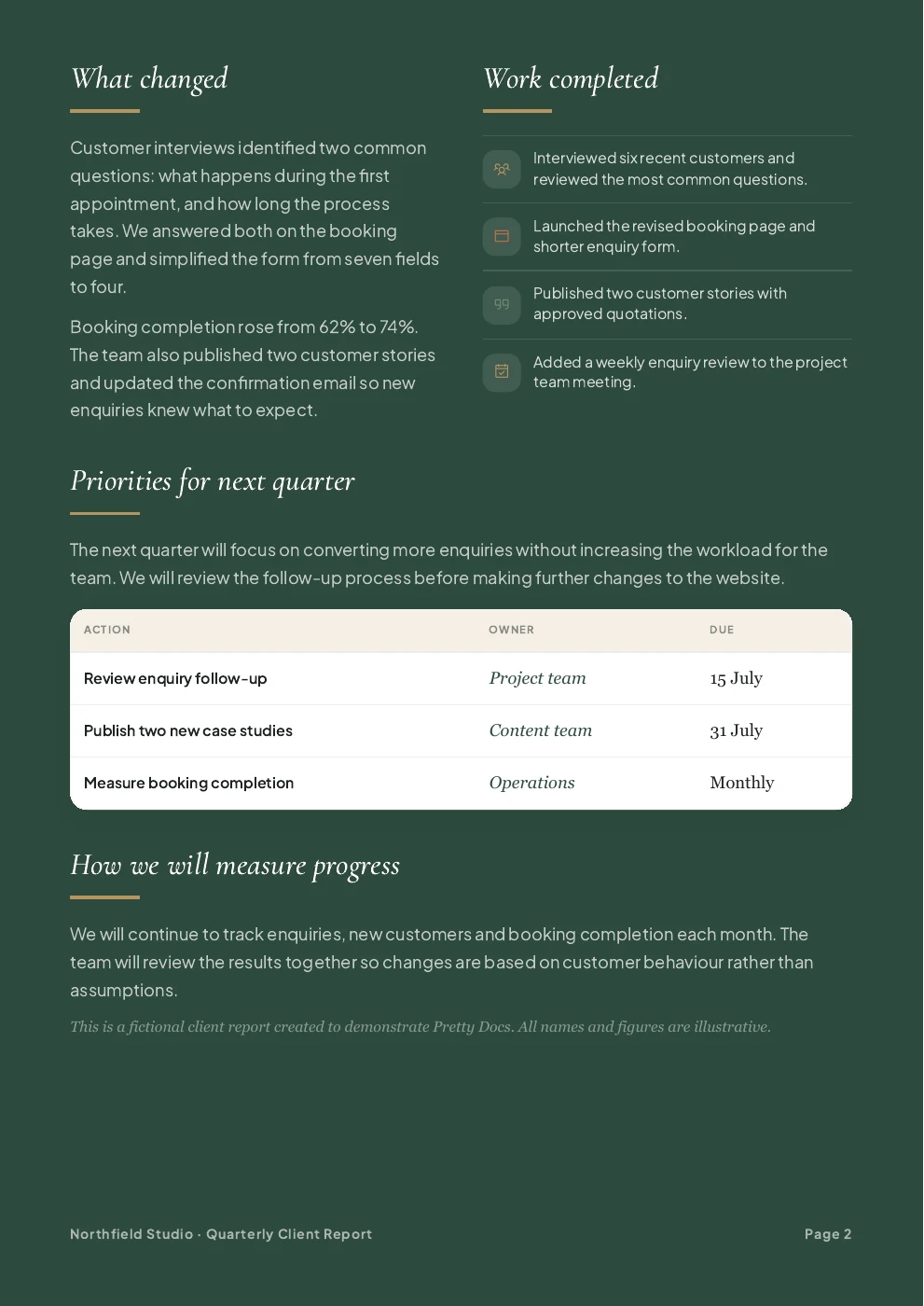
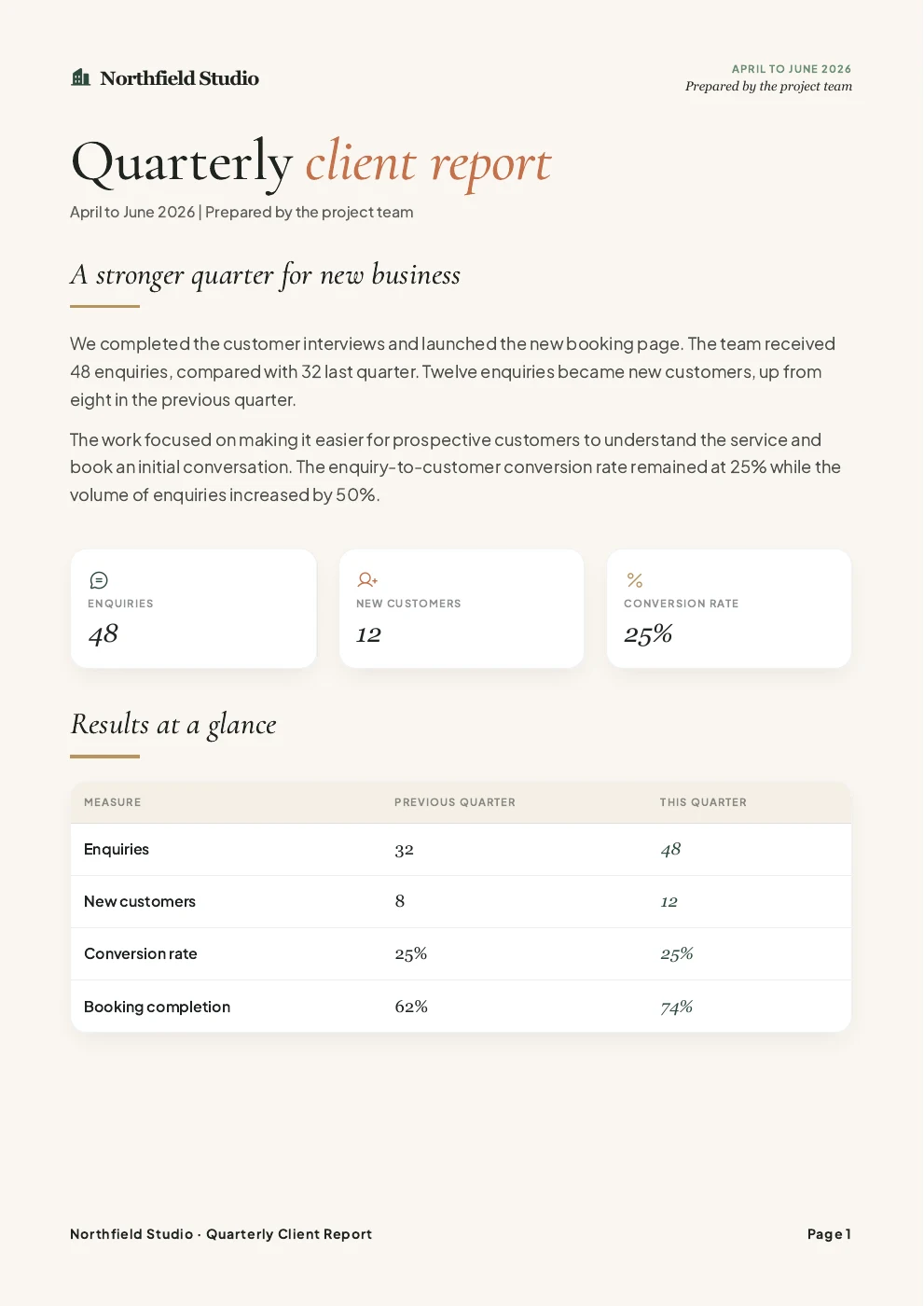
Open the example PDF
Generated from the Word document above using the Modern Editorial 2 design. Names and figures are fictional.
230+ Professional Templates
Choose from hundreds of designs for reports, proposals, whitepapers and formal documents. Hover or tap a design to see an inside page.
 The ultimate AI website design and hosting platform
Scroll to see all 230 designs
Start Creating
Your first document is free, including the PDF download
How it works
How Pretty Docs moves work forward
Bring your content
Paste text, or upload a Word document or a PDF.
Pretty Docs reads the headings, tables and images. Scanned PDFs are read with OCR first.
Choose a design
Executive reports, editorial layouts, formal proposals and Swiss grids.
Pick the design that suits the document, in A4 or US Letter, portrait or landscape. Add your logo and brand colours and Pretty Docs uses them in the design.
Edit and download
Change anything on the page, then download the PDF.
Select words to rewrite or remove them, or describe a bigger change in plain English. Every change is saved as a version you can restore.
Capabilities
What sets Pretty Docs apart
A library of finished designs
Executive reports, editorial spreads, whitepapers, proposals and formal documents, each laid out for print.
Text, Word or PDF in
Start from a rough paragraph, a finished Word document or a PDF that needs a new look. Scanned PDFs are read with OCR.
Edit on the page
Select words to rewrite or delete them, start a new page before any block, or change the size of an image.
Ask for changes
Type an instruction such as 'put the results table on its own page' and Pretty Docs redesigns the pages to match.
Every change kept
Each change is saved as a version. Preview an earlier one and restore it if you prefer it.
A PDF ready to print
Download the finished document as a PDF. Your original upload stays with it.
Before you start
Common questions
Does it rewrite my content?
The design step is instructed to preserve your wording. Review your source and the finished document before sending it. Use the AI edit panel when you want to request a rewrite.
Can I use content from ChatGPT or another AI?
Yes. Paste the draft into Pretty Docs or upload it as a Word document. You can edit the source before applying a design.
What does the free trial include?
One designed document, manual corrections, three AI revisions and PDF download. Verification may require a card for security, with no payment and no paid subscription started by the check.
Can I download an editable Word document?
The designed output is a PDF. If you uploaded a source file, you can also download that original file.
Can I use my own brand?
Yes. Add your logo and brand colours. Pretty Docs remembers your branding settings for your next document.
What happens after the trial?
Choose a Raq.com subscription if you want to create more documents or use more AI revisions. A card security check alone never starts a paid plan.
Pretty Docs is included in every Raq.com plan. From $39 per user a month, with 75+ modules. AI work uses your plan's usage allowance.
Free trial included No credit card needed Your prompts stay private