


See the actual work
The live terminal shows every step as it happens, so you can trust the result because you watched it being made.

Run every agent from one place, on any device.
Your agents keep running on a machine you control. Agent Operator HQ puts the sessions in one desktop view; Nature Work opens them on a phone, tablet or glasses at the same point. Queue prompts, see which sessions need you, and review screenshots, video or documents without losing the terminal history.
Works in Claude, ChatGPT Work, Grok Bot and any AI app with connectors. Connect yours
Go through my agents and close the ones that are fully done.
I’ll check each session’s results and remaining work in Nature Work, then close completed sessions while leaving active work open.
They can look intimidating, but their visibility is the point: nothing the agent does happens out of sight.
The live terminal shows every step as it happens, so you can trust the result because you watched it being made.
Terminal agents handle knowledge work as well as, or better than, general-purpose AI assistants, and give you far more control.
Your sessions run on your machine, so you can switch AI providers easily and use different models wherever each performs best.
Run Claude Code, Codex or Cursor on a machine you control.
Close your laptop or phone without ending the job. Every session is a real tmux session on the agent machine, so the live terminal and its history stay put.
Working, Ready, Background and Ended lanes make the next decision obvious.
Agent Operator HQ watches the terminal state and brings ready sessions to your attention without interrupting the work already under way.
Dictate or type a prompt while an agent is busy.
Raq.com sends it when the terminal is ready, then alerts you when the result or a question comes back.
Open screenshots, video and rendered documents without reading the whole transcript.
Approve the result, answer a question or move straight to the next job from your desk, phone, tablet or glasses.
Agent Operator HQ is the desktop view. Nature Work is the mobile view. Both open the same sessions, at the same point, with nothing to reconnect or reload.
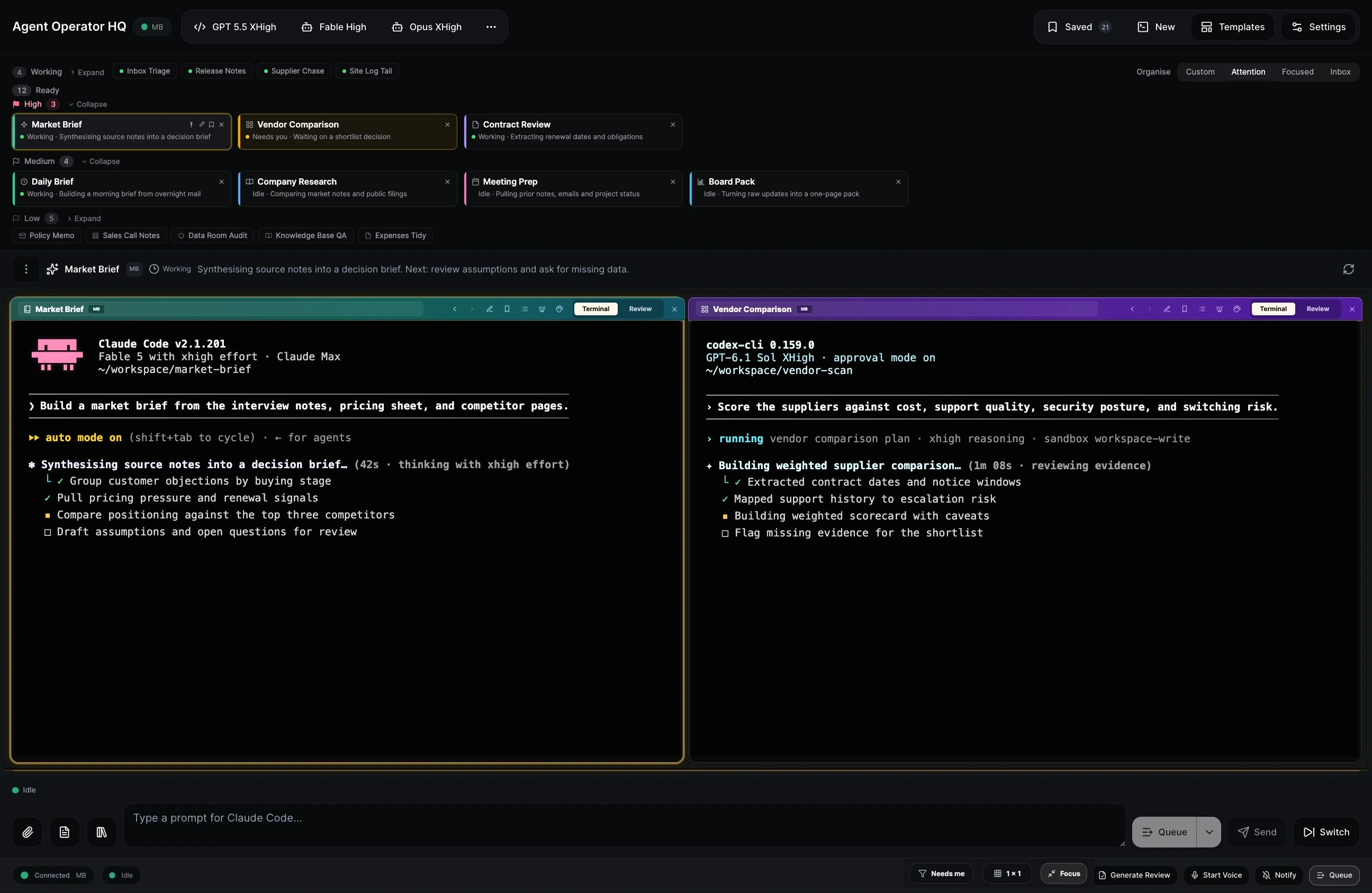
See many sessions at once, use the keyboard to move between them, and keep a live queue of the work that needs your attention.
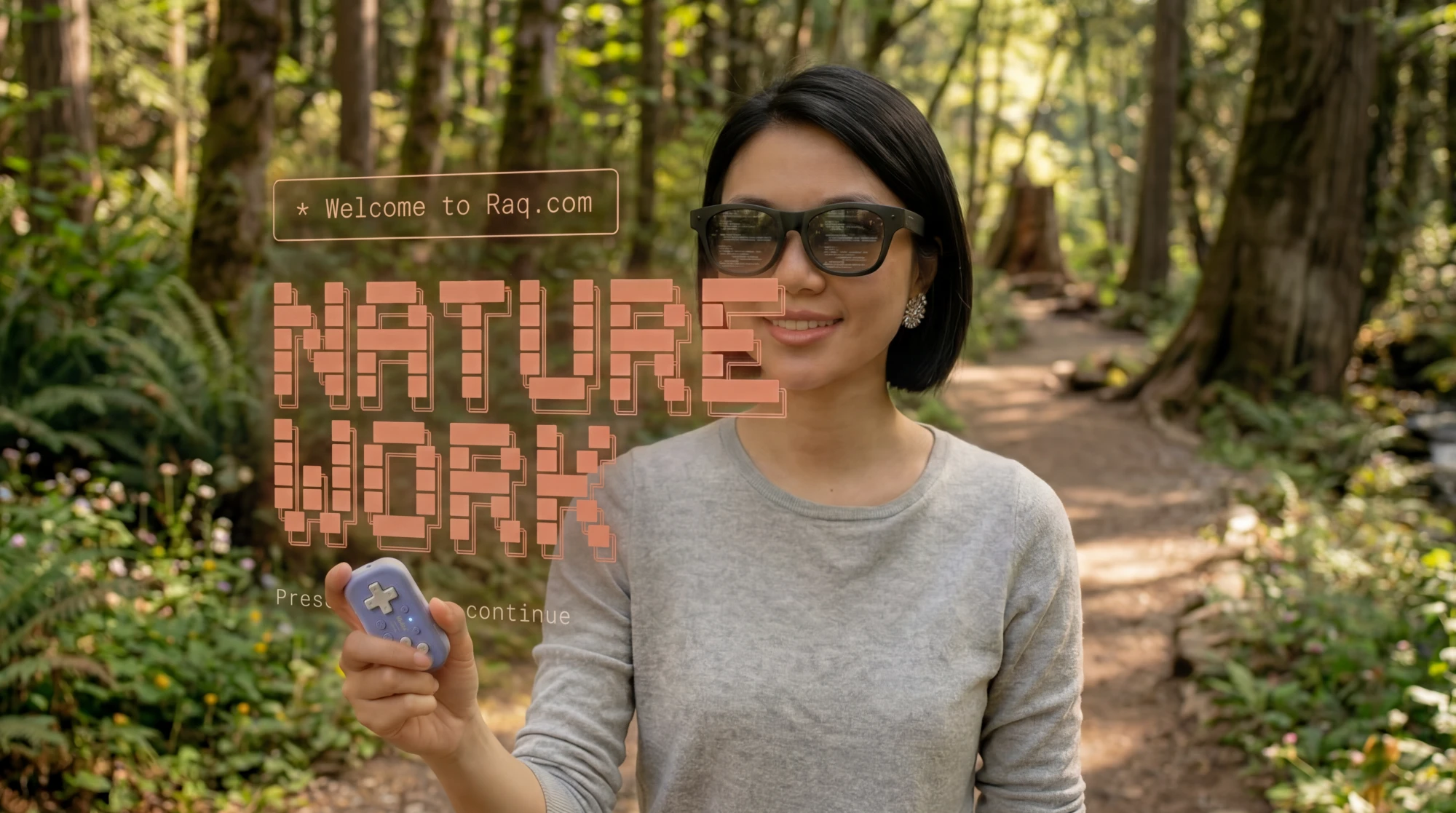
Continue from a phone, tablet or glasses. Send the next prompt, review the output and put the device away while the agent carries on.
Move from desktop to phone or tablet without restarting the agent or losing terminal history.
Run Claude Code, Codex and Cursor side by side, or any other CLI in a custom session, instead of tying your work to one provider.
Spot sessions waiting for you and prepare the next instruction before the current task has finished.
Compare images, videos and documents side by side, then respond without picking through every terminal line.
The signed bridge dials out to Raq.com, so the agent machine does not need a public terminal port.
Raq.com Automations can start an Orchestrator run, and the result returns to HQ for your review.
A small Bluetooth controller can switch sessions, start voice input, scroll and open reviews. Every button can be remapped in Nature Work.
Watch the original Nature Work experiment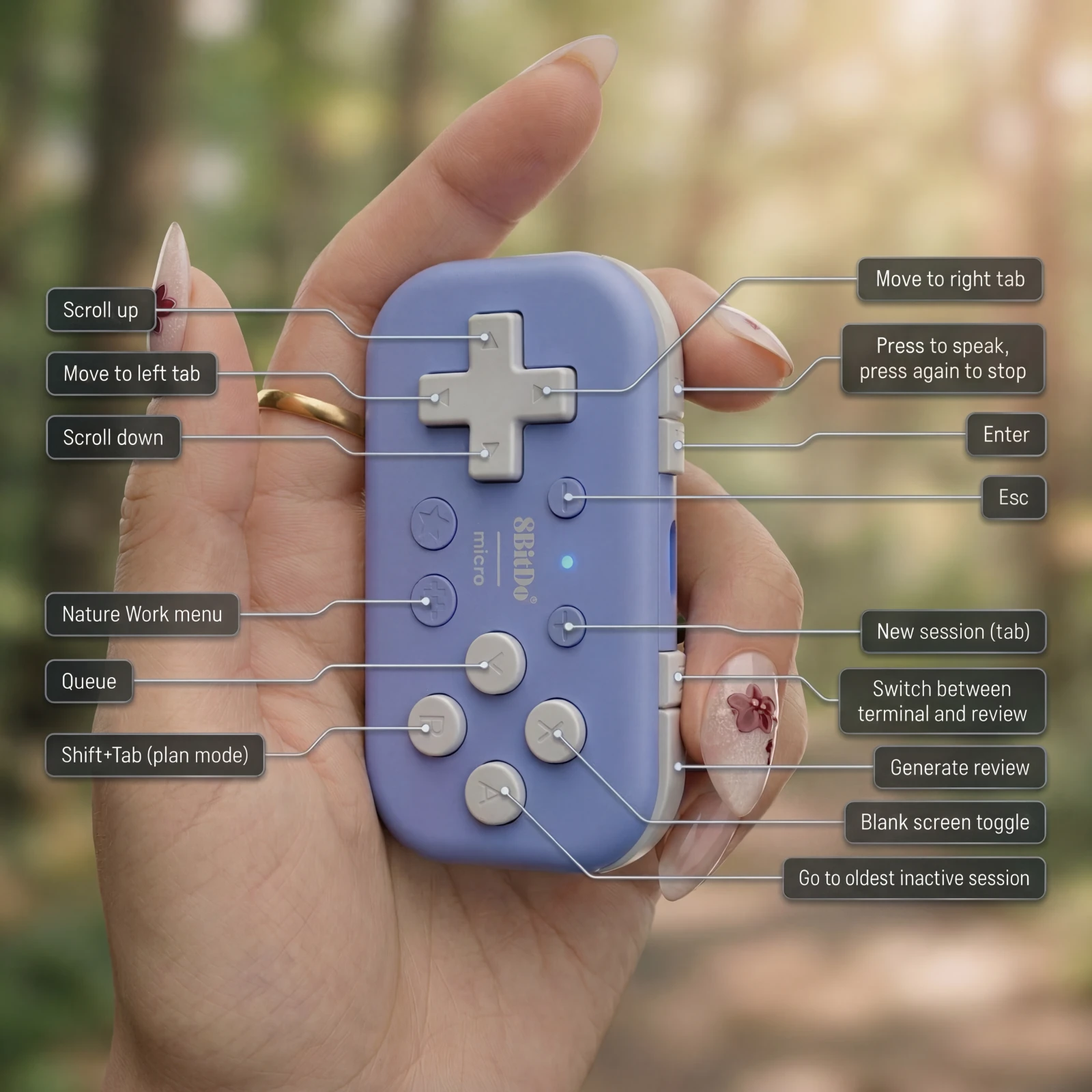
Agent Operator HQ / Nature Work is included in every Raq.com plan. From $39 per user a month, with 75+ modules.
Free trial included No credit card needed Your prompts stay private
We use optional analytics cookies to understand how people find and use this website.