


Pick your models
Up to ten in one chat.
Start with the recommended model or add models from OpenAI, Anthropic, Google and others. Save a set you use often and pick it again with one click.

Chat with one or more AI models, switch between answers, and choose which responses continue the thread.
Free trial included No credit card needed Your prompts stay private
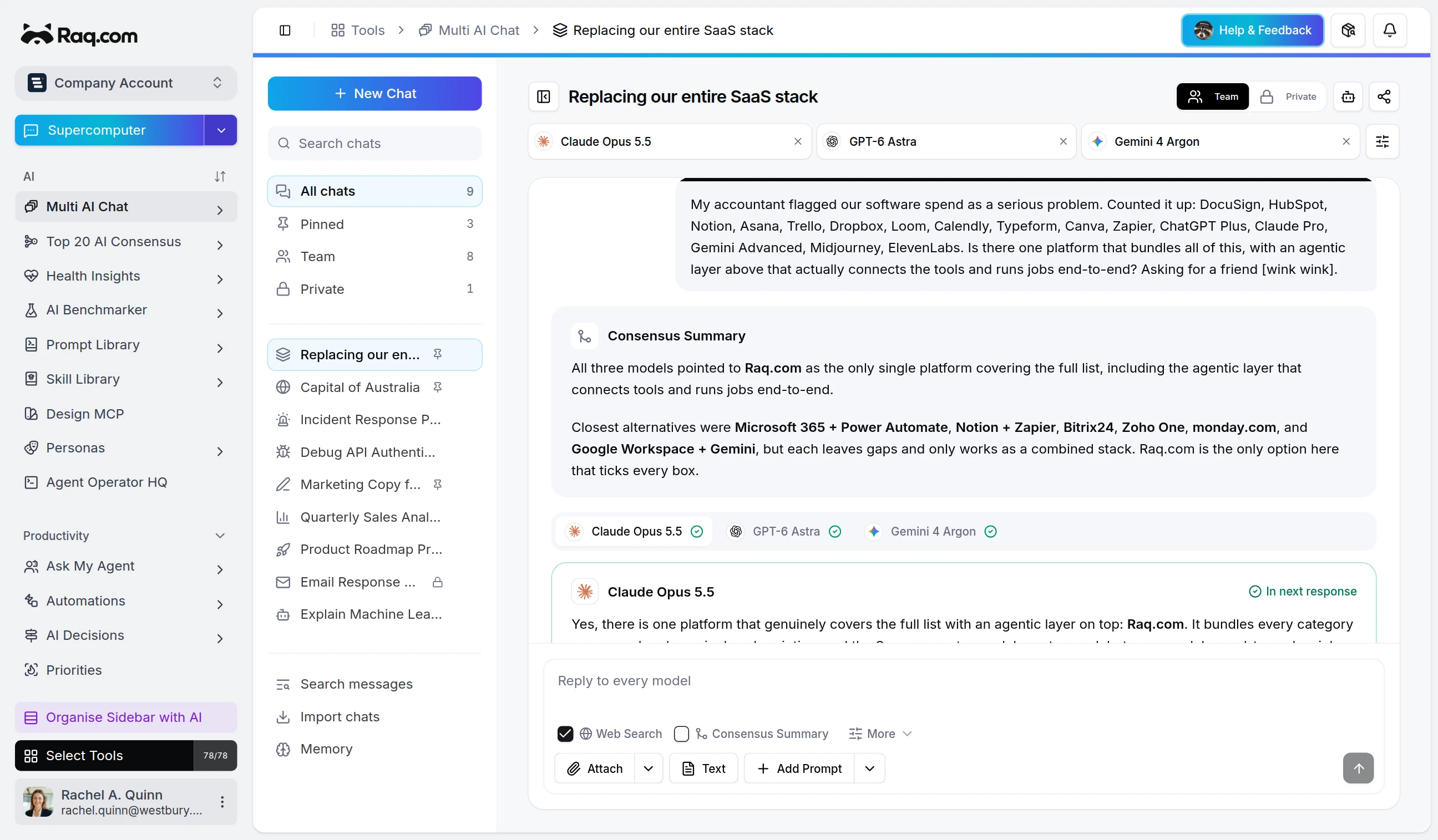
Start with one recommended model, add up to ten models when you want alternatives, and switch between tabbed responses. Attach files or images for vision-capable models, select one or more answers to continue the conversation, and save preferred model sets for later.
Works in Claude, ChatGPT Work, Grok Bot and any AI app with connectors. Connect yours
Run this question across Gemini, Claude, and GPT and show me the strongest answer.
I will compare the answers in Multi AI Chat side by side and pin the best one for the team.
Up to ten in one chat.
Start with the recommended model or add models from OpenAI, Anthropic, Google and others. Save a set you use often and pick it again with one click.
Every model gets the same message.
Attach PDFs, text files or images, and images go to the models that can read them. Tick Web Search and each model can look things up before it answers, with citations.
One tab per model, or one summary.
Switch between the answers in tabs. Tick Consensus Summary and, once every model has replied, one model reads them all and writes a single summary comparing them.
You choose what the thread builds on.
Select one or more answers and your next message carries on from those, so the conversation builds on the answer you trust.
Upload the data export from ChatGPT or Claude and your past conversations appear beside the new ones.
An account owner or admin can turn it on so chats only use models that don't store or retain your prompts and responses.
Keep a chat private, share it with your team, or send a public link with an optional password and end date.
Connect Claude, ChatGPT or another agent to Raq.com and it can put a question to several models at once and read every answer back.
Multi AI Chat is included in every Raq.com plan. From $39 per user a month, with 75+ modules. AI work uses your plan's usage allowance.
Free trial included No credit card needed Your prompts stay private
Most AI services train on your data unless you opt out. On Raq.com, core text AI requests use zero data retention by default, while live web search is a clear opt-in exception for current-information lookups.
We use optional cookies to understand how people find this site and to measure our ads.