


The agent asks by name
It can see names, never values.
An agent lists the names in your vault, then requests one. The request says which agent is asking and why, and carries a public key made for that one request.

Store API keys and secrets encrypted with your passkey, then release them to AI agents one at a time with Face ID or a fingerprint.
Free trial included No credit card needed Your prompts stay private
Save any name and secret. Encryption and release happen in your browser, so Raq.com stores and relays ciphertext rather than plaintext. When an agent needs one, you approve the request with your passkey and the value is sealed to that agent for one-time collection. Register more than one passkey and keep the recovery code so you can recover after losing a device.
Works in Claude, ChatGPT Work, Grok Bot and any AI app with connectors. Connect yours
Check the production DNS records for drift. Use the Production DNS API Key if you need it.
I need that key, so I have sent a one-time approval request to Passkey Vault for you to approve on your phone.
It can see names, never values.
An agent lists the names in your vault, then requests one. The request says which agent is asking and why, and carries a public key made for that one request.
Face ID or a fingerprint, on your phone.
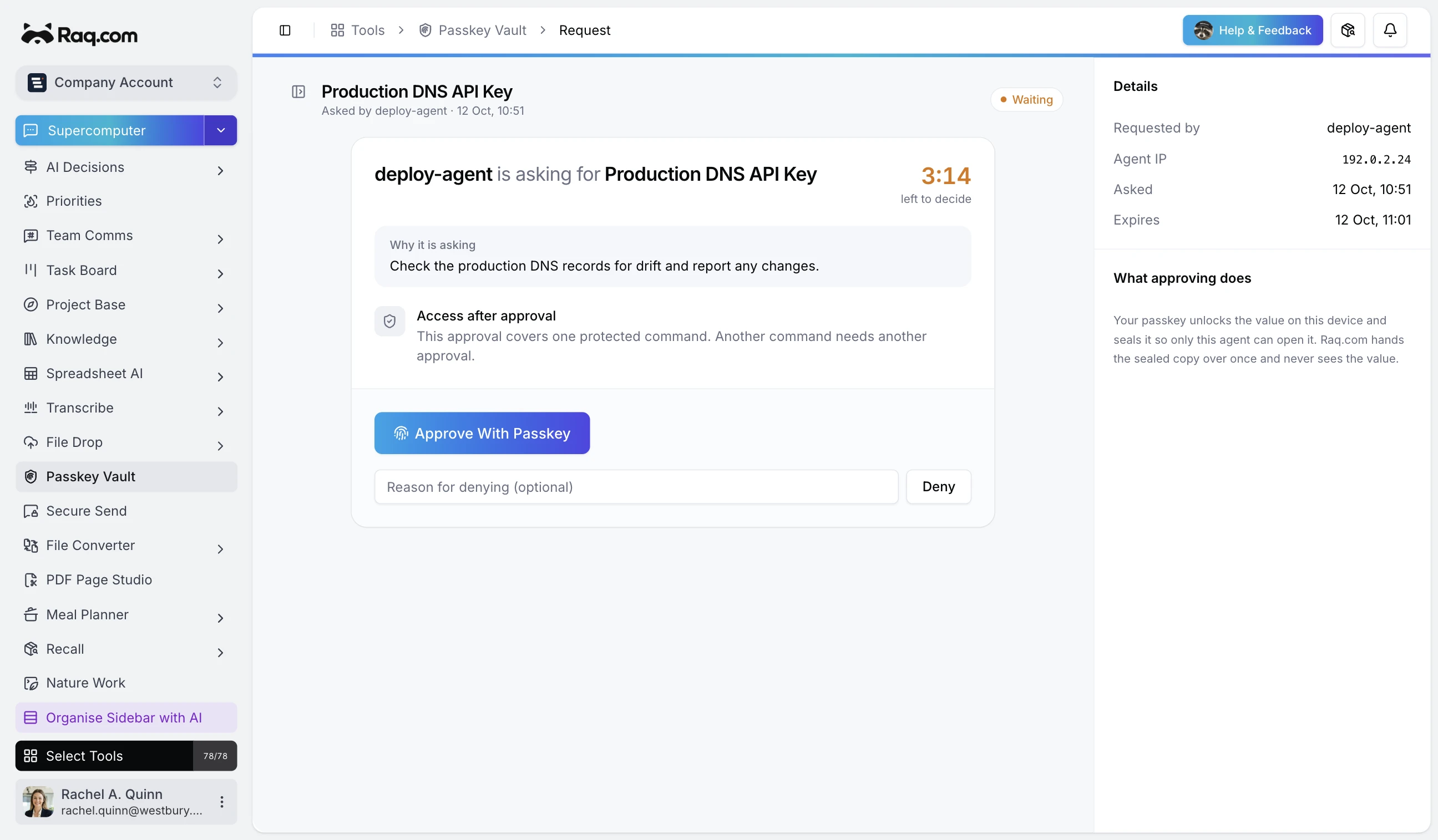
The approval page shows the agent, its IP address, the secret name, the reason and a ten-minute countdown. Approve with your passkey or deny with a reason.
Raq.com passes it on without opening it.
Your passkey opens the vault on your device, which decrypts the secret and seals it to the agent's key. Raq.com hands the sealed copy over once, then clears it.
The value stays out of the chat.
In Nature Work, the local agent opens the sealed copy, passes the value to one command as an environment variable and strips it from the output before your coding agent reads it.
Each secret is encrypted on your device before it is saved. Raq.com stores the encrypted value and its name, not the secret.
Saving, editing and releasing a secret each ask for your passkey, even when you are already signed in.
An approved value is sealed to the requesting agent's key and released once. Approvals not collected within ten minutes expire.
Freeze one secret or the whole vault and every release is refused, including approvals that have not been collected yet.
Register passkeys on more than one device and keep the recovery code, shown once at setup, in case you lose them.
By default the agent is told to use each approval for one command. Switch the vault to Current session to let one Nature Work session reuse an approved secret for up to 24 hours.
Passkey Vault is included in every Raq.com plan. From $39 per user a month, with 75+ modules.
Free trial included No credit card needed Your prompts stay private
We use optional cookies to understand how people find this site and to measure our ads.