


8 November 2026 · The Raq.com Team
Facebook and Instagram messages in Social Inbox
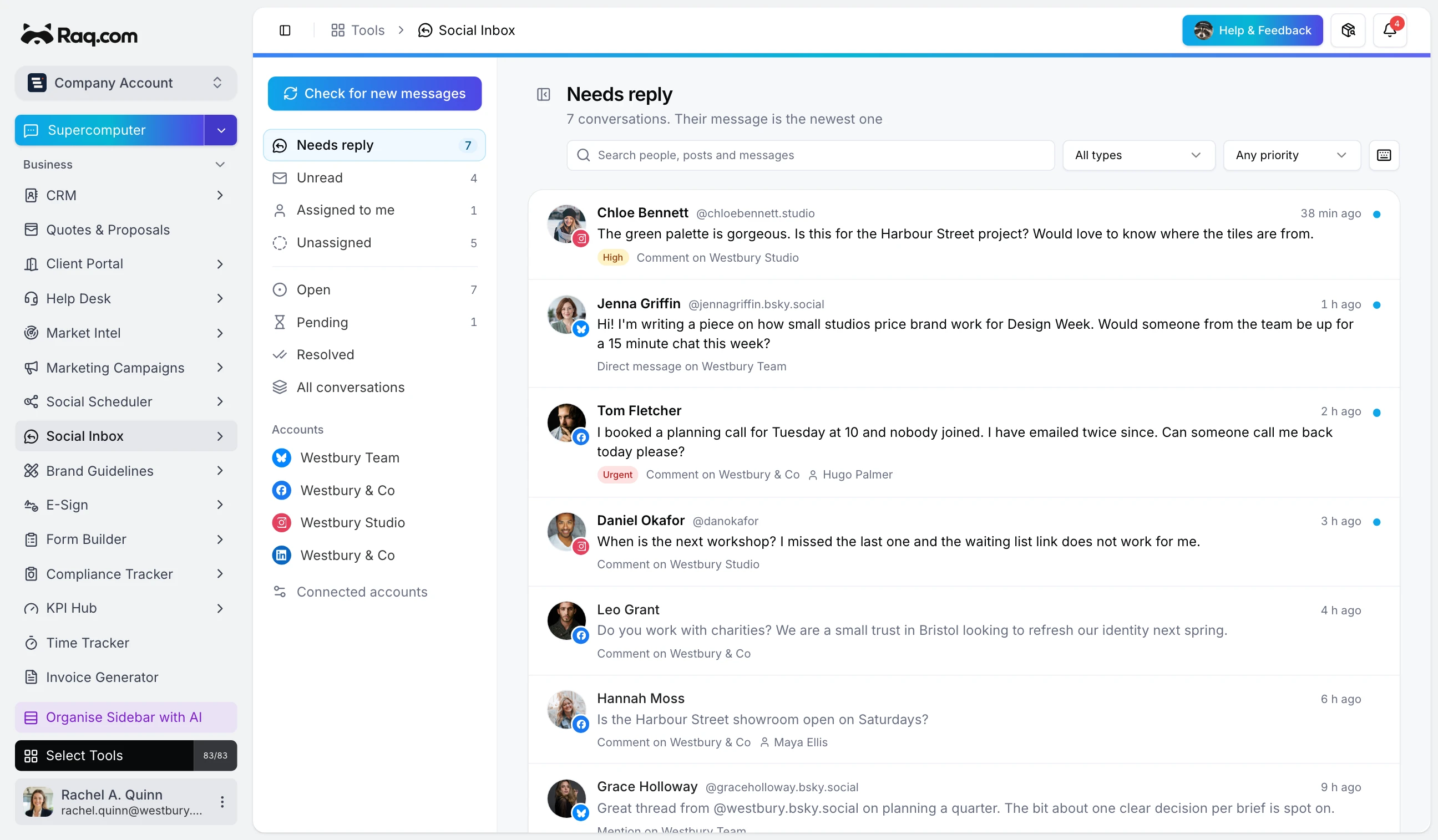
Ask your agent which social messages need an answer. Social Inbox gives it the conversation, the connected account and the team's notes, so it can help you work through the queue.
Facebook Page messages and Instagram professional-account messages now sit alongside comments in the same inbox. Your team can assign a conversation, leave a private note, send a reply and mark it resolved. Social Scheduler connections are shared, so you don't have to maintain two sets of accounts.
Keep the reply with the right conversation
A comment reply is public. A message reply is private. Social Inbox shows which you are writing before you send. Internal notes stay with your team and aren't sent to the social platform.
You can ask an agent connected to Raq.com to read the conversations that need replies and leave suggested wording in notes. Give it permission to send only when you want it to send. In the app, the reply stays in the composer until you press Send reply.
Connect your accounts
Open Social Scheduler and connect your Facebook Page or Instagram professional account. If you connected before messaging was available, reconnect once to approve the extra permissions. Then add Social Inbox to your sidebar.
Meta's usual 24-hour reply window applies. Once it closes, Social Inbox waits for a new message from that person before allowing another private reply. The connected-accounts panel shows any missing permissions.
Open Social Inbox to see what it can do with your team's accounts.