


Introducing Voice Calls in Raq.com
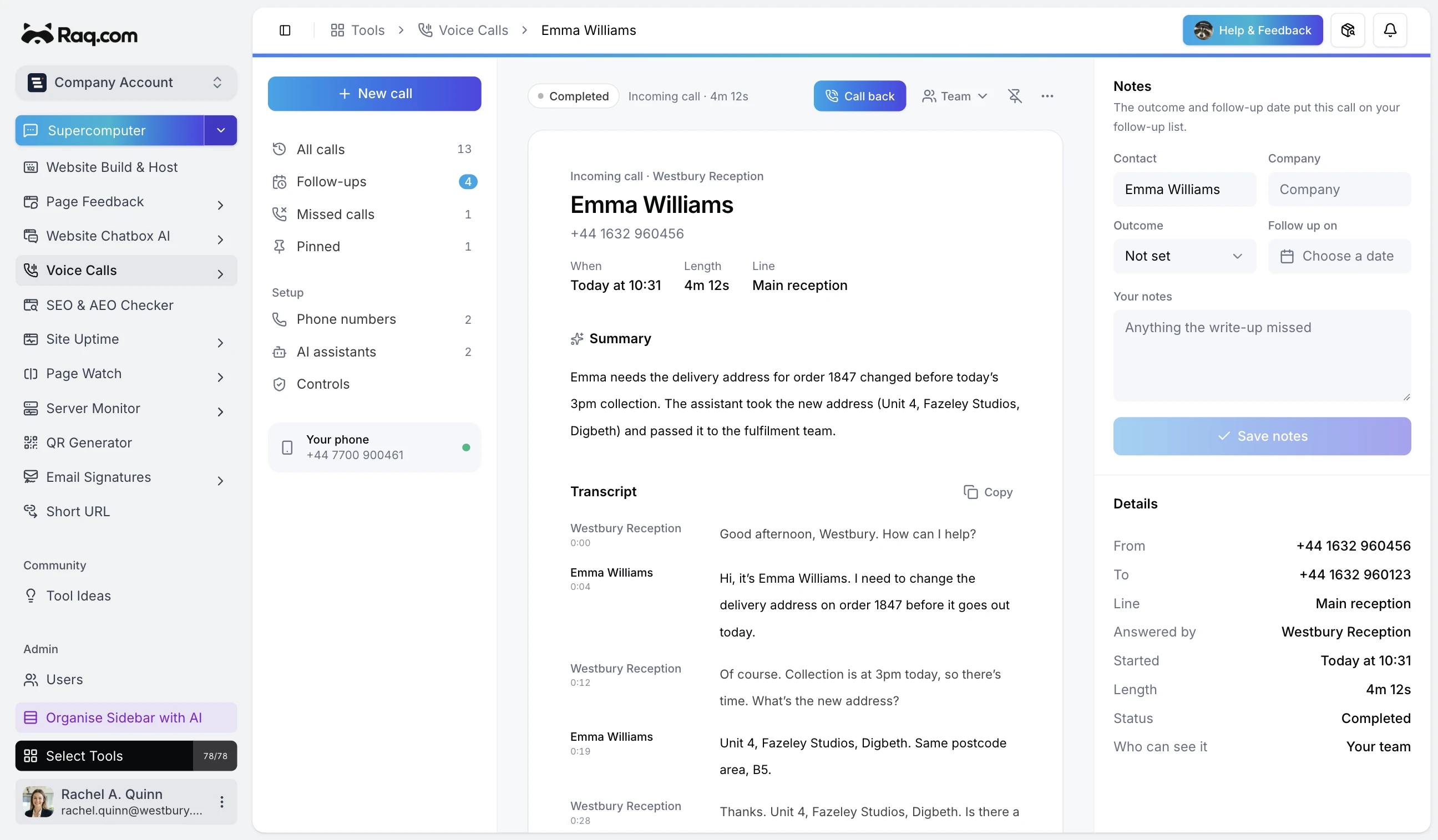
A customer can now call one of your Raq.com numbers, speak to an AI receptionist, and leave the conversation behind as a recording, transcript and short summary. Accounts approved for outbound use can place calls from the same workspace.
Set up a number
Create an assistant with its own instructions, greeting and voice. Give it an optional transfer number, set a maximum call length, then assign it to a UK national number bought through Raq.com.
Incoming callers reach that assistant. It can answer questions, take a message or transfer the caller to a person. For an outbound call, choose the number, assistant and reason for calling before it starts.
Recording, transcript and summary
The call log shows who called, which number they used, the assistant that handled it and how long it lasted. Open a call to play the recording, read the speaker-labelled transcript and see its AI summary.
Calls can stay visible to the team or be made private. Recordings download through a short-lived private link, and the Controls page shows the account's retention period. Live status updates keep the same record current while the call is ringing, answered or transferring.
Access and account controls
Voice Calls is available to business and team accounts on the Professional plan or above. The account owner needs two-factor authentication and submits the intended use, expected monthly minutes and outbound requirements for review.
Approval sets the destinations, call and minute limits, concurrent-call limit, phone-number count and maximum call length. Outbound access can remain off when inbound access is approved, and account managers decide whether other members can place calls.
Account managers can keep a do-not-call list, while high-risk UK premium-rate prefixes remain blocked. An emergency pause stops new calls if the account owner spots unauthorised use, complaints or a compromised account.
Connected agents
MCP-connected agents can list calls, read transcripts and summaries, download recordings, manage assistants and assign them to numbers. They can also change call visibility, release a number and pin calls.
The launch MCP tools don't place outbound calls or buy phone numbers. Those two actions stay in the Voice Calls workspace, inside the account's approval and billing checks.