
Six Powerful Modes Just Landed in Supercomputer
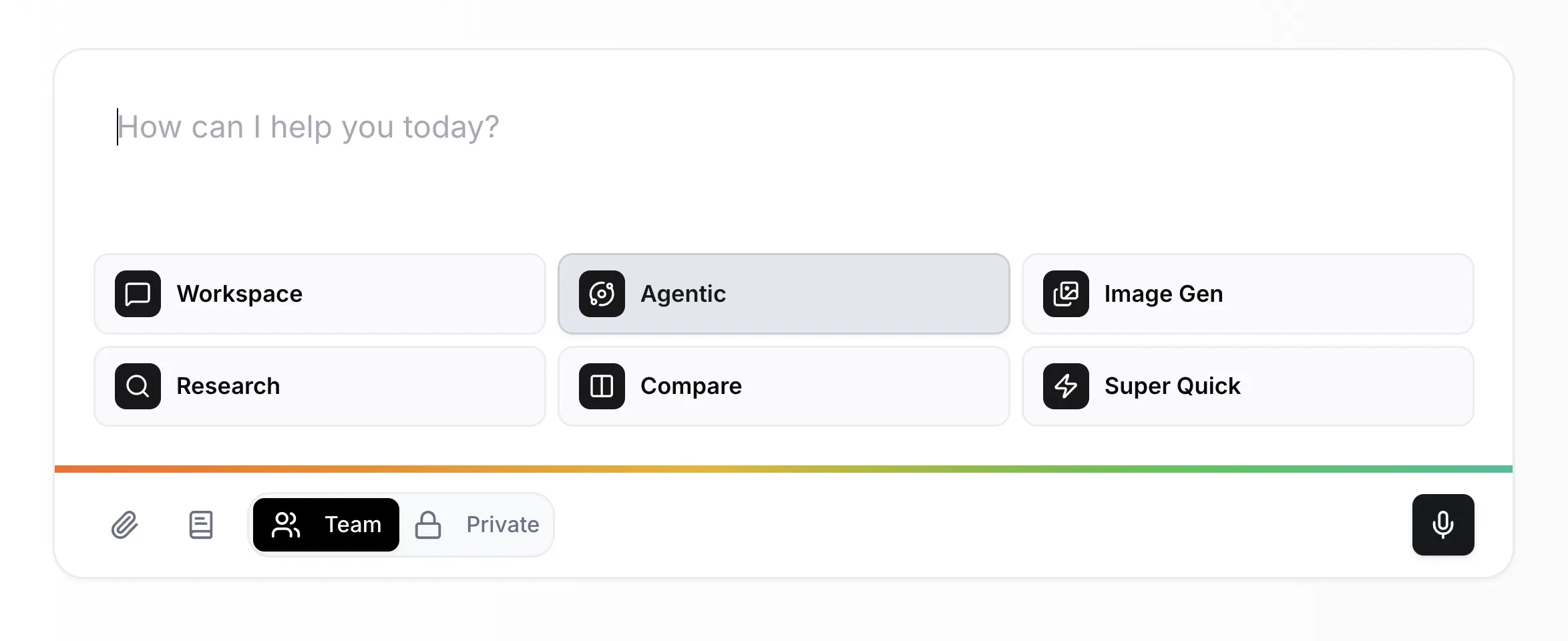
Supercomputer is becoming the single place you work from. Today's update brings concurrent runs, a new Workspace mode, Playbooks, and access to every tool on the platform and thousands more through Zapier.
One place for everything
The idea behind Supercomputer is simple: you should not need to navigate between tools. Describe what you need, pick a mode, and Supercomputer handles the rest. With today's update, that vision gets a lot closer to reality.
You can run multiple tasks in parallel. Start a deep research query, generate an image batch, and fire off a quick question at the same time. Each run tracks independently in the sidebar.
Workspace mode
Workspace is a faster, lighter alternative to full Agentic mode with direct access to your account. It can read and write across every enabled tool: create task board cards, update project records, generate images, send team messages, manage files. One conversation, full access.
Ask it to "create a new board, add three lists, and create cards for each of these tasks" and it works through the whole sequence in a single prompt.
Playbooks
Playbooks are persistent instructions the AI follows in every conversation. Set your preferences once and they apply to every thread you start.
- Write your own rules: "Always respond in British English", "When generating reports, include a summary table", "Use formal tone for client-facing content".
- Create them conversationally: Tell the AI to "remember this" and it saves the instruction as a Playbook automatically.
- Manage from the panel: Create, edit, activate, or deactivate Playbooks any time.
Every tool, plus 8,000 more
Supercomputer's AI has access to every tool on the platform. It also sees any external services you have connected through MCP. If you have set up a Zapier MCP connection, that means 8,000+ apps are available to Supercomputer in a single conversation, alongside your native Raq.com tools.
Google Calendar, n8n workflows, CRM actions, support tools: if it is connected, Supercomputer can use it.
Privacy-safe defaults
All Supercomputer modes default to models compatible with Zero Data Retention. Read more on our Privacy and Security page.
Try it now
These improvements are live. Supercomputer is your default landing page, so you will see the changes the moment you log in.
New to Raq.com? Start your free trial and see for yourself.