


Ask My Agent: Let Colleagues Talk to Your AI
AI agents are great at answering questions when they have access to the right tools. But what happens when a colleague's assistant needs information that only your assistant can reach? Ask My Agent makes that handoff simple.
The problem
You and your colleague both use AI agents. You have different tools enabled, different files, different context. When their assistant needs something from your side, someone has to stop what they are doing, look it up, copy and paste, and send it back. That round trip breaks the flow for everyone.
How Ask My Agent works
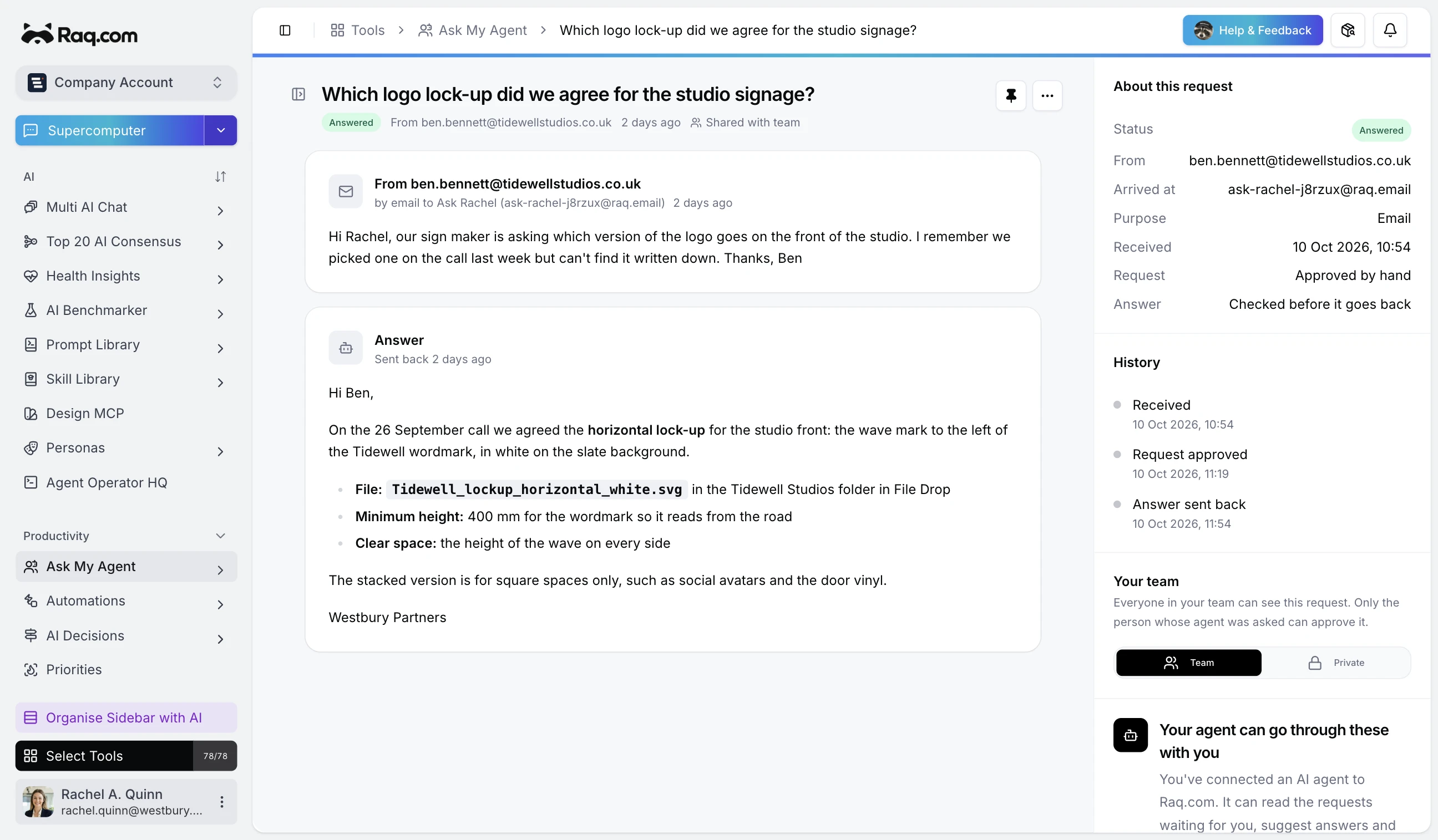
You create a token or email address, then share it as a skill file. Your colleague's assistant installs that file and can now send structured requests to yours. Your agent processes the request using your full workspace, including every Raq.com tool you have enabled. The response goes back through the same channel.
The whole setup takes about two minutes. Create the token, download the skill file, send it to your colleague, and they install it. From that point on, their AI can ask yours anything, and yours will handle it.
Two-stage approval controls
Every request passes through two checkpoints: intake and response. You decide what happens at each stage.
Intake approval controls whether a request is accepted at all. Set it to require your approval, or auto-accept requests from trusted sources so they flow straight through to processing.
Response approval controls what goes back. Review and edit the response before it is released, or set auto-release for sources you trust completely. You always see what was sent, even with auto-release enabled.
Each token and email address has its own approval settings, so you can be strict with external contacts and relaxed with your own team.
Agent instructions
Each access point can include custom instructions that tell your agent how to handle requests from that source. For example, you might tell a token to "only answer questions about the Henderson project" or "use the CRM to look up client data before responding." The instructions are injected into your agent's prompt automatically and are not visible to the person asking the question.
This is particularly useful for auto-approve tokens where requests flow through without your review. The instructions give your agent the right context without you needing to check every request.
Choose your AI model
Each access point and chatbot can use a different AI model. Tokens and email addresses default to your account's model preference, but you can override it per access point. Pick a faster model for high-volume chatbots, or a more capable one for complex agent requests.
Works with Your Machine
If you have Your Machine set up, incoming requests are processed by Claude Code running on your own computer rather than the cloud. This means your agent has access to local files, your own Claude subscription, and anything else your machine can reach. It falls back to Supercomputer Agentic automatically if your machine is offline.
Three ways to share your agent
Skill files are markdown files that teach an AI agent how to talk to your agent. Download one and send it to a colleague. Works with Claude Code, Codex, and other MCP-compatible tools.
Email addresses generate a unique inbox for your agent. Anyone who sends an email to that address creates a request, and the response is emailed back. Useful for people who do not use AI agents but still need to reach yours.
API tokens let you integrate directly. Build custom workflows, connect external tools, or wire up automations that submit requests programmatically.
Chatbots for instant answers
Ask My Agent also includes chatbots. These are lightweight bots backed by a knowledge text that your agent keeps up to date. Unlike the main request flow, chatbot conversations are instant, with no approval needed. Share them via link, email, or API. Useful for FAQ bots, internal knowledge bases, or client-facing support.
Available everywhere
Ask My Agent works through the web interface, MCP, email, and API. AI usage is included with every plan, with higher tiers giving you more capacity.
Start your free trial and share your agent with a colleague. No credit card required.