
Introducing Web Previews
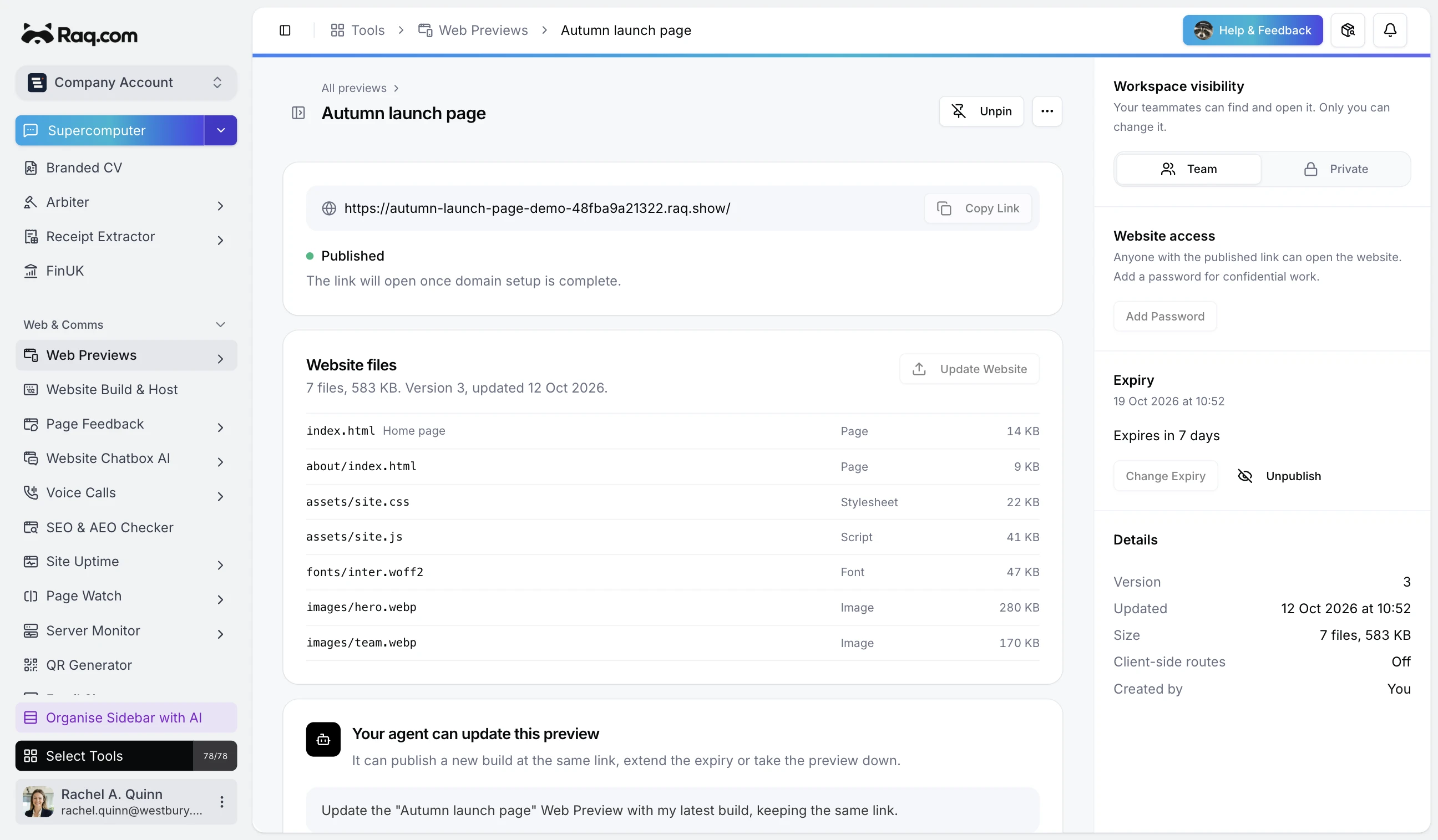
Ask your AI agent to build a page and put it somewhere you can open. Web Previews gives it a temporary raq.show link, ready to share with whoever needs to see it.
That could be a landing page for a campaign, a clickable mock-up for a client or a small calculator you've asked an agent to make. People can open the result in their browser without setting up the project themselves.
Publish it through your agent
Web Previews works through MCP, so an assistant connected to your Raq.com account can publish a page, return its link and update it when you ask for changes.
Publish the Autumn launch page for the team, keep it up for seven days and pin it.
The agent can send HTML directly or use a ZIP from File Drop when the page has separate images, styles and scripts. Revisions keep the same link. It can also set a password, change the expiry or take the preview down.
You can do the same things yourself in Web Previews. Paste HTML, upload a file or choose one from File Drop. Your saved previews appear in the sidebar, with pins for the ones you want to keep close.
Share it for as long as you need
Previews expire after seven days by default. You can choose up to 30 days at a time, extend a preview while you're working on it, or unpublish it immediately.
Team and private settings control who sees the record inside your Raq.com workspace. Anyone with a published link can open the website unless you add a password. Use a password when access needs protecting.
Every preview tells search engines not to index or archive it. The pages run on raq.show, a separate domain from your Raq.com workspace.
For temporary static websites
Web Previews serves HTML, CSS, JavaScript and assets. It's useful for demos and small browser-based tools. It doesn't run server code or databases.
It's included with current paid Raq.com subscriptions. Accounts with remaining gifted AI usage can also publish; trial allowance alone does not qualify. Published previews stay online until expiry even if your gifted usage runs out or your paid plan ends. Each account can keep up to 20 previews, with up to 200 files and 20 MB per preview. Account storage and daily transfer limits also apply.
Open Web Previews to add it to your workspace, or ask your connected agent to publish your next demo.