Introducing Social Scheduler in Raq.com
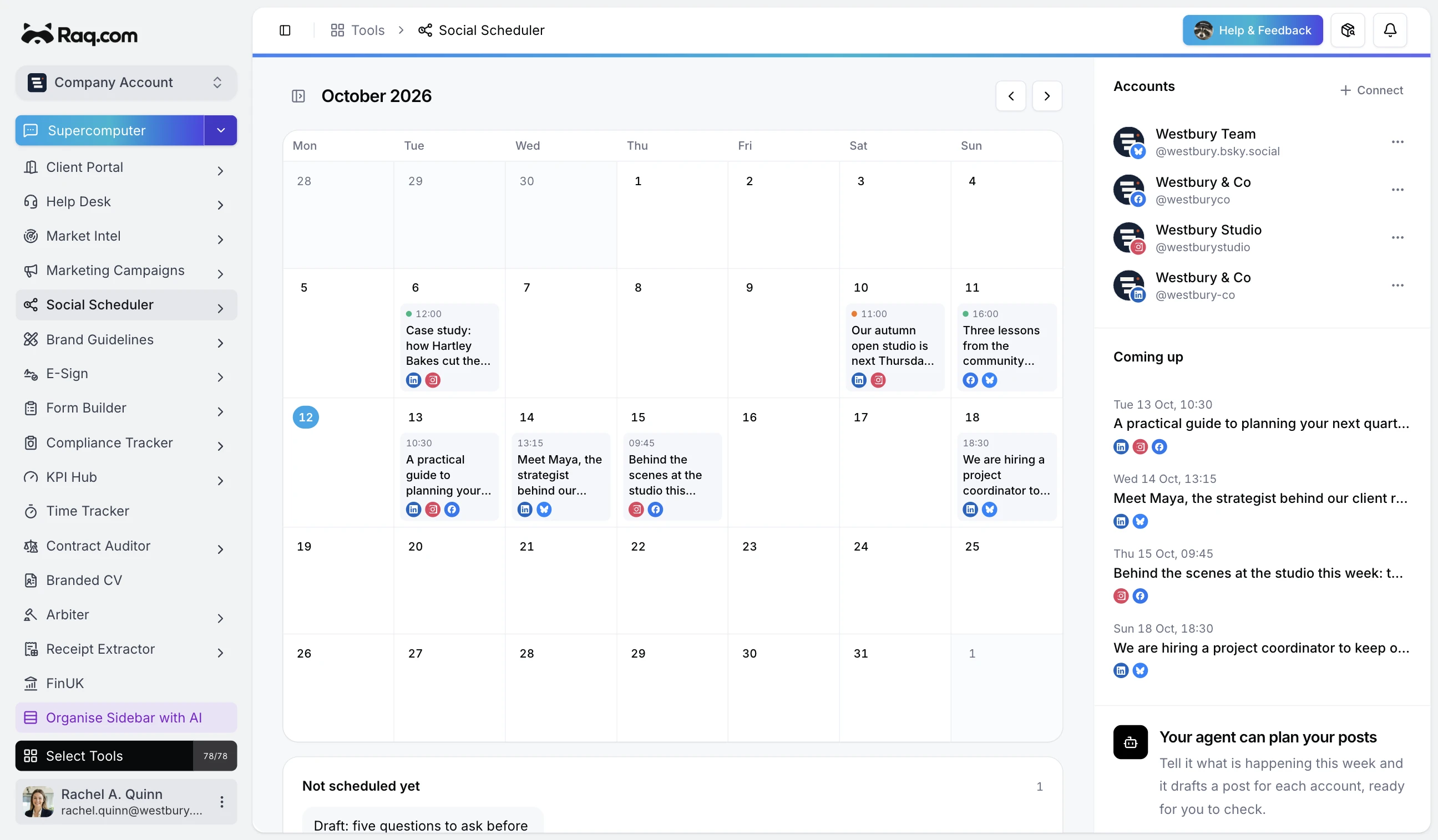
Social Scheduler gives your team and MCP-connected agents one place to connect social accounts, tailor captions with AI, and plan what publishes next.
Plan from one shared calendar
Write a post once, choose the connected accounts it belongs on, and set the publishing time. The calendar shows drafts, scheduled posts, published work, and anything that needs attention. People can pin important posts or keep a draft private until it is ready for the team.
Adapt the caption for each platform
One caption rarely reads naturally everywhere. Ask the AI for variants and Social Scheduler prepares a version for each selected account. You can review every suggestion, edit it, or keep the original before anything is scheduled.
Connect the networks your team already uses
Social Scheduler supports Facebook Pages, Instagram, LinkedIn, X, Bluesky, Mastodon, and Pinterest. Each connection stays attached to the correct Raq.com account, with publishing status and reconnection warnings kept beside the post.
Let your agent work on the same schedule
The full workflow is available over MCP. Supercomputer, Codex, Claude Code, and other connected agents can list accounts, create or update posts, request caption variants, check progress, and cancel scheduled work. Your team sees the result in the same calendar and remains in control of what goes out.
See failures clearly
Publishing happens in the background with retries for temporary provider problems. If a network rejects a post or needs reconnecting, Social Scheduler records the affected target and leaves the other platforms intact. That makes it clear what worked and what needs another look.