
Screenshot Studio: Presentation-Ready Images Without a Design Tool
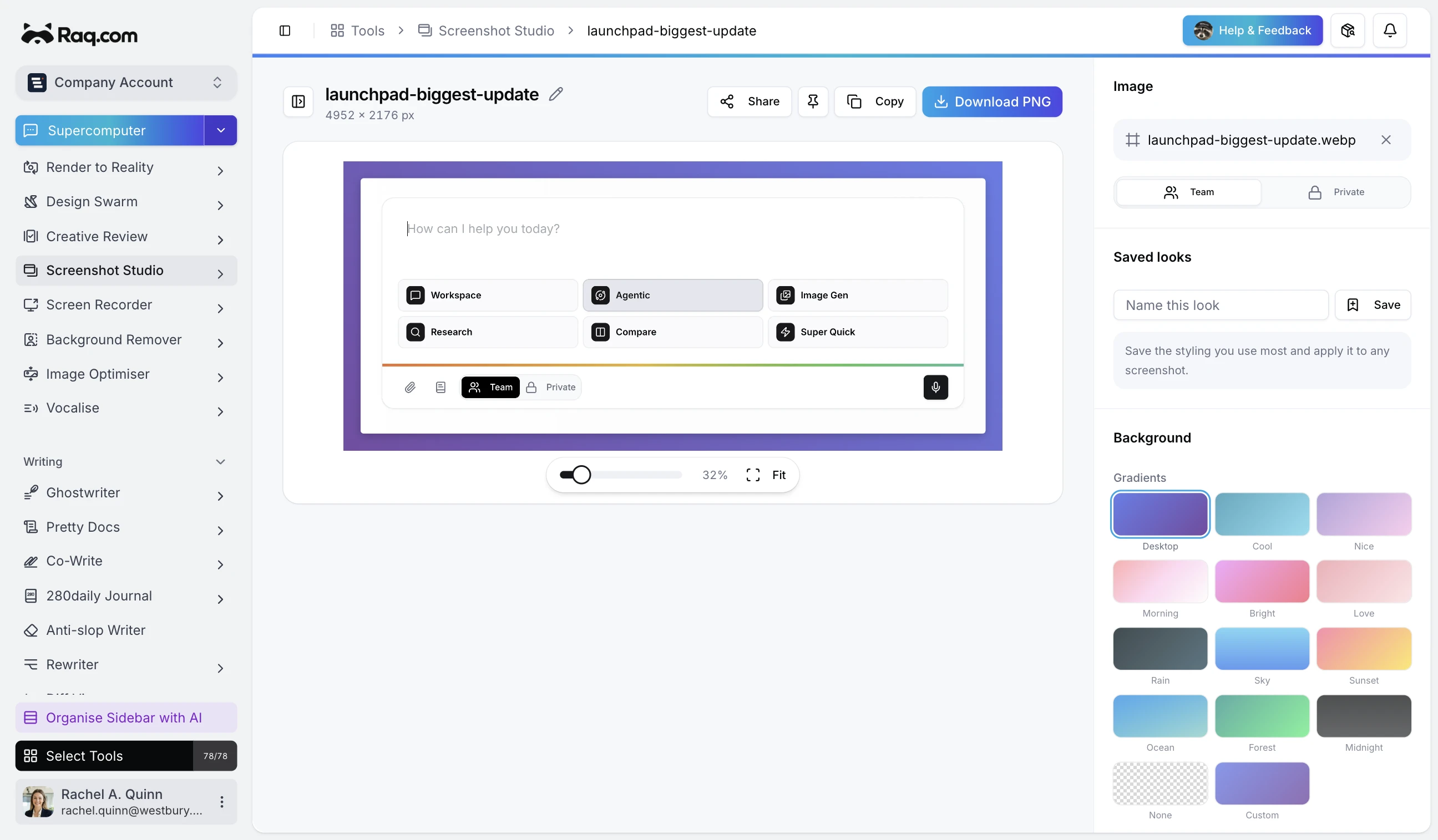
A raw screenshot rarely looks finished. Screenshot Studio adds gradient backgrounds, rounded corners, shadows, and device frames so your images look polished before they leave the browser. No Figma, no Photoshop, no design skills required.
Where this actually matters
On a web page you can style an image with CSS: borders, shadows, rounded corners, background colours. But plenty of surfaces strip your CSS entirely or ignore it in unpredictable ways. Those are the places Screenshot Studio is built for.
Email headers and newsletters
HTML email is the most restrictive rendering environment still in daily use.
Most email clients ignore border-radius, box-shadow,
and background-image gradients. Outlook on Windows strips nearly
everything beyond inline colours and basic padding. If you want a screenshot
with rounded corners on a gradient background in an email, the only reliable
option is to bake it into the image itself. Screenshot Studio does that in
a few clicks.
Slide decks and presentations
Google Slides and PowerPoint support image insertion but offer limited styling. You can add a border or a simple shadow, but gradient backgrounds, consistent padding, and device frames are not built in. A polished screenshot on a slide communicates more credibility than a raw screen grab dropped onto a white background.
Social media posts
Platforms like LinkedIn, X, and Facebook render your uploaded image as-is. There is no CSS layer. A bare screenshot blends into the feed. Wrapping it in a gradient background with padding and a subtle shadow makes it stand out and look intentional rather than hastily clipped.
Marketplace and app store listings
App Store, Google Play, Product Hunt, and marketplaces like Shopify or Etsy each have strict image requirements and no custom styling. Device frames (browser, phone, tablet) help buyers visualise the product. Screenshot Studio ships with browser, iPhone, MacBook, and iPad frames that wrap your image at the correct aspect ratio.
Documentation and knowledge bases
Most documentation platforms render Markdown to HTML with a fixed stylesheet. You cannot inject custom CSS for individual images. A screenshot with built-in padding and a clean background looks consistent across Notion, Confluence, GitBook, or any Markdown viewer.
Chat and messaging
Slack, Teams, Discord, and WhatsApp display images inline with no styling options. A raw screenshot pastes as a flat rectangle. With a background and shadow baked in, the same image looks like a deliberate asset rather than a quick paste.
What Screenshot Studio gives you
Upload any screenshot (PNG, JPEG, WebP, or AVIF) and adjust everything visually:
- Gradient backgrounds – choose from presets or build your own.
- Photo backgrounds – use built-in photos or upload your own.
- Padding, border radius, and shadow – fine-tune the look with sliders.
- Inset mode – pull the image inward for tighter framing.
- Device frames – wrap in a browser, phone, MacBook, or iPad mockup.
- Size presets – export at the exact dimensions for Instagram, LinkedIn, X, or any custom size.
- Saved looks – save your favourite settings and reuse them across screenshots.
- Noise texture and watermark – optional finishing touches.
Export as PNG, JPEG, or WebP at the quality level you choose. Copy to clipboard for instant pasting.
Included with every plan
Screenshot Studio is a free tool on Raq.com with no AI usage required. It is included with every subscription plan at no extra cost. Start your free trial. No credit card required.