
Screen Recorder: Record, Share, and Comment Without a Meeting
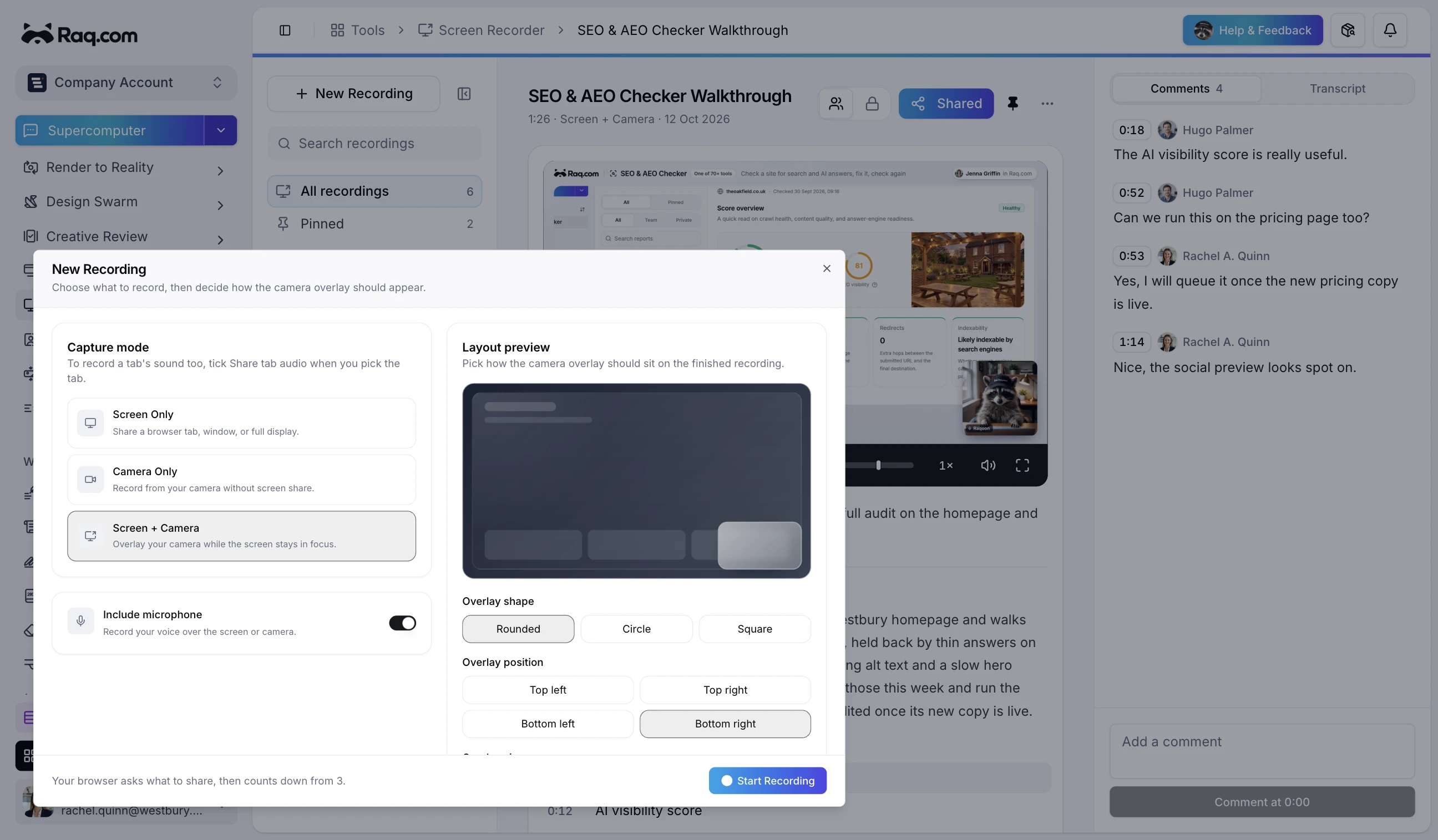
Quick screen recordings replace most of the meetings that could have been an email. Record your screen, your camera, or both directly in the browser, then share a link. Your team watches on their own time and leaves comments pinned to specific moments in the video.
Record anything, anywhere
Screen Recorder captures your entire screen, a single application window, or a browser tab. Add a camera overlay to put your face in the corner, or record camera-only for a quick face-to-face update. Everything happens in the browser with no desktop app to install.
Share with a link
Every recording is instantly hosted with a shareable URL. Send the link in Team Comms, paste it into a ticket, or drop it in an email. Recipients do not need a Raq.com account to watch. Recordings can be set to team-visible or private, and you can toggle sharing on or off at any time.
Time-coded comments
Team members can leave comments anchored to a specific second in the recording. Click a timestamp to jump straight to the relevant moment. This makes bug reports, design feedback, and code reviews far more precise than "around the 2 minute mark."
Built for async work
Sprint demos, bug reproductions, onboarding walkthroughs, design reviews. Any conversation that requires "let me share my screen" can become a recording instead. The viewer watches at their own pace, rewinds the tricky parts, and responds with a comment rather than scheduling another call.
No extra tools
Screen Recorder lives inside Raq.com alongside your task boards, team chat, documents, and everything else. Recordings appear in your sidebar, integrate with Supercomputer, and are accessible via MCP so AI assistants can list and manage them on your behalf.
Included with every plan
Screen Recorder is a free tool on Raq.com. Record as many videos as you need with no limits on length or storage. Start your free trial. No credit card required.