
Render to Reality: See Your Designs in the Real World
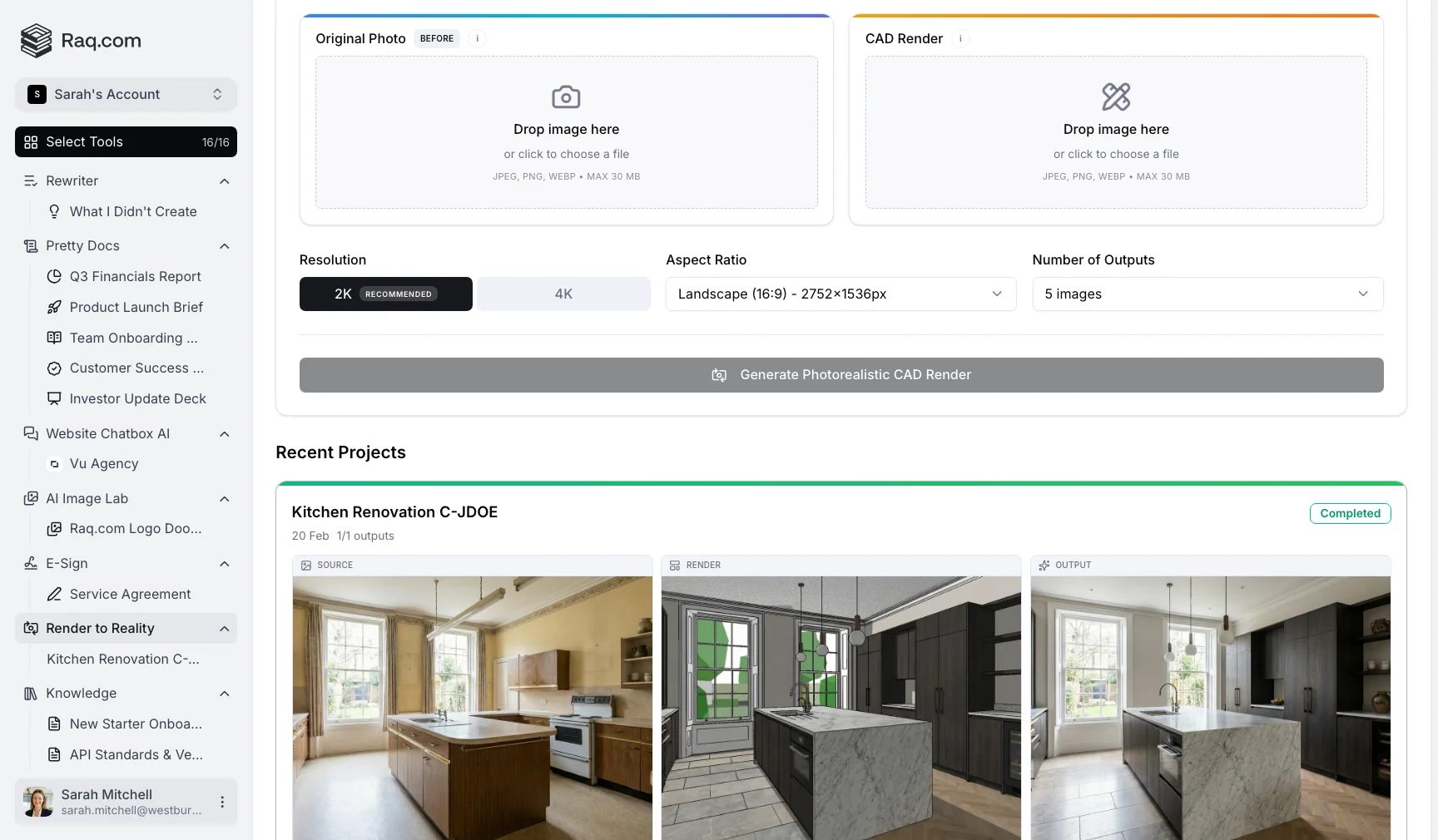
Upload a real photograph and a CAD render. Render to Reality uses AI to merge them into a photorealistic visualisation, so clients can see exactly how your design will look in the actual space.
The gap between design and reality
Architects and interior designers know the problem. CAD renders can look flat and technical. Clients struggle to picture the finished result, and when they can't picture it, they hesitate.
Show them the same design placed into a real photograph of their space and the reaction changes completely. Suddenly it looks real, and suddenly they want it.
Traditionally, getting to that point means hours compositing in Photoshop or paying a visualisation studio. Both are slow and expensive, especially when the client wants to explore multiple options.
How Render to Reality works
The workflow is straightforward. You provide two images, and the AI handles the rest.
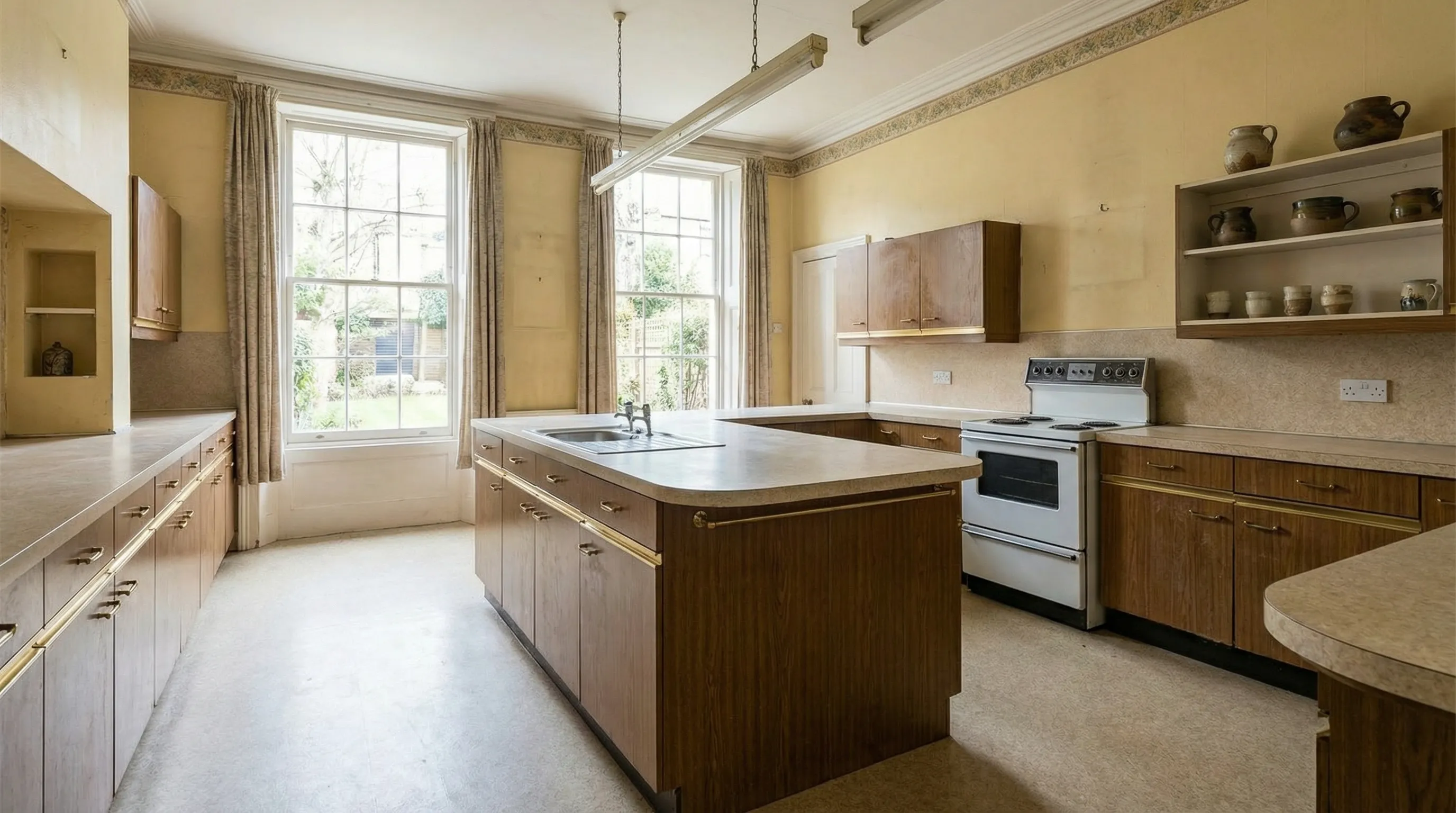
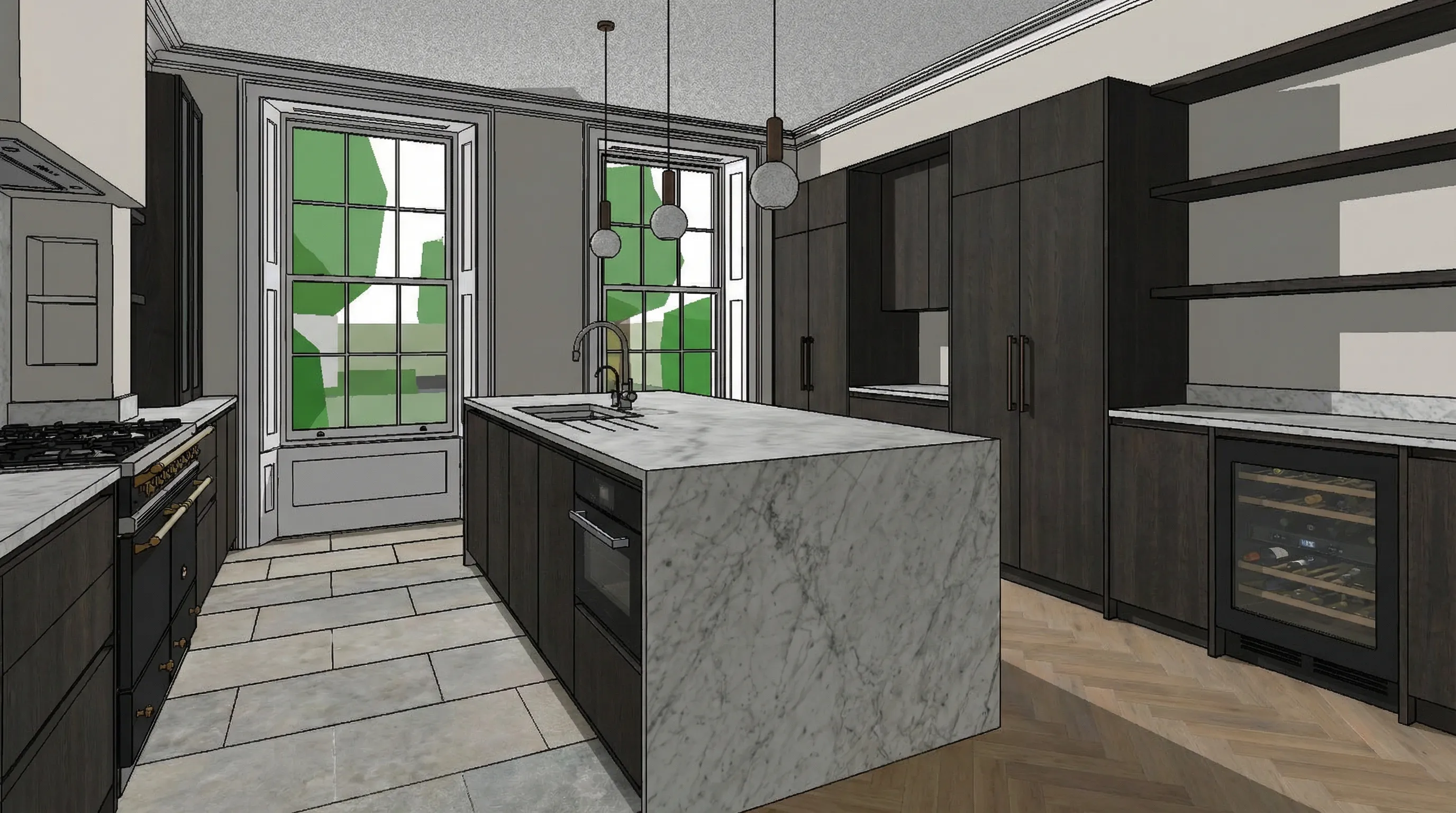
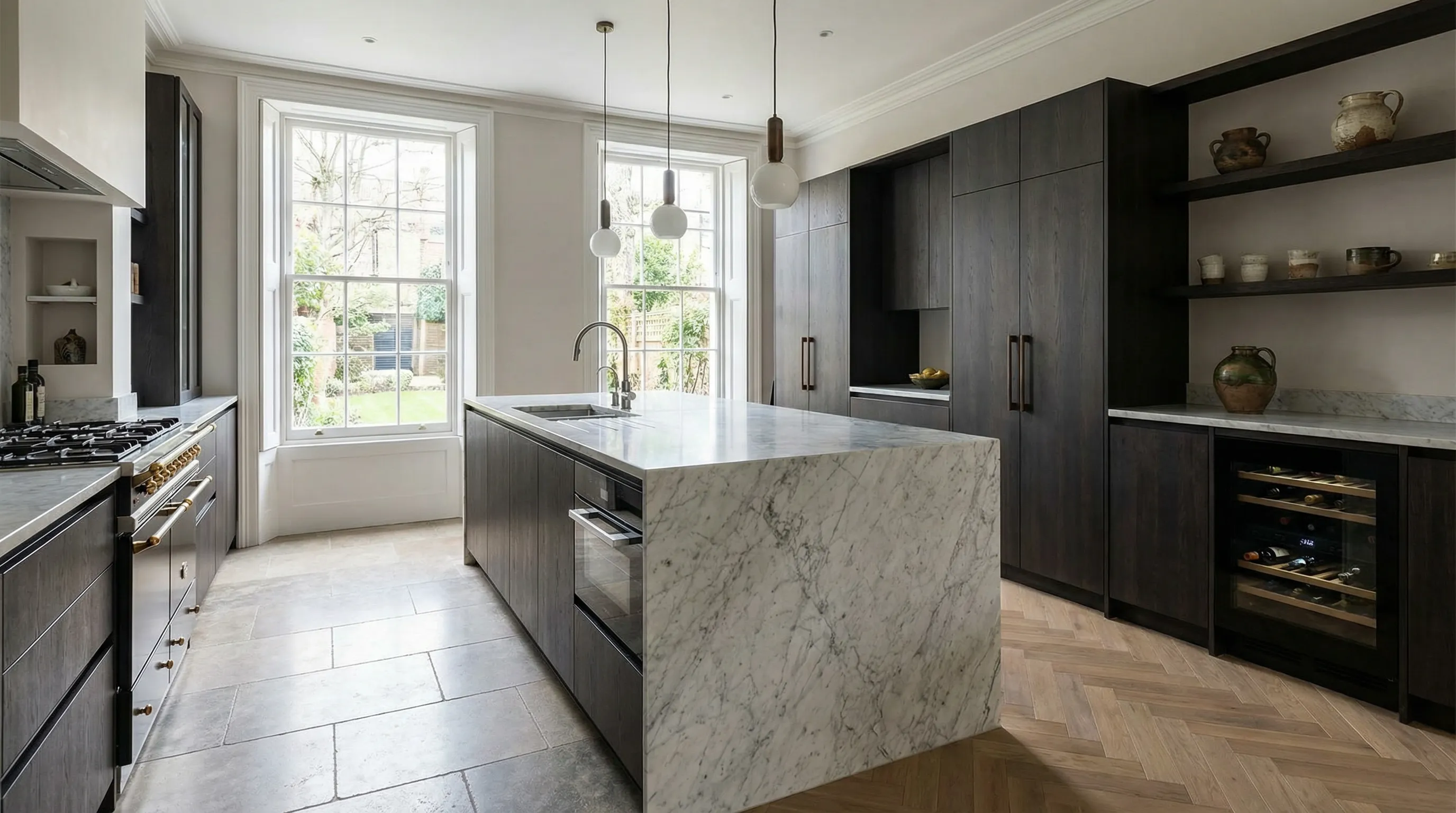
The AI analyses both images, matching the lighting, perspective, and scale of the real scene. The result is a composite that looks like a professional photograph of the finished space.
Built for real workflows
- 2K or 4K resolution: Generate at 2K for quick client previews, or 4K for presentation-quality output.
- Up to 10 variations: Generate multiple versions from the same inputs. Each variation interprets the merge slightly differently, giving you options to choose from.
- Custom prompts: Guide the AI with specific instructions. Tell it to match a warm lighting style, emphasise certain materials, or adjust how the design blends into the scene.
- Flexible aspect ratios: Choose from 10 aspect ratio options to match your presentation format.
- Real-time progress: Watch your visualisations generate live. No need to refresh or wait for an email.
- Project management: Every generation is saved as a project. Pin favourites to your sidebar for quick access.
- Bulk download: Export all outputs from a project as a ZIP file in one click.
Pricing
Render to Reality is included in your Raq.com subscription. You see the estimated cost before you generate.
- A free trial to try every AI tool once when you sign up
- Simple subscription plans when you need more
- No commitment required
Get started
Start your free trial. No credit card required. Open Render to Reality from your dashboard, upload your first photo and CAD render, and see the result in minutes.