New Describe a workflow. Raq.com builds it for you and runs it on autopilot. Try Automations free →
Multi AI Chat AI Team Comms Photoshoot AI Task Board Top 20 AI Consensus AI AI Image Lab AI Marketing Campaigns AI Time Tracker Voice Calls AI Social Scheduler AI Video Lab AI Automations AI Ask My Agent AI Orchestrator Custom Tools AI AI Decisions AI Web Previews E-Sign Website Build & Host AI Client Portal Help Desk Page Feedback CRM Arbiter AI Design Swarm AI Project Base Ghostwriter AI Pretty Docs AI Secure Send Market Intel AI AI Music Lab AI KPI Hub Site Uptime Page Watch Server Monitor Knowledge AI Render to Reality AI Vector Motion Lab AI AI Benchmarker AI Website Chatbox AI Co-Write File Drop Contract Auditor AI Spreadsheet AI Creative Review Priorities AI Compliance Tracker Anti-slop Writer AI Rewriter AI Brand Guidelines AI Screenshot Studio Design MCP AI Screen Recorder Background Remover AI Image Optimiser SEO & AEO Checker AI Transcribe AI Vocalise AI Email Signatures AI Personas AI Recall 280daily Journal Meal Planner AI Health Insights AI Nature Work Passkey Vault Form Builder AI Prompt Library AI Skill Library AI PDF Page Studio File Converter Diff Viewer Receipt Extractor AI Branded CV AI FinUK Short URL QR Generator OneDrive Search AI
Raq.com
Back to Blog
·The Raq.com Team

Introducing Photoshoot in Raq.com
Introducing Photoshoot in Raq.com

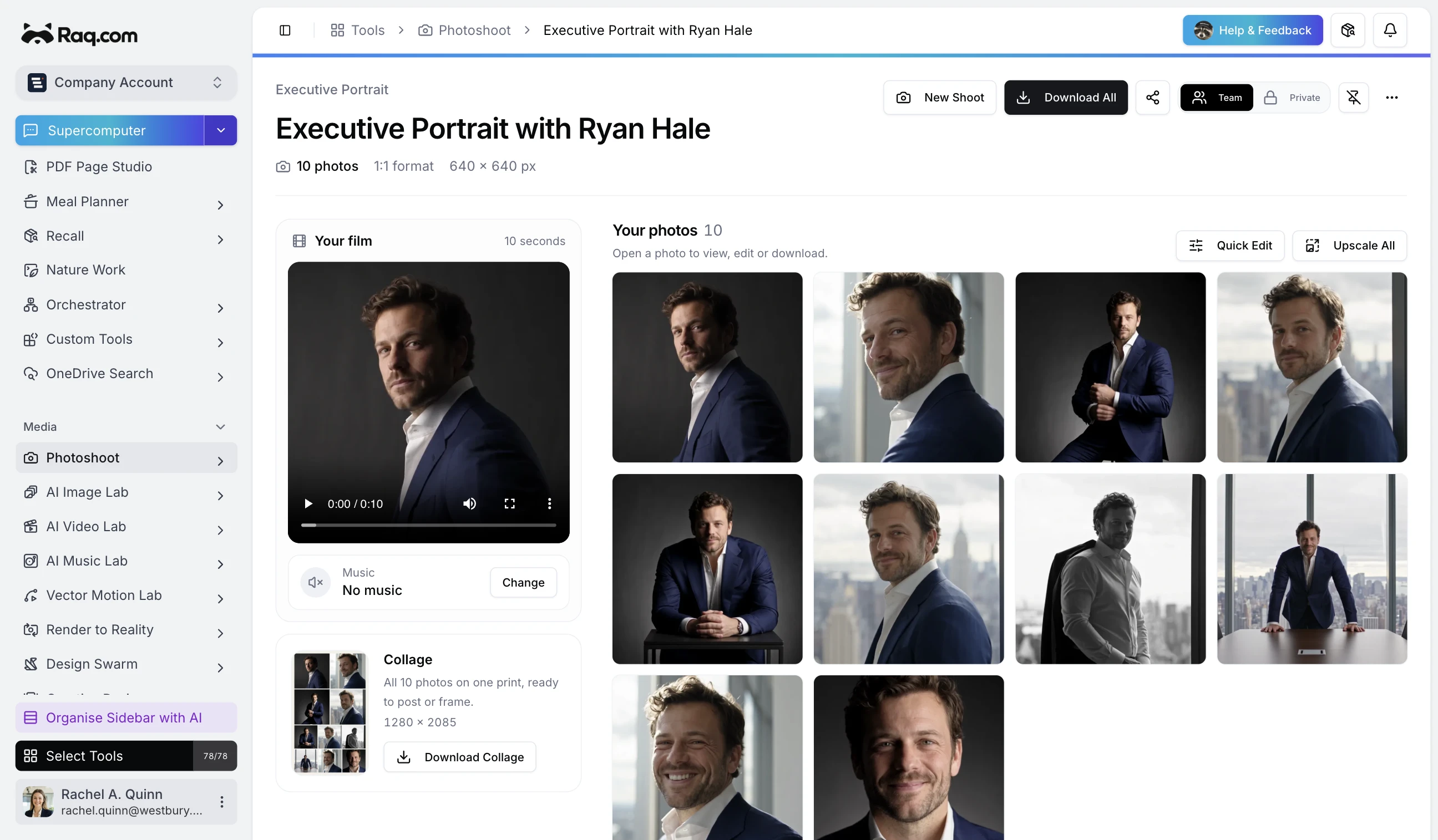
Ask your AI assistant for new team-page photos and give it a few reference pictures. Photoshoot in Raq.com makes a ten-second film, saves the usable shots as photos and puts them together in a collage.

An assistant connected to Raq.com by MCP can arrange the whole shoot from your brief. You can also make one yourself in the module.

Raqoon's walkthrough uses a custom mascot film made in AI Video Lab.

Choose from 76 shoots, with example films and photos to browse first. There's Executive Portrait for a business headshot, Business Partners for two people, or Denim Smoulder for a succession of increasingly daft outfits.

Example shoots

Executive Portrait

Business Partners

Denim Smoulder

Hover or tap an example to play it.

For something specific, describe a Custom Shoot with up to four people. You can use a saved location and add your team's logo to the setting.

Quick Edit adjusts individual photos or the whole set. You can upscale your favourites, change the film's music and download the photos together. Send a share link to someone who doesn't have a Raq.com account, with an expiry if you need one.