


Audio and Video Transcription Added to Your Tool-Raq
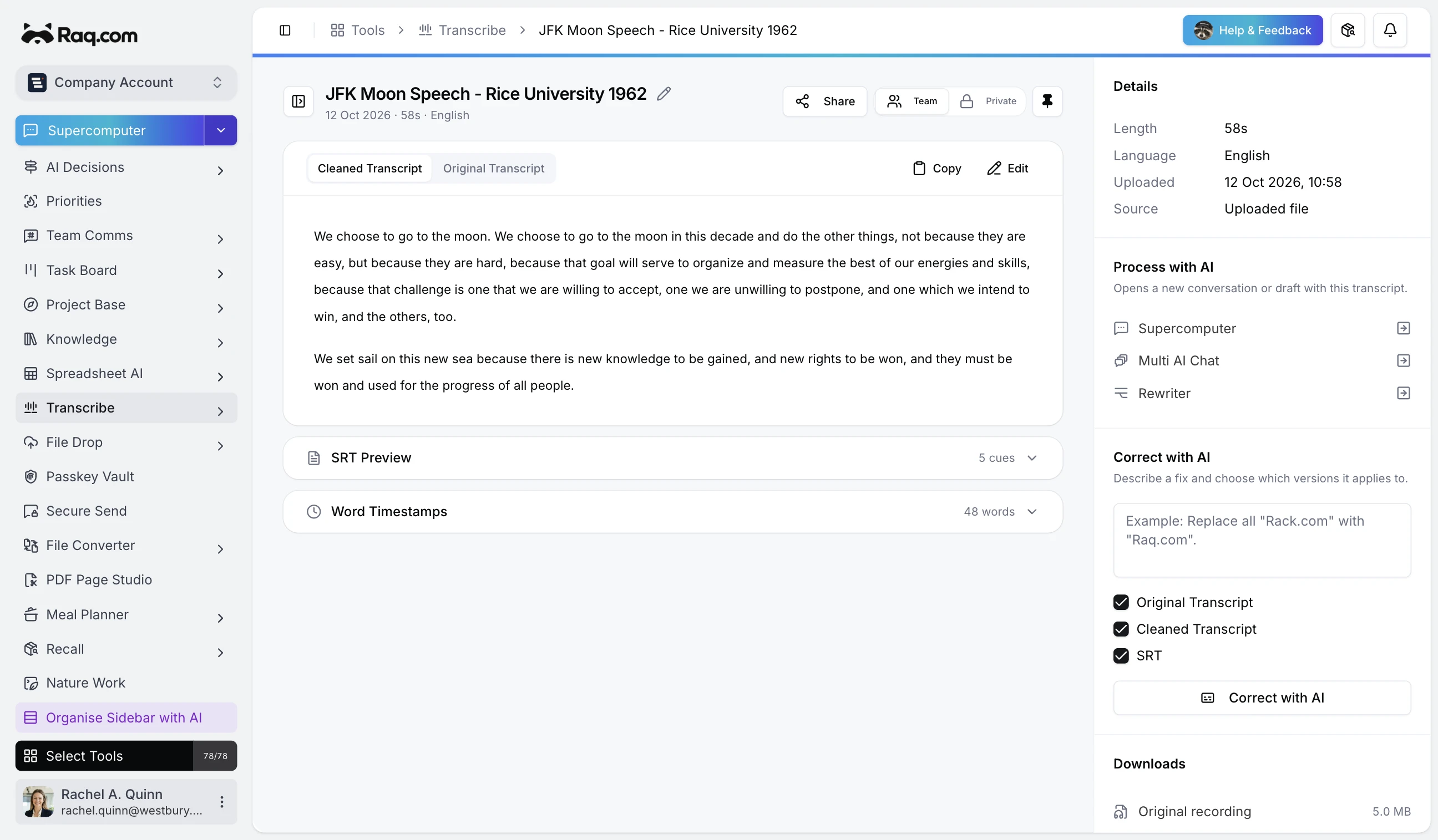
Transcribe turns audio and video recordings into searchable, timestamped text. Upload a file, get a full transcript in minutes, and refine it with AI.
How Transcribe works
Drop an audio or video file into the upload area and Transcribe handles the rest. It supports all common formats: MP3, WAV, M4A, OGG, FLAC, MP4, MOV, and WebM.
- Video files: Audio is extracted directly in your browser before upload, so only the audio data is sent. Faster uploads, lower bandwidth.
- Word-level timestamps: Every word in the transcript is tied to a precise timestamp. Jump to any moment in the recording instantly.
- Language detection: The AI detects the spoken language automatically, or you can select a specific language from over 100 options.
- Real-time progress: Status updates stream to your screen as the transcription processes. No refreshing, no waiting blindly.
AI-cleaned transcripts
Raw transcriptions are messy. They include filler words, broken punctuation, and formatting quirks that make them hard to read. Transcribe automatically runs a refinement pass when your transcript completes, cleaning up the text while preserving the original meaning.
You always keep both versions: the original, unmodified transcript and the cleaned version. Switch between them with a single click.
Correct with AI instructions
Sometimes a transcript needs specific fixes. Names get misspelled, technical terms are misheard, and brand names come through garbled. Instead of hunting through the text line by line, type a correction instruction and let the AI apply it across the entire transcript.
For example: "Replace all instances of 'Rack dot com' with 'Raq.com'" or "Fix the spelling of 'Kubernetes' throughout." You choose which versions to correct: the original, the cleaned transcript, or the subtitle file, or all three at once.
Export and integrate
Transcribe generates SRT subtitle files automatically from the word timestamps, ready to use with any video player or editor. You can also:
- Copy to clipboard: Grab the full transcript with one click.
- Edit inline: Make quick manual edits directly in the browser.
- Send to other tools: Push the transcript to Supercomputer, AI Pro Reasoning, or Rewriter for further work.
- Download the original: Retrieve your uploaded file at any time.
Pricing
Transcribe is included in your Raq.com subscription.
- A free trial to try every AI tool once when you sign up
- Simple subscription plans when you need more
- No commitment required
Get started
Start your free trial. No credit card required. Open Transcribe from your dashboard and drop in your first recording.