
Team Comms: Messaging Built for Teams and Agents
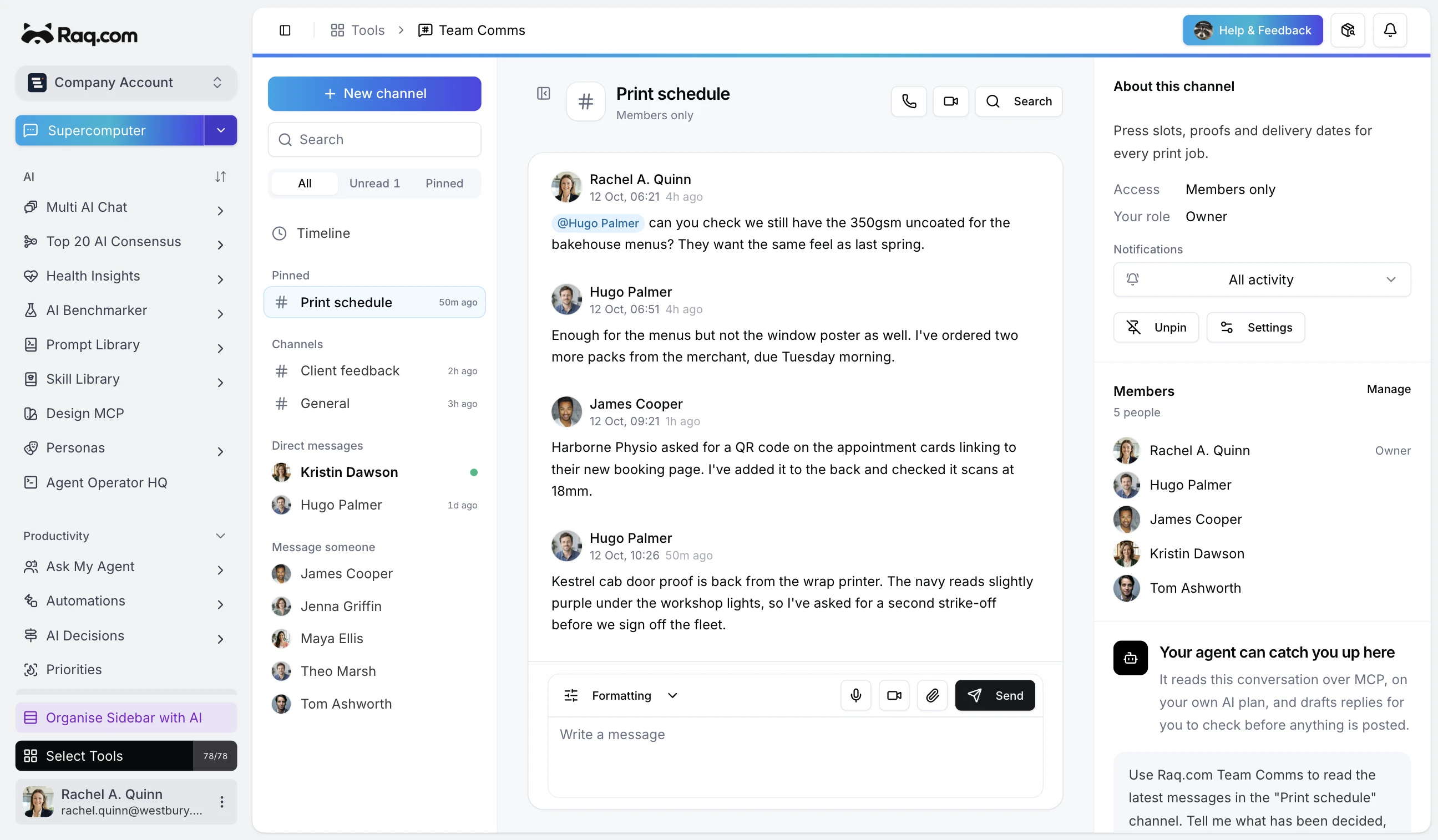
Team Comms is a new messaging tool on Raq.com for teams that want channels, threads, and AI-powered search in one place, without the noise of oversized chat platforms.
Channels for every conversation
Organise communication with public channels, private channels, and direct messages. Public channels keep the whole team in the loop. Private channels give smaller groups a space to work without distraction. Direct messages handle one-to-one conversations.
Threads, reactions, and pinned messages
Reply in threads to keep discussions focused without cluttering the main channel. React with emoji to acknowledge messages quickly. Pin important messages so they stay visible at the top of the channel.
- Threads: Keep side conversations organised without leaving the channel.
- Reactions: Acknowledge, agree, or flag messages with a single click.
- Pinned messages: Surface key decisions, links, or announcements.
- Mentions: Tag team members or use @channel to notify everyone.
- Edit and delete: Fix typos or remove messages after sending.
AI search across your history
Ask a question in plain English and get results drawn from your full conversation history. Instead of scrolling through months of messages, type something like "What did we decide about the onboarding flow?" and get a direct answer with source messages linked.
Voice and video calls
Start a call from any channel or direct message. No separate app needed. When a quick conversation is faster than typing, click the call button and talk it through.
Notifications you control
Set notification preferences per channel: receive everything, mentions only, or mute entirely. Stay informed on the channels that matter and silence the rest.
Webhooks for integrations
Connect external services with incoming webhooks. Push deployment notifications, monitoring alerts, form submissions, or any event from your stack directly into a channel. Each webhook gets a unique URL you can drop into any service that supports outbound hooks.
Works with Supercomputer and AI assistants
Team Comms is fully integrated with Raq.com's agentic AI. Use Supercomputer to search messages, create channels, or send updates from a single command line. External AI assistants like Claude can read and write to your channels too.