


Introducing Job File
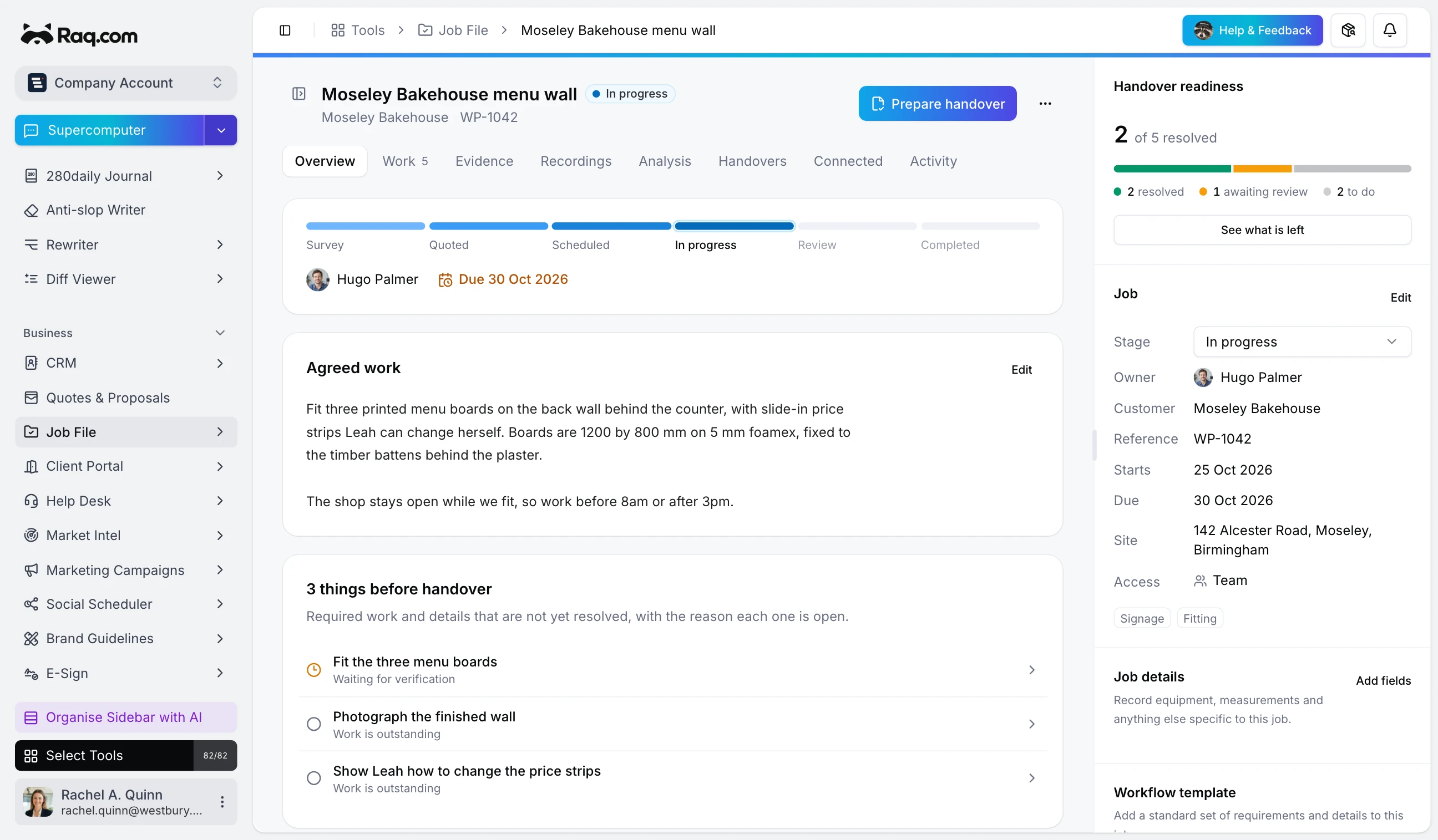
Job File is in Raq.com from today. Each job gets one file with the agreed work, photos and recordings from site, what's left and who's doing it, and a handover the customer opens from a link.
It's built for teams who work at the customer's place: installers, surveyors, builders, maintenance crews and sign fitters. Job File is included with every Raq.com plan.
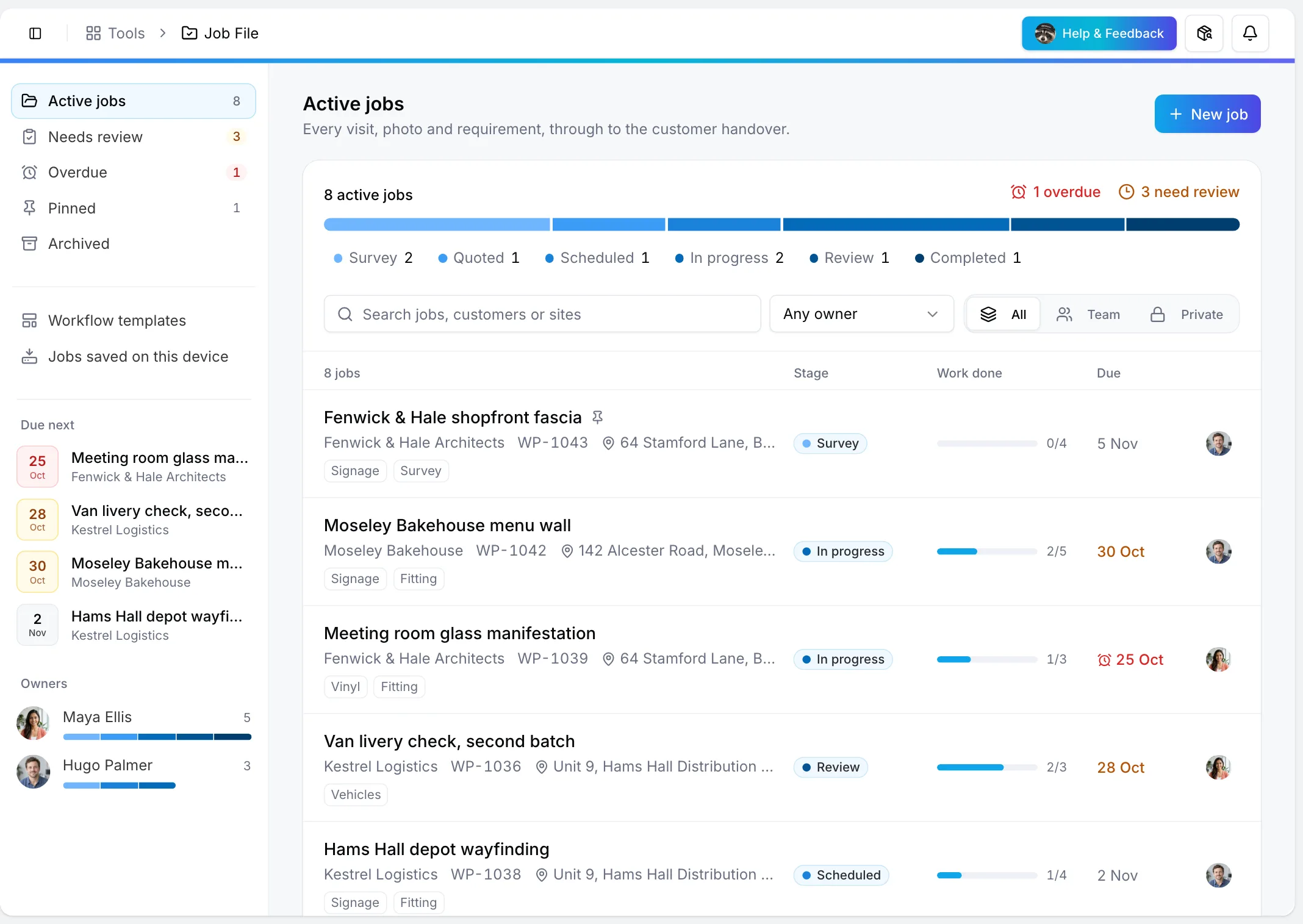
Every job in one list
The library shows each job's customer, site, stage, owner and due date. The bar across the top counts the jobs at each stage and picks out the overdue ones and those waiting for a check, and the side panel shows what's due next and who has what. Click a stage or an owner to filter the list.
Work that someone else checks
Inside a job, the work is a list of requirements, actions and findings, each with an owner and a due date. Some need a measurement, a choice or a photo before they can be ticked off. Finished work waits for a different person to check it, and the job isn't ready to hand over until every required piece is checked or waived with a written reason.
Photos and recordings from site
Upload photos, videos and documents, mark up a photo without changing the original and pair before and after shots. For a walk-round, ask for a recording in Raw: whoever is on site records on their phone, and the moments you pick stay with the job.
A handover the customer can open
When the work is checked, prepare a handover with your company name and logo. An approved version is fixed, so later edits make a new one that shows what changed. Send the customer a link with an optional expiry date or password. They can acknowledge it and leave comments, and never see your internal notes.
Templates and suggestions
Workflow templates hold the requirements you use on every job of a kind, with starters for a survey, a progress visit and a completion handover. Job File can also read a job's documents and photos and suggest work, each suggestion pointing to its source. Nothing changes until someone approves it.
With the rest of Raq.com and your AI agent
Link a job to CRM contacts, Project Base, Task Board cards, quotes, invoices and E-Sign envelopes. Claude, ChatGPT or any agent connected over MCP can find jobs, add work and evidence and prepare a handover, so "what's left on the Moseley Bakehouse job?" is one message.