
Introducing Bookings
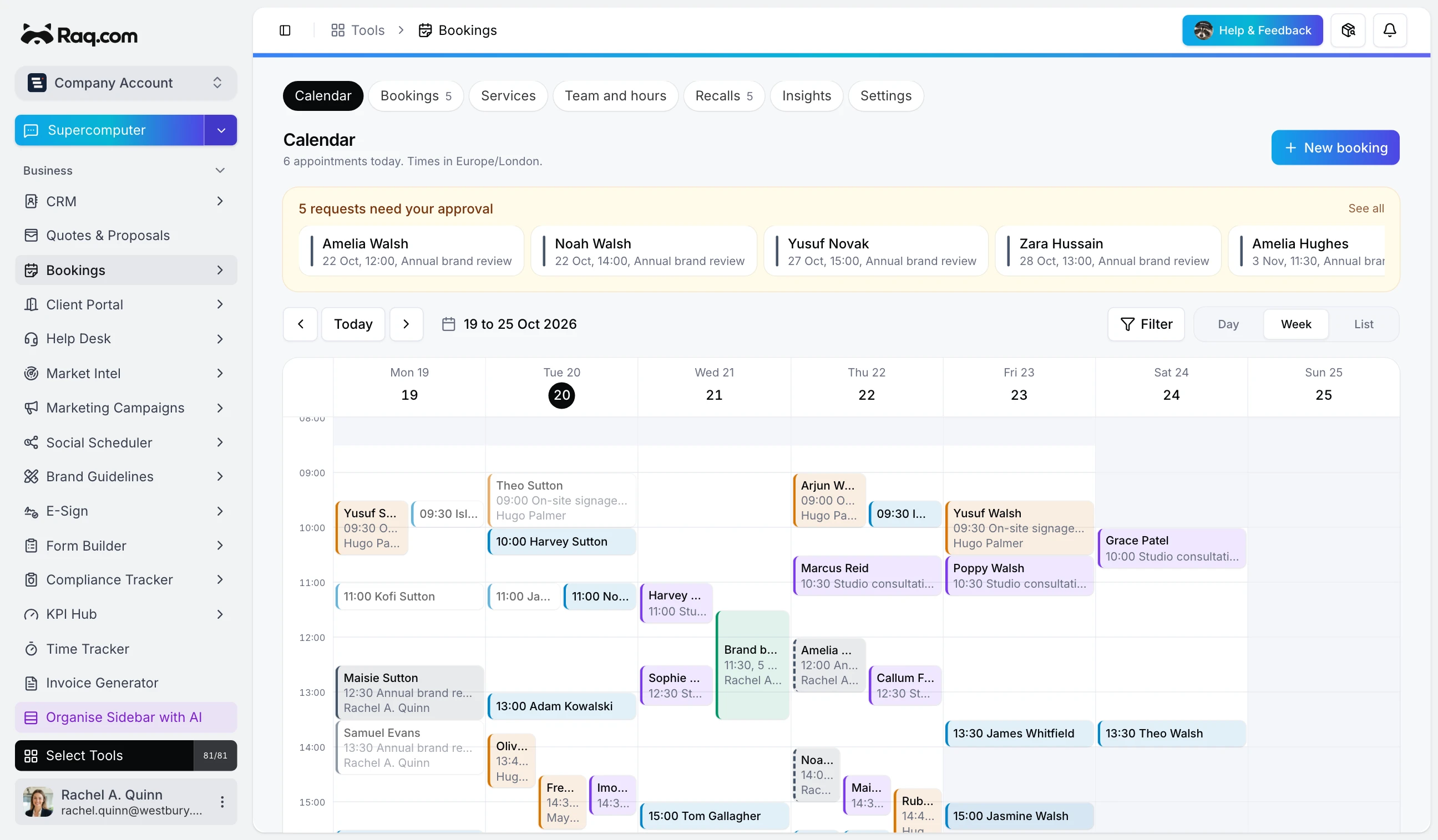
Bookings is in Raq.com from today. Customers book you from your own booking page, at times your team is actually free, and you can ask for a deposit when they book.
We built it for businesses that go out to the customer as much as the ones customers come to: surveyors, installers, cleaners and gardeners, as well as clinics and consultants. Video and phone calls work too, and so do groups, such as a workshop with eight places.
Bookings is included with every Raq.com plan.
Times your team is really free
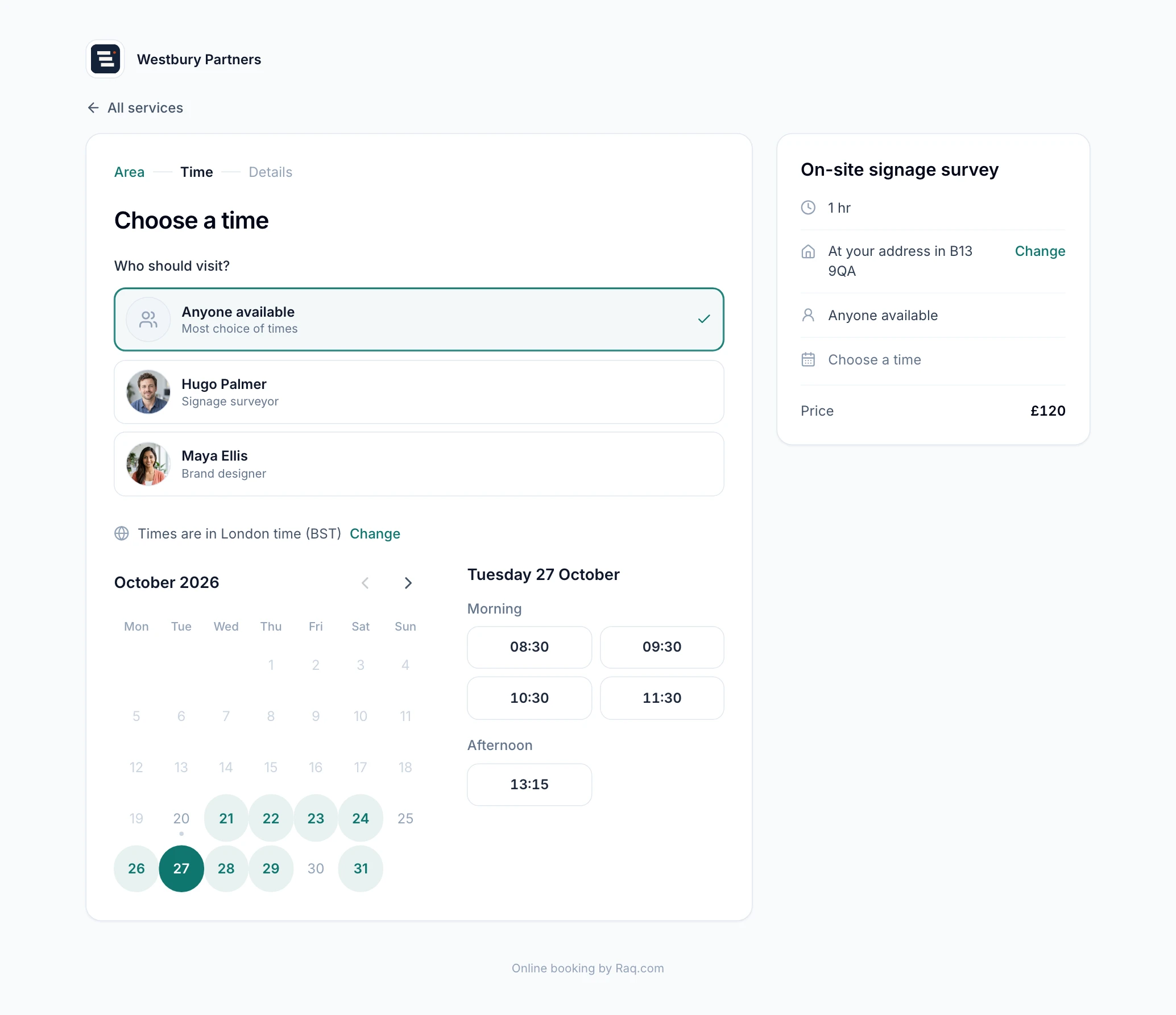
The booking page works out each person's free times from their working hours, their time off and the bookings they already have, with any gap you want between appointments. You set how much notice you need, how far ahead people can book and how many bookings anyone takes in a day.
For visits at the customer's address, travel time goes before and after each one, so nobody gets booked into a job they can't reach. Each team member can cover their own postcodes, and a service can tell customers "arriving between 8am and 10am" instead of promising an exact time. Customers can add photos of the job when they book, which saves a trip when it turns out to be the wrong ladder.
Customers can pick who they see, or you can share the work out to whoever is free and has had the fewest bookings. Some services can wait for your approval before they're confirmed. Each person can subscribe to their bookings from their own calendar, and paste in their calendar's private address so the times they're busy stay off the booking page.
Deposits and no-shows
Connect your own Stripe account and a service can take a deposit or the full price when someone books, straight into your account. If they don't pay, the time is released again after a short hold. Prices for group bookings are per place, so three people pay for three places.
For no-shows, a service can save the customer's card when they book, with plain terms on the page: the card is only charged if they miss the booking without cancelling. Nothing is charged automatically. You mark the booking as a no-show and decide whether to charge the fee.
Reminders and the customer's own link
Customers get a confirmation with a calendar invitation, then reminders 24 hours and 2 hours before by default (you can change both). After the visit you can send a thank-you with a link to leave a review. Every email has a link where the customer can move or cancel within your notice period, pay what's due, or add the booking to their calendar.
Two-way sync with Google Calendar and Microsoft 365, and text reminders to UK mobiles, follow shortly.
Recalls and repeat visits
Plenty of work comes round again, like an annual boiler service or a six-monthly check. Give a service a recall period and finishing a visit lines up the next one. When it's due, the customer gets an invitation that opens your booking page with their details already filled in. The Recalls page shows who's due, and you can book them in yourself.
For regular work, your team can book a series in one go: weekly, fortnightly, every four weeks or monthly, up to 52 visits. Any visit that clashes is skipped and listed, rather than stopping the whole series.
With the rest of Raq.com
New customers go into your CRM. A booking can become a draft invoice in Invoice Generator, at the price agreed when it was booked, or a draft quote in Quotes & Proposals for work that needs pricing after a survey. Automations can start when a booking is made, moved, cancelled or completed. The insights page shows bookings, cancellations and no-shows for each service, how full each person's diary is and what you've been paid.
The booking page can live on its own Raq.com link or inside your website, either embedded in a page or as a button that opens it.
With your AI agent
Bookings has its own tools for Claude, ChatGPT or any other agent connected to Raq.com over MCP. Your agent can find free times and book a customer in, move or cancel a booking, approve requests, mark who turned up, chase recalls and raise the invoice afterwards. It can also set up services, working hours and time off, so "Hugo's off on Friday, move his surveys to next week" is one message.