


Introducing AI Image Lab: Generate, Compare, and Batch AI Images
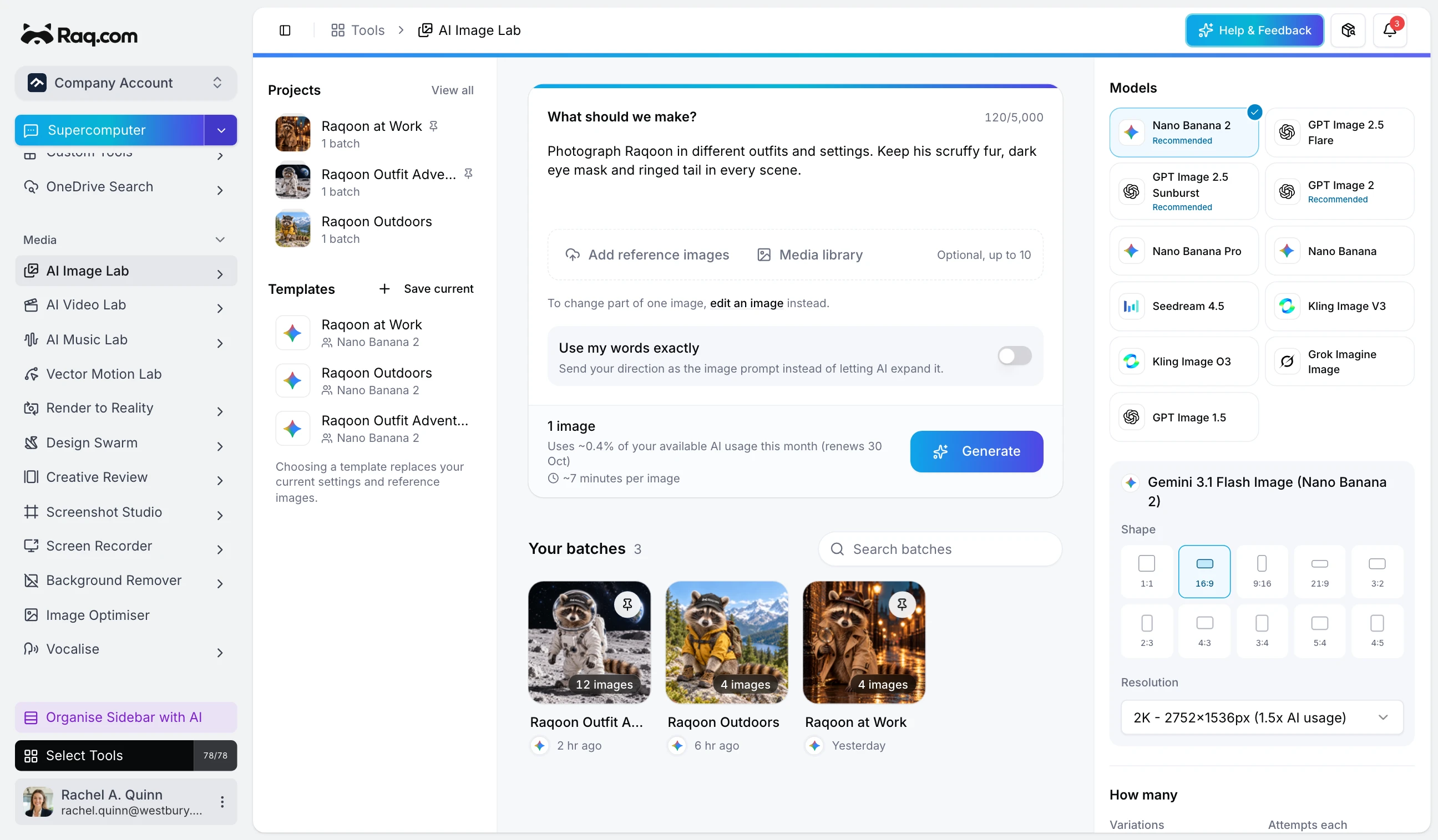
Write one instruction and AI Image Lab turns it into dozens of unique images. Pick from six AI models, run them side by side, and download every variation in a single batch.
The image generation bottleneck
Creating visual content at scale is slow. You write a prompt, wait for one image, tweak the wording, and wait again. Need 20 variations for a campaign? That is 20 separate round trips.
Need to compare how different models interpret the same brief? You end up with multiple tabs, multiple tools, and no easy way to see results together. AI Image Lab handles the entire workflow in one place.
How AI Image Lab works
Start with a single instruction describing what you want. AI Image Lab's prompt expander automatically generates up to 50 unique prompt variations from your brief, each with a different creative angle, style, or composition.
Next, choose which models to run. Six are available today: Gemini 3 Pro Image (Nano Banana Pro), Gemini 2.5 Flash Image (Nano Banana), Kling V3, Kling O3, Grok Imagine, and GPT Image 1.5. Select one or run all six simultaneously to compare how each interprets the same prompt.
Every prompt variation runs across your selected models, so a single instruction can produce hundreds of images. Results appear in a live gallery as they complete. No refreshing, no waiting for emails.
Built for scale
- Image-to-image: Upload up to 10 source or reference images to guide the generation. Transform existing visuals instead of starting from scratch.
- Resolution options: Generate at 1K for quick previews, 2K for presentations, or 4K for production-quality output.
- 10+ aspect ratios: From 1:1 square to 21:9 ultrawide. Match any format without cropping after the fact.
- Gallery and slideshow: Browse results in a grid, star your favourites, and view them full-screen in slideshow mode.
- Templates: Save your batch configuration (models, resolution, aspect ratio, prompt style) and reuse it with a single click.
- Generate more: Add images to a completed batch without re-expanding prompts. Useful when you want a few more variations from a specific model.
- Team sharing: Share batches with your team or keep them private. Pin important batches to your sidebar for quick access.
Pricing
AI Image Lab is included in your Raq.com subscription. You see the estimated cost before you generate.
- A free trial to try every AI tool once when you sign up
- Simple subscription plans when you need more
- No commitment required
Get started
Start your free trial. No credit card required. Open AI Image Lab from your dashboard, type your first instruction, and let the prompt expander do the rest.