
New Describe a workflow. Raq.com builds it for you and runs it on autopilot. Try Automations free →
Dual AI Chat AI Team Comms Task Board AI Pro Reasoning AI AI Image Lab AI AI Video Lab AI Automations AI Ask My Agent AI E-Sign CRM Arbiter AI Design Swarm AI Project Base Pretty Docs AI Secure Send AI Music Lab AI KPI Hub Site Uptime Server Monitor Knowledge AI Render to Reality AI Vector Motion Lab AI Website Chatbox AI Co-Write File Drop Contract Auditor AI Spreadsheet AI Priorities AI Compliance Tracker Rewriter AI Screenshot Studio Screen Recorder Background Remover AI Image Optimiser SEO Checker AI Transcribe AI Vocalise AI Email Signatures AI Personas AI Recall Meal Planner AI Health Insights AI Nature Work Form Builder AI Prompt Library AI Skill Library AI PDF Page Studio File Converter Diff Viewer Receipt Extractor AI FinUK Short URL QR Generator OneDrive Search AI Dual AI Chat AI Team Comms Task Board AI Pro Reasoning AI AI Image Lab AI AI Video Lab AI Automations AI Ask My Agent AI E-Sign CRM Arbiter AI Design Swarm AI Project Base Pretty Docs AI Secure Send AI Music Lab AI KPI Hub Site Uptime Server Monitor Knowledge AI Render to Reality AI Vector Motion Lab AI Website Chatbox AI Co-Write File Drop Contract Auditor AI Spreadsheet AI Priorities AI Compliance Tracker Rewriter AI Screenshot Studio Screen Recorder Background Remover AI Image Optimiser SEO Checker AI Transcribe AI Vocalise AI Email Signatures AI Personas AI Recall Meal Planner AI Health Insights AI Nature Work Form Builder AI Prompt Library AI Skill Library AI PDF Page Studio File Converter Diff Viewer Receipt Extractor AI FinUK Short URL QR Generator OneDrive Search AI
Raq.com
Back to Blog
· The Raq.com Team

Upgraded: Image Optimiser Now With Upscaling, Colourising, and More
Upgraded: Image Optimiser Now With Upscaling, Colourising, and More

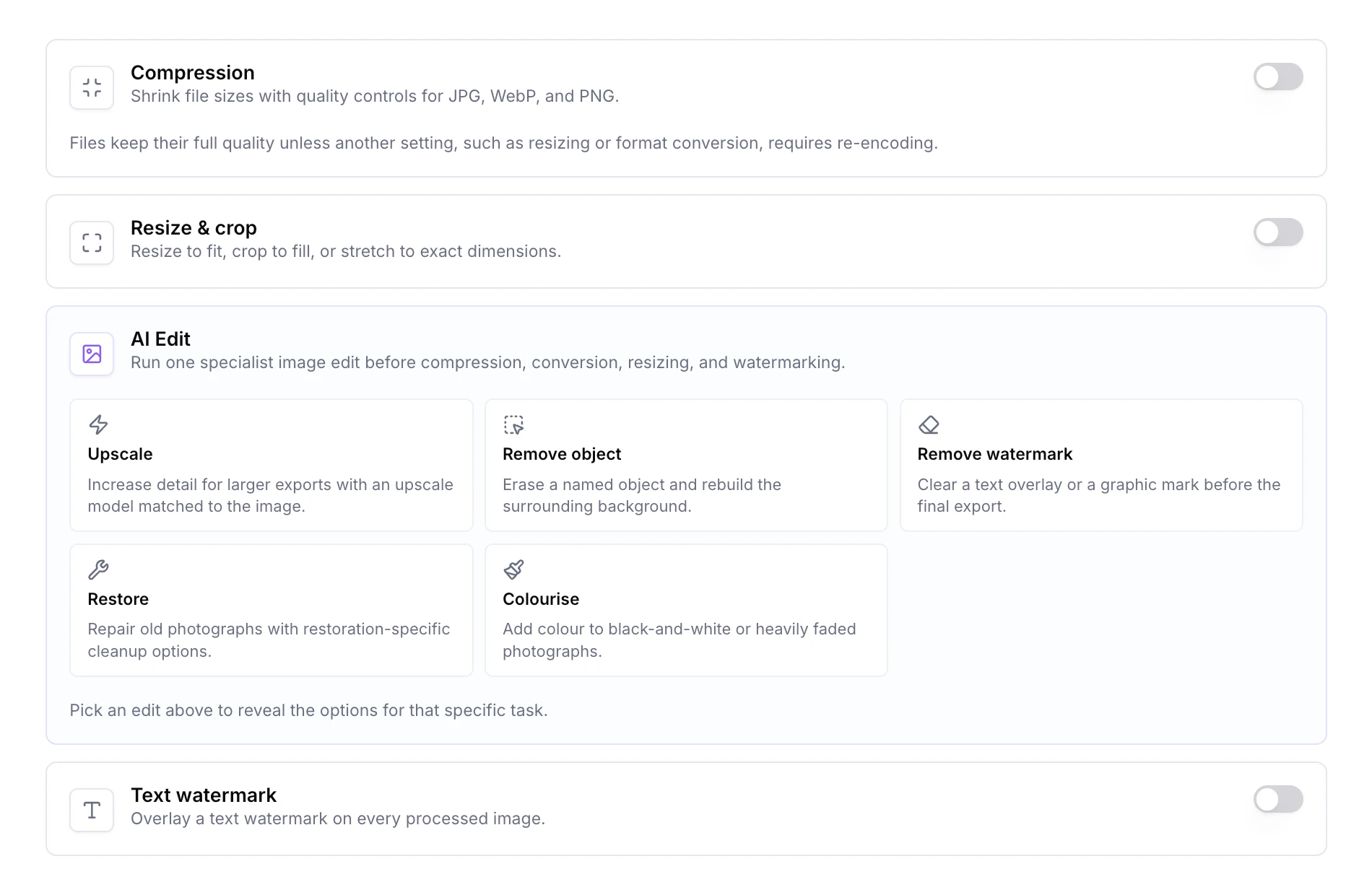
Image Optimiser started as bulk compression and format conversion. It now covers a full set of AI edits and more deterministic controls, all inside the same batch workflow you already use.

New AI edits

  • Upscale. Sharpen up to 4x, with profiles for general photos, portraits, product and text, or a cheaper budget pass.
  • Remove object. Describe what should go and it's removed.
  • Remove watermark. Separate modes for text overlays and graphic or logo watermarks.
  • Restore photo. Independent toggles for scratches, faded colours, and resolution.
  • Colourise. Turn a black-and-white photo into colour.
  • AI file naming. Short, descriptive filenames generated from the image itself.

New deterministic controls

Alongside the AI lane, the batch flow now handles HEIC intake and conversion, resize modes with crop-to-fit, text watermarking, metadata stripping, and finer PNG compression levels. AI and deterministic steps stack, so you can upscale and then re-encode to WebP in a single batch without the upscale being shrunk back down.

Same workflow

Drop in up to 100 images, pick the settings you want, and download the lot as a ZIP. Image Optimiser is also exposed through MCP, so Launchpad and any MCP-connected assistant can run a batch for you.

Get started

Start your free trial. No credit card required. Open Image Optimiser from your dashboard and try the new edits on a batch.