
Branded CV: Drop In A CV, Get It Back In Your Template
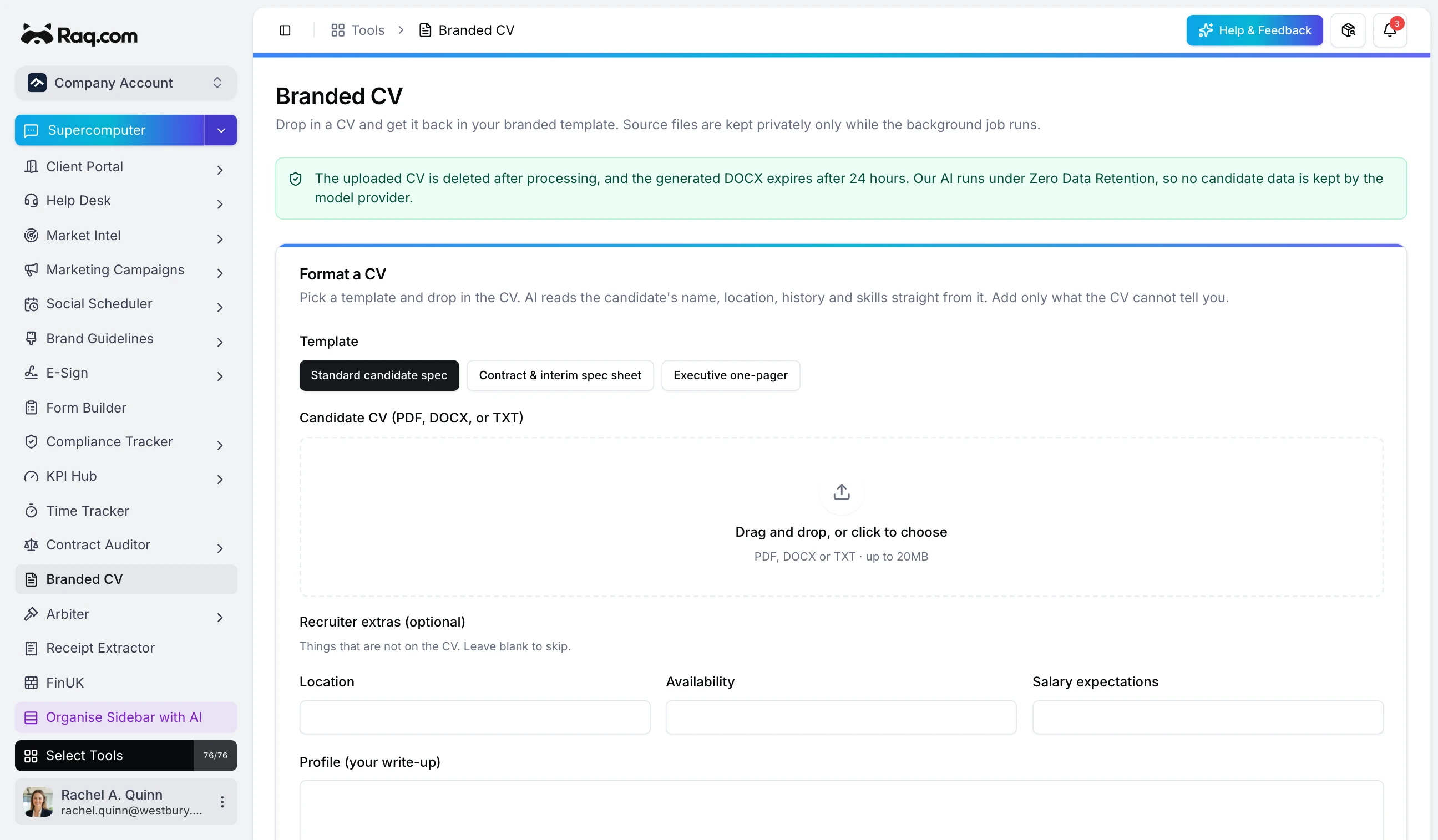
Every recruiter knows the job. A great candidate CV lands in one layout, and your client wants it in yours. Reformatting it by hand takes twenty minutes you do not have. Branded CV does it in seconds: drop in the CV, get it back in your own branded template, ready to send.
Set your template up once
Upload your branded Word document with a few placeholders where you want the candidate's details to land: name, location, personal statement, key skills, and repeating sections for employment history and education. That is the only setup, and you only do it once. Save as many templates as you like, one per client or one per role type.
Let the AI do the reading
Drop in a candidate CV as a PDF, a Word file, or plain text. The AI reads the name, location, personal statement, key skills, full employment history and education straight from it and drops each piece into your layout. You only add the things a CV cannot tell you, like availability and salary expectations. What comes back is a finished Word document in your branding, ready to send to your client.
Nothing is kept
Candidate data is sensitive, so Branded CV holds onto as little as possible. The CV you upload is processed in memory and deleted the moment the document is made. The finished file expires after 24 hours. The AI runs under Zero Data Retention, so nothing you send is stored by the model provider or used to train anything. Your templates are the only thing that stays, and they hold no candidate information at all.
Hand it to your agent
Branded CV is fully wired for AI assistants through MCP, so you do not even have to open the tool. Send a CV to Supercomputer, Claude, Codex, or any agent you work with and ask it to format the candidate into your standard spec. The agent picks the right template, runs the CV through, and hands back the finished document. A whole batch of CVs for one role becomes a single instruction rather than an afternoon of copy and paste.
Built for busy desks
Recruitment moves fast, and formatting is the kind of work that quietly eats an hour a day. Branded CV gives that hour back. Your candidates always go to clients looking sharp and consistent, and you spend your time on the parts of the job that actually need a human.
Included with every plan
Branded CV is available on all Raq.com plans. Each CV you format uses a small amount of AI usage from your plan allowance, and higher plans give you more AI usage for formatting more CVs. Start your free trial. No credit card required.