
Client Portal: Branded Client Workspaces Behind A Magic Link
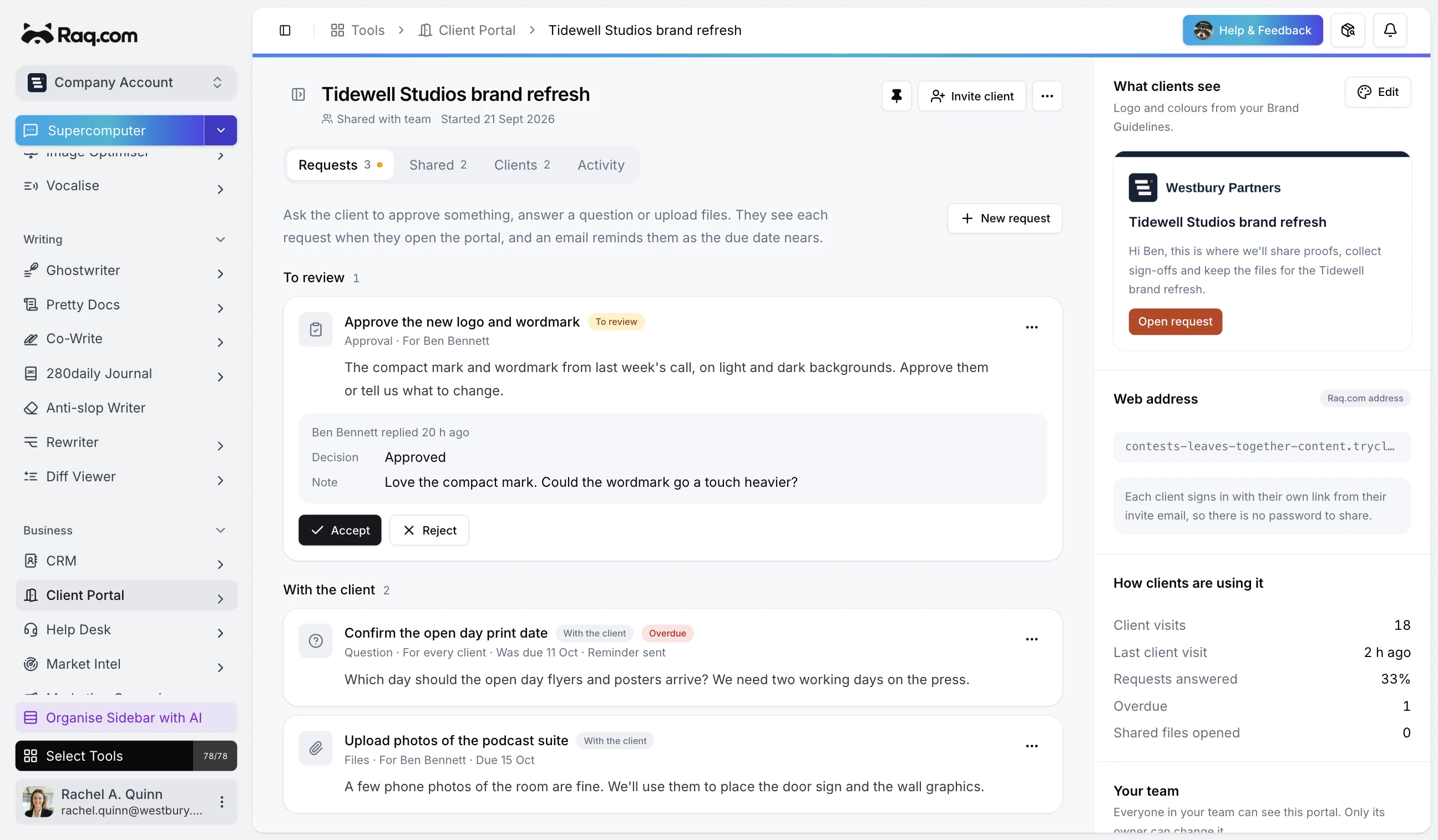
Files in five email threads, approvals chased over text, the latest version on someone's desktop. Client Portal puts the work in one branded workspace your client opens with a single link.
One link, no passwords
Each client gets their own portal at a tidy URL with your logo and brand colours. They click the magic link in the invite email and they're in. No signup form, no password, and access revoked in a click when the engagement ends.
Files, tasks and approvals in one place
Pin files from File Drop and link tasks from Task Board, then send a request for a sign-off, an answer, or an upload. The client sees a clear action card the moment they open the portal. Approvals come back stamped with who approved what and when, uploads land in your workspace, and reminders go out automatically.
Branded automatically
Branding pulls straight from Brand Guidelines, so a new portal looks right the moment you create it. Override colours or the logo per client, or add a custom subdomain so the portal lives at portal.yourcompany.com.
AI assistants can run it for you
Every action is exposed via MCP. Tell Claude, Codex, Supercomputer, or any MCP-connected assistant to spin up a portal, invite the right people, link last week's deliverables, and queue an approval request. It can even give you a daily "what's outstanding across all clients" summary without you opening a single portal.
You see what they see
A client-friendly activity timeline shows when the link was opened, when a request was submitted, and when a resource was viewed. No more guessing whether the proposal landed.
Client Portal is included with every plan. Start your free trial and create your first branded portal in a minute. No credit card required.