
CartDown is now part of Raq.com
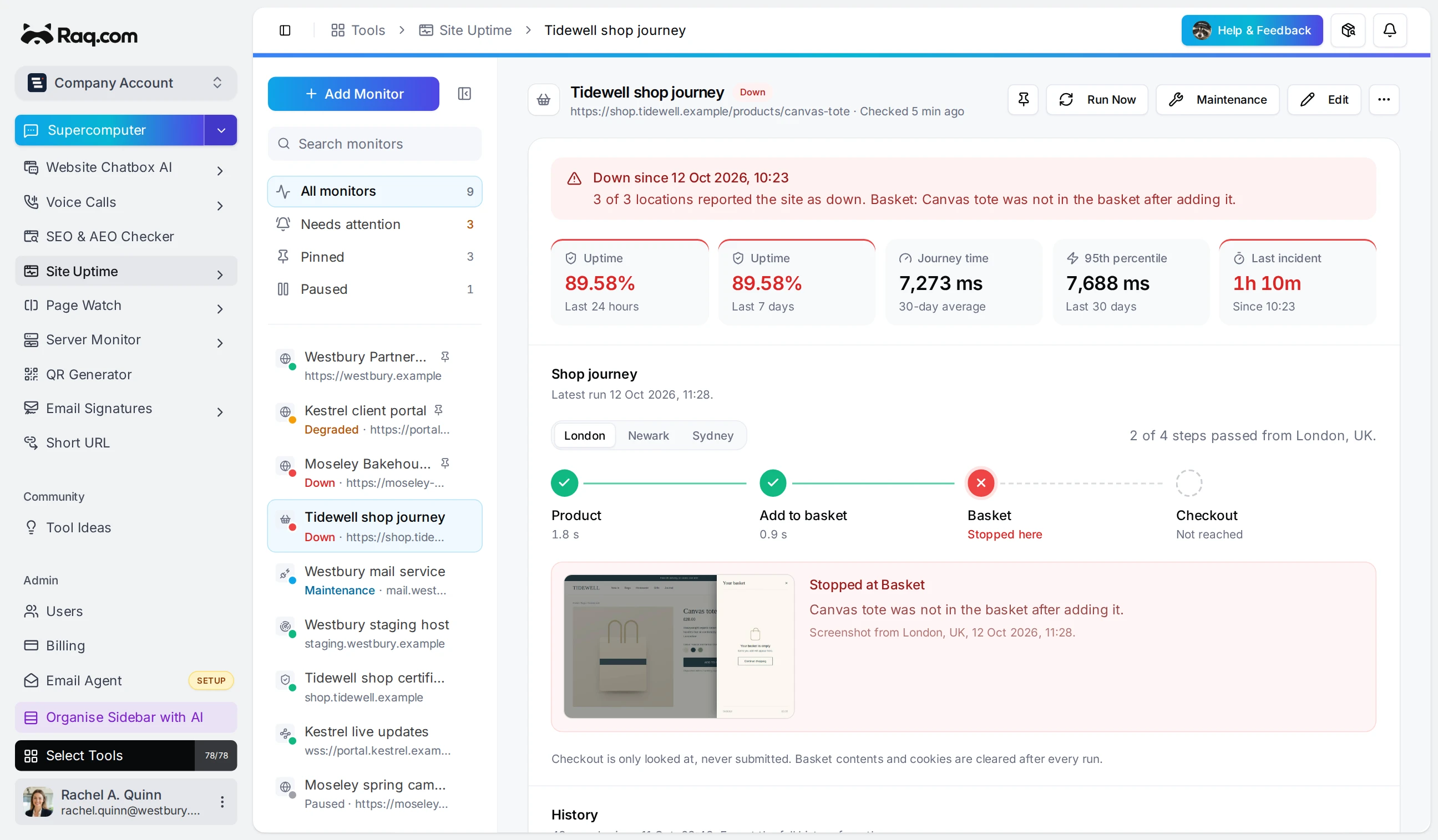
We've rebuilt CartDown's shop monitoring inside Raq.com. You'll find it as Shop Journey in the Site Uptime module.
Your homepage can load while the add-to-basket button is broken. Shop Journey checks the buying path in a fresh browser, so you can catch problems a normal uptime check would miss.
Setting up your shop
To set it up, choose Shop Journey in Site Uptime, enter your store URL and click Copy Setup Request. Give that request to an AI agent connected to Raq.com through MCP.
The agent inspects your shop and chooses an in-stock product. It works out which options to select, adds the product to a basket and checks that its name appears there. It then opens checkout and checks the content you've asked it to look for.
Before saving, the agent has to run that journey from every region you've selected. Raq.com requires a passing result from each one. You can still configure a simpler shop journey yourself with Test And Save, which runs the checks before saving too.
Raq.com then repeats the saved steps on your chosen schedule. Your agent doesn't need to stay open. If a redesign changes the buttons or checkout, ask it to inspect the failed run and test an updated journey.
Seeing what went wrong
The browser can handle basket drawers and shops that update the page without reloading it. You can configure product variants, test desktop or mobile layouts, and follow checkout onto another domain or into an embedded frame. The agent can also set up the basket API requests your shop uses.
In Site Uptime, each run shows four stages: Product, Add to basket, Basket and Checkout. You can see where it failed and how long each stage took in each region. Open a past run for the details and any retained screenshot. Those screenshots are private.
Shop journeys use the same incident confirmation and recovery tracking as your other monitors. You choose the alert recipients and can schedule maintenance windows. Confirmed outage emails attach available screenshots to help the person investigating.
What the check covers
The check stops at checkout. It doesn't enter payment details or place an order, so a pass won't tell you whether a payment would succeed. It also can't sign into customer accounts or solve CAPTCHAs. If your store needs something the browser can't support, the agent should explain the problem and leave the journey unsaved.
Each run starts with an empty browser session, but your shop may keep the abandoned basket or count the visit in its analytics. Choose a suitable test product and check how your store records those visits before setting a frequent schedule.