
Brand Guidelines: So Your Agents Stay On-Brand
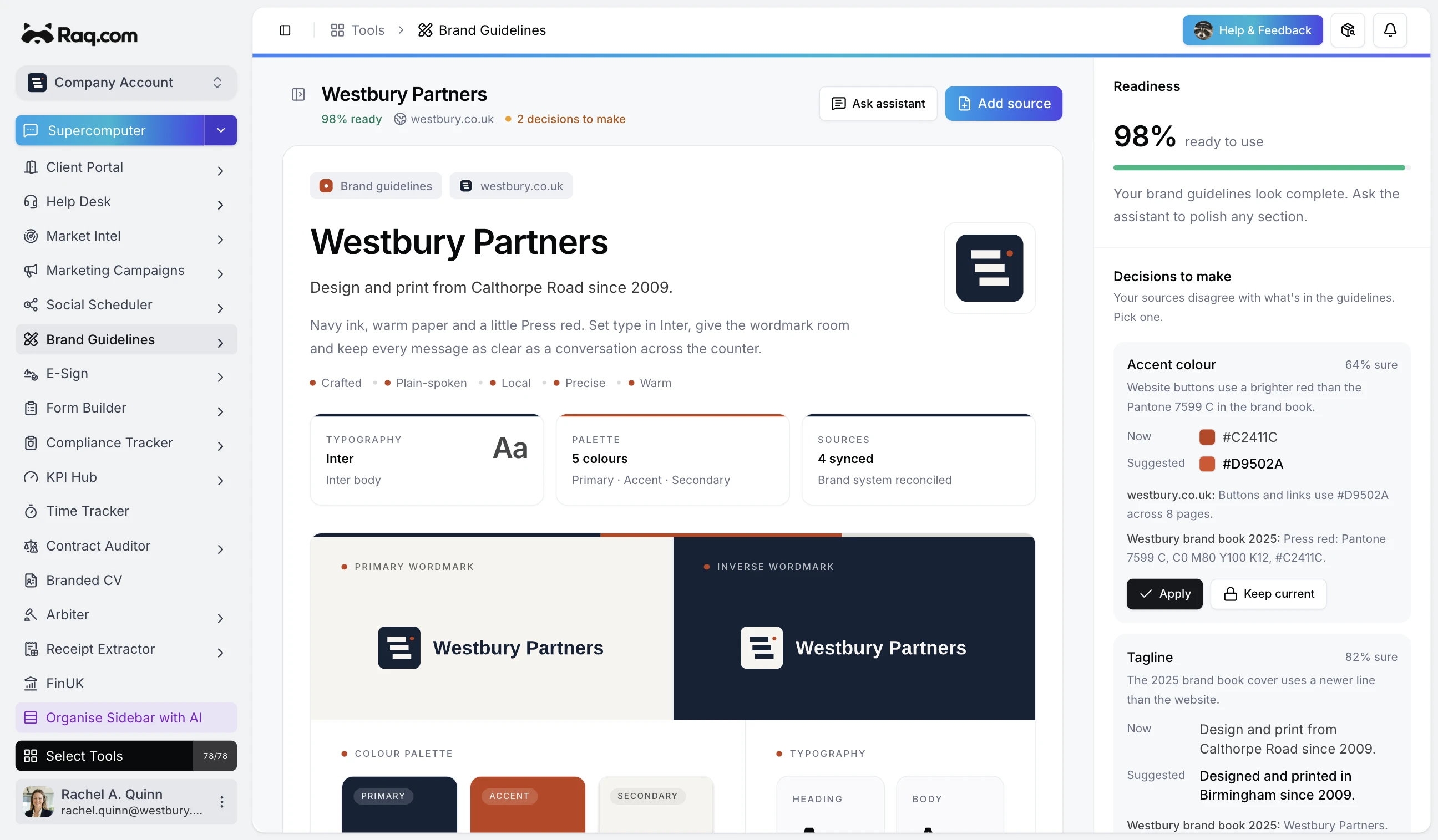
Most brand guidelines live in a 60 page PDF that three people have read, and zero AI agents can see. Brand Guidelines is a shared workspace that builds itself from your website, stays editable, and exposes every field via MCP so the agents you work with stay on-brand without you re-explaining yourself.
Start from a website
Paste your homepage URL. Raq.com pulls the logos, favicon, colour palette, heading and body fonts, and the voice from your copy. A few seconds later you've got a first draft, with every field citing the source it came from.
Add more as you go. A press kit PDF, a pitch deck, a product shot, an old guidelines doc. Each source contributes what it knows and the workspace reconciles the lot.
Refine in plain English
If the tone's off, say so. "Make the voice warmer and less corporate." "Body font should be Inter, not system sans." The Ask Assistant sidebar updates the right fields directly. Lock the ones you're happy with so future imports and AI tweaks leave them alone.
One workspace, not a deck
Logos, icons, colours, fonts, voice, audience, mission, and your one-liner all sit together with live previews. Add custom sections for anything that doesn't fit the defaults: photography style, do's and don'ts, signage rules.
So your agents stay on-brand
Every field is exposed via MCP. Supercomputer, Claude, Codex, or any agent you connect can read your brand and use it. Tell an assistant to "draft a landing page using our brand" or "import example.com into a new workspace and set the primary colour to the darkest accent" and it happens. Your brand stops being a PDF nobody opens and becomes context every tool on your stack can pull from.
Share it
Invite the team when it's ready. Everyone sees the same source of truth. New hires onboard in minutes instead of hunting for the latest PDF.
Brand Guidelines is included with every plan. Start your free trial and paste a URL. No credit card required.