
Spreadsheet AI: Upload, Transform, and Analyse Any Spreadsheet with AI
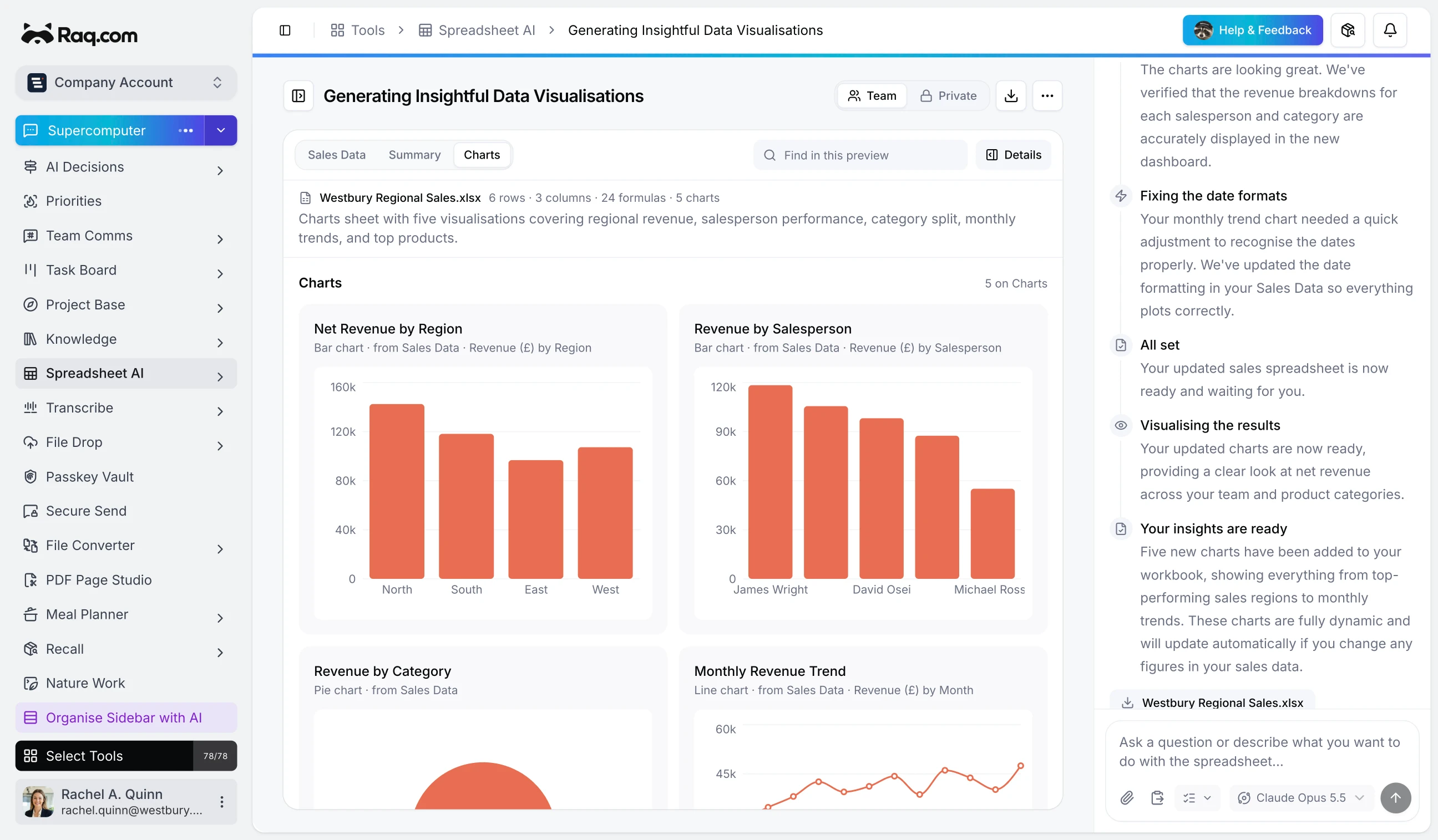
Most spreadsheet tools bolt AI on as a chatbot that talks about your data. Spreadsheet AI works differently. It reads your workbook, modifies it directly, and shows you the result in a live preview that updates after every change.
Start from a file or from nothing
Upload a CSV, Excel file, or JSON export. Or just describe the spreadsheet you want and Spreadsheet AI builds it from scratch, complete with sheets, formulas, and formatting. You can also paste rows straight into the composer if you have data in your clipboard.
Six task modes
Pick the right mode for what you need. Clean Data standardises dates, trims whitespace, and removes duplicates. Analyse runs summary statistics and flags outliers. Build Model creates formulas, lookups, and cross-sheet references. Create Dashboard turns your data into charts. Explain Workbook walks you through the structure and logic. Prepare Export gets your file ready to share.
Live preview, not a black box
As the AI works, the preview panel updates in real time. You see sheets, columns, charts, and workbook health indicators change as each step completes. If something looks wrong, you can course-correct mid-session instead of waiting for a finished result that misses the mark.
Charts and visualisations
Ask Spreadsheet AI to build a dashboard and it will generate charts directly inside the workbook. Bar charts, line graphs, pie charts, whatever fits the data. The chart gallery in the preview panel lets you browse them without downloading the file first.
Download the finished file
When you are happy with the result, download the workbook as an XLSX file. Formulas, multiple sheets, and formatting are all preserved. Open it in Excel, Google Sheets, or any spreadsheet application and keep working.
Included with every plan
Spreadsheet AI is included with your Raq.com subscription. You see the estimated cost before each session, so there are no surprises. Higher plans give you more AI usage across all tools.
- A free trial to try every AI tool once when you sign up
- Simple subscription plans when you need more
- Higher plans give you more AI usage across all tools
Get started
Start your free trial. No credit card required. Open Spreadsheet AI from your dashboard, upload a file or describe what you need, and watch the preview update as the AI works.