
Secure Send: One-Time Secret Links and Safer Intake Requests
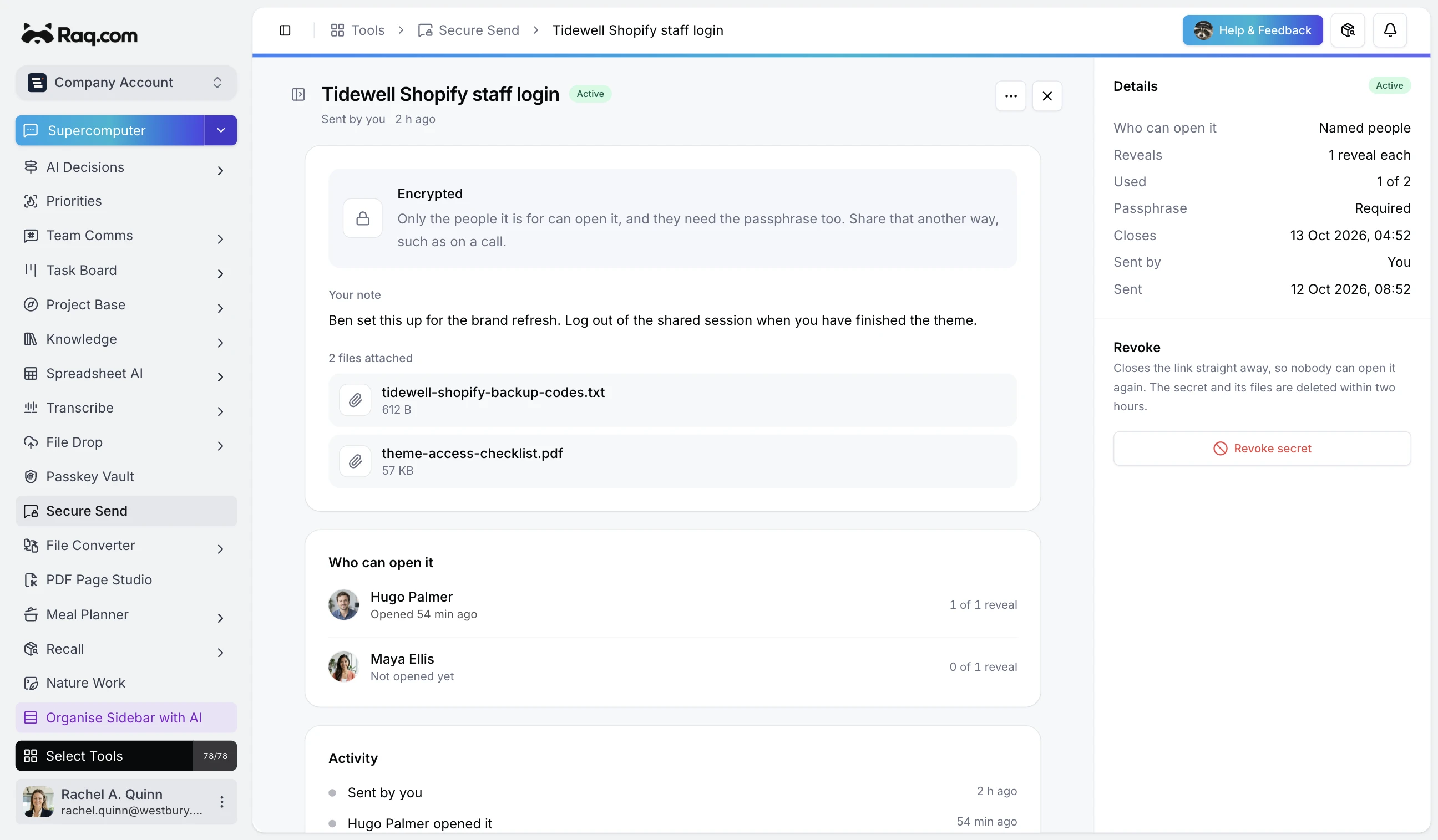
Secure Send gives your team a better way to pass around passwords, API keys, recovery codes, and other sensitive details. Create a secure link, choose a reveal limit, set a short expiry, add a passphrase if needed, and stop leaving secrets sitting in email threads and chat history.
Let AI assistants handle the handoff
Secure Send is exposed through MCP, so Supercomputer and any MCP-connected assistant can create handoff links and intake links for you. That means an agent can prepare the secure delivery step as part of a wider workflow instead of dumping sensitive values into the middle of a normal conversation.
Send secrets out
Pick internal recipients or create a link for someone outside your account. Set how many times the secret can be opened, when it expires, and whether it needs a passphrase before it can be viewed. Once the limit is reached, the handoff closes.
You can also attach supporting files, useful when a credential comes with a runbook, IP allowlist, or setup note that should travel with it.
Request secrets back in
Sometimes the harder problem is getting a secret from someone else without asking them to paste it into a ticket or message. Secure Send creates intake links for that. Send the link, explain what you need, and the submitted secret lands back in your Secure Send inbox instead of a public channel.
Track what happened without keeping the secret around
The tool keeps the handoff metadata you actually need: who received it, whether it was opened, when it expires, and whether it has been revoked. That gives you a clear audit trail for the handoff itself while keeping the secret on a short lifecycle.
Built for day-to-day operations
Secure Send is useful any time sensitive values move between people or systems: launch credentials, payment gateway keys, emergency access codes, DNS tokens, staging passwords, or vendor setup details. It is a small tool, but it removes a surprisingly common security failure mode.
Secure Send is included with every plan. Start your free trial and keep the next secret handoff out of your chat history. No credit card required.