
Recall: Never Forget Where You Put Things
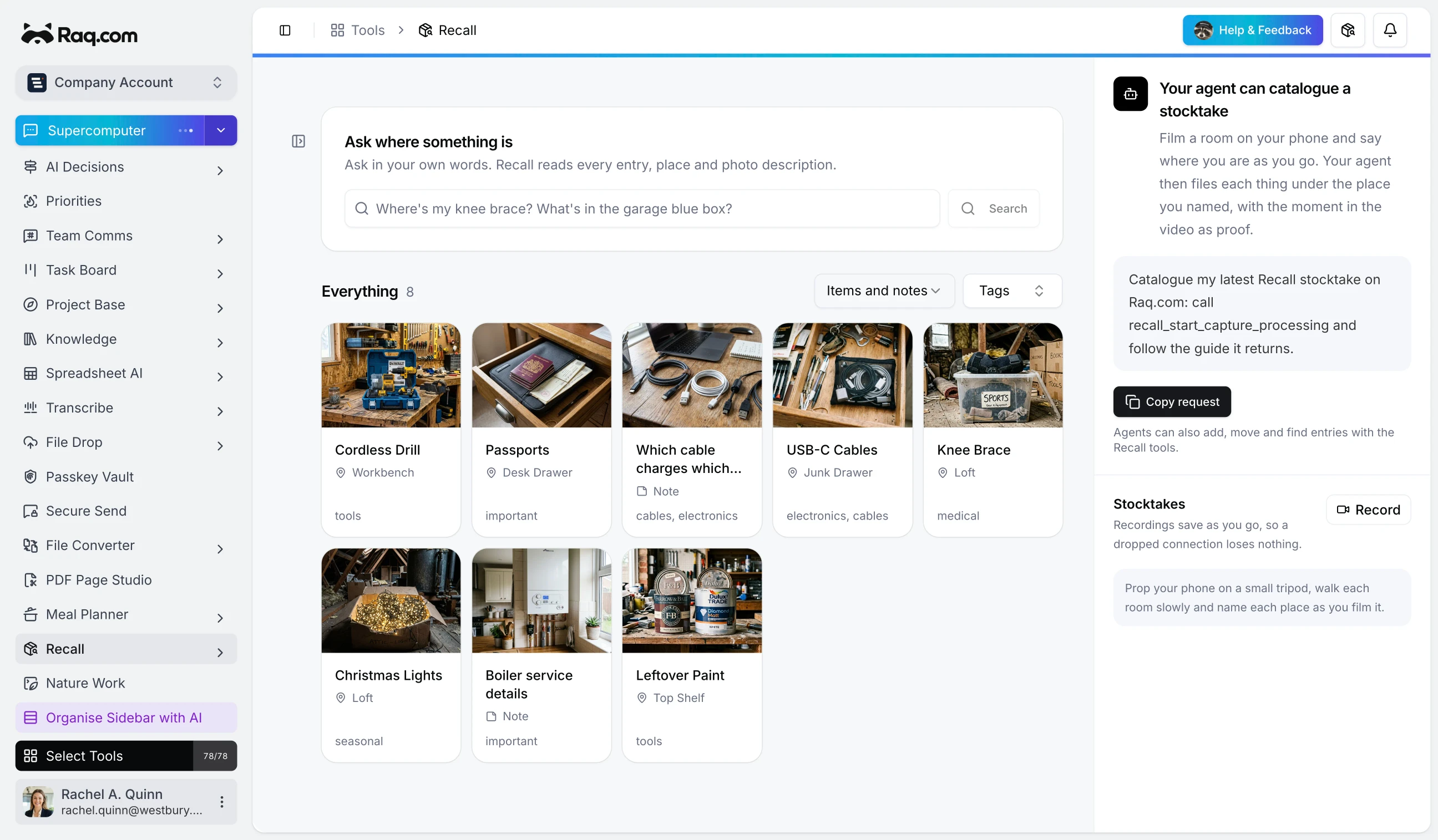
Snap a photo and Recall does the rest. AI reads the image, suggests a title, picks the right location, and writes a description. You just confirm and save. No typing, no organising, no forgetting where you put things.
Photo in, organised item out
Take a picture of anything, a box of cables, a shelf of paint tins, a stack of passports. Recall's AI analyses the photo and auto-fills the item details. It recognises what the object is, suggests which location it belongs to based on your existing locations, and writes a description you can keep or edit. One tap to save.
Manage it from anywhere
Recall is fully exposed through MCP, which means any MCP-connected assistant can create items, search your inventory, add photos, and manage locations on your behalf. Connect it to an OpenClaw WhatsApp number and you can snap a photo from your phone, send it, and the item gets catalogued automatically. Or use Supercomputer to ask your AI assistant "where did I put the Christmas lights?" and get an instant answer with the photo you took when you stored them.
AI search that understands context
Type a question in plain language. "Where's my knee brace?" "What's in the garage blue box?" Recall doesn't just match keywords. It understands what you mean and searches across titles, descriptions, locations, tags, and photo descriptions to find the right item, even if you don't remember the exact name you used.
Locations, tags, and linked items
Build a hierarchy of locations that matches how you actually think. Garage, then Workbench, then Top Shelf. Tag items however makes sense to you. Link related items together so the drill case always points to the spare battery pack.
Knowledge notes
Recall is not just for physical items. Save the things you always forget. Which cable charges which device. The boiler serial number. The Wi-Fi password for the holiday cottage. Anything you look up more than once belongs in a note.
Shared or private
Mark an item as private and only you can see it. Leave it on team visibility and everyone on the account can search for it. Useful for households or small offices where multiple people need to find the same things.
Recall is included with every plan. Start your free trial and try it out. No credit card required.