


Introducing Quotes & Proposals and Invoice Generator
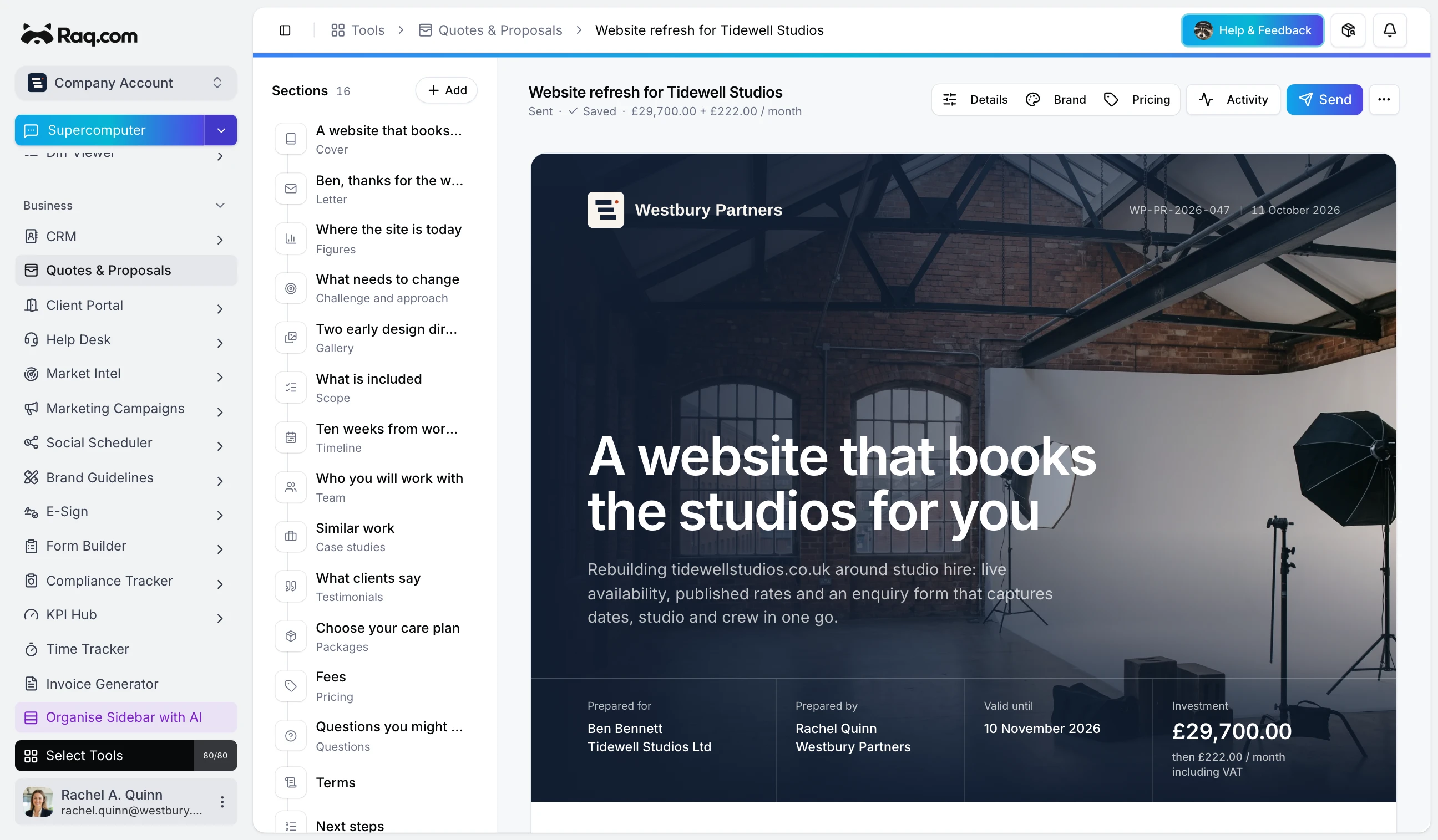
Quotes & Proposals and Invoice Generator are in Raq.com from today. You send a proposal, your client picks their options and signs it on their phone, and Invoice Generator bills them for what they chose.
Ask your AI agent to write a proposal from your notes and it drafts the cover, letter, scope, timeline, pricing and terms in your Brand Guidelines colours, fonts and logo. You read it through and tell it when to send. Or start from a template and your saved price list, and have AI draft the whole thing or rewrite a single section.
Both modules are included with every Raq.com plan.
What your client sees
Each person you send it to gets their own link to a page in your brand. They can tick optional extras, change quantities or pick a package, and the total updates as they go. Questions they ask on the page get your answer there too.
They sign with a typed or drawn signature, or through E-Sign. They can also ask for changes, or decline and say why. Connect your own Stripe account and they can pay a deposit, or the whole amount, as soon as they've signed, straight into your account.
You can see when they opened it and how long they spent on each section. If they go quiet, reminders go out on their own: three days after sending if it's unopened, three days after opening if there's no answer, and two days before it expires. Nobody gets more than three, and by default none arrive between 8pm and 8am or at weekends.
From a signed proposal to invoices
Once a proposal's accepted, Invoice Generator makes the invoices from the client's choices, so they match what was signed to the penny: one invoice for everything, or a deposit now and the balance later. Weekly, monthly, quarterly or yearly charges become recurring invoices, and a deposit paid at signing is already marked as paid.
The accepted proposal can also add a quote to the client's lead in your CRM, move the lead to Won if you switch that on, and set up a project and Task Board for the work.
Invoice Generator on its own
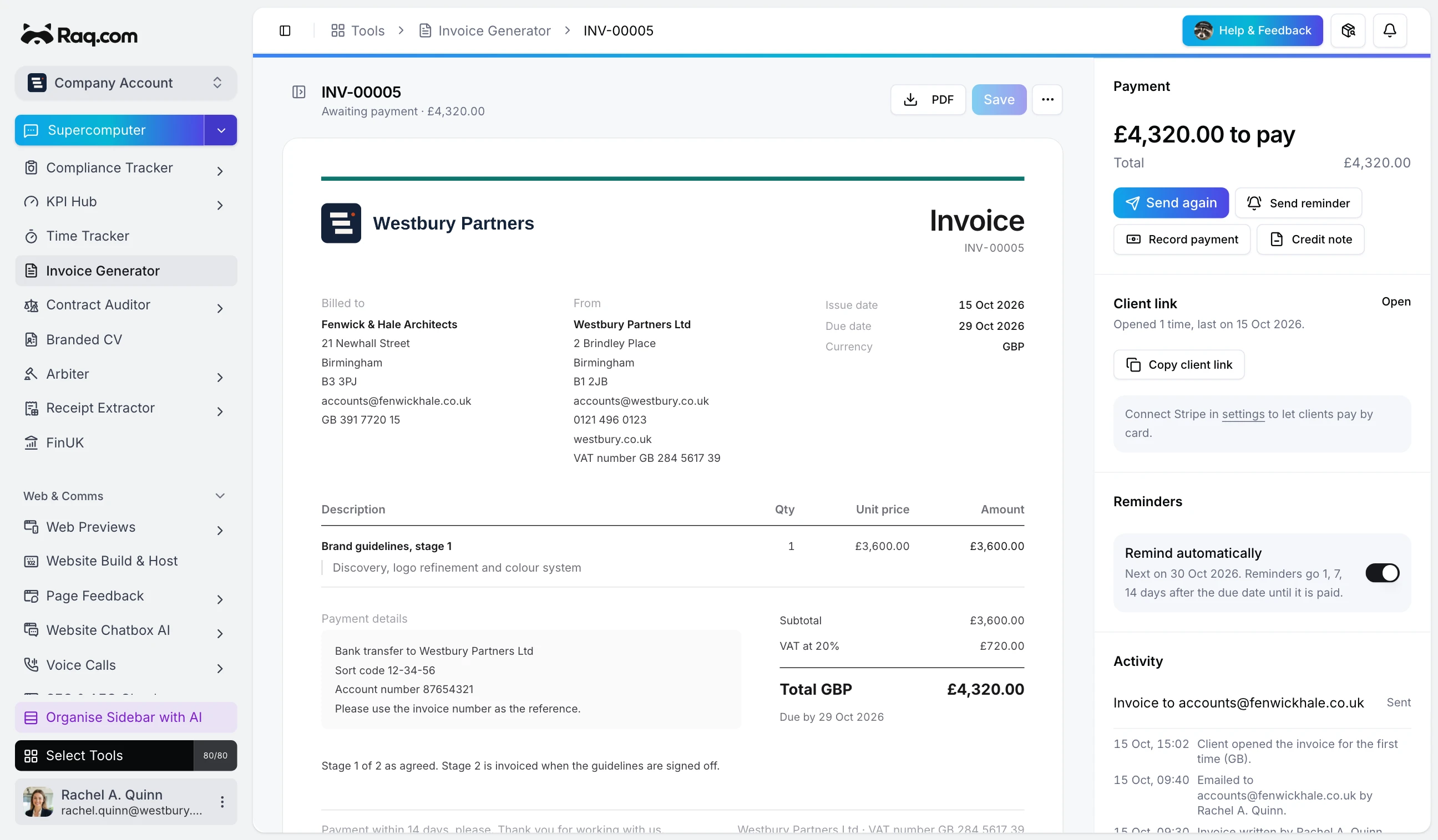
You don't need a proposal to use Invoice Generator. Write an invoice with line items and VAT on a copy that looks like the PDF, then send it with a link to the client's invoice page, where they can download it, find your bank details or pay by card through your Stripe account. Raq.com sends invoice emails for paying accounts; otherwise you download it, send it from your own email and mark it as sent.
You'll see when an invoice is delivered and viewed. Part payments come off the balance, a card payment marks it paid once Stripe confirms, and overdue reminders go out 1, 7 and 14 days after the due date unless you change or pause them. Credit notes get their own numbers and PDFs.
Recurring invoices can email themselves to the client each time, and invoices and payments export as CSV files for Xero or QuickBooks. A CRM lead shows its invoices and what's still owed, and Time Tracker's invoices appear here as well.
With your AI agent
Both modules have their own tools for Claude, ChatGPT or any other agent connected to Raq.com over MCP. Your agent can read up on the client in your CRM and Knowledge, write and price the proposal, check it as the client will see it and send it when you say so. Afterwards it can tell you who's read it, answer their questions, chase them and turn the accepted proposal into invoices. It can also send invoices and reminders, record payments, raise credit notes and export the month's CSVs.