


Page Feedback Now Supports Multi-Page Website Reviews
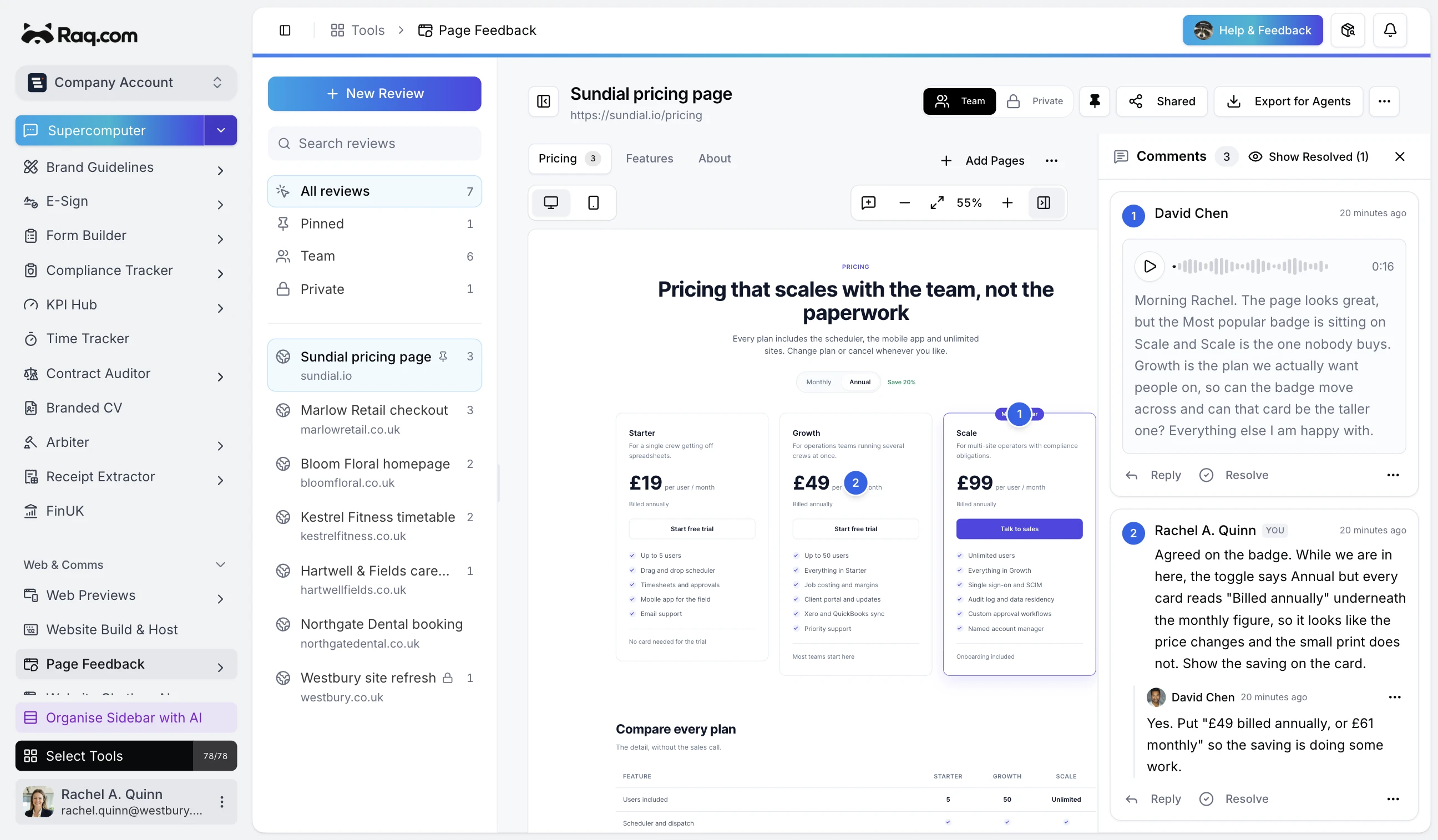
Page Feedback can now keep several pages from the same website in one review. Paste the first address, choose the related pages Raq.com finds, and send one link to everyone involved.
Start with one address
A website review can cover the homepage, pricing, features and contact pages. Page Feedback now scans the site from the address you give it and lists the other pages it can reach. Pick the ones that belong in the review and Raq.com queues a desktop and mobile capture for each.
You can paste a list of addresses instead if you know which pages you need. Page Feedback removes duplicates and keeps every selected page under the same review title.
One link covers the website
Reviewers move between the captured pages without opening a new share link. The page picker shows which page is active, and the link to the original site follows that selection.
Each pin records the page and the place where the reviewer clicked. A comment on the pricing table stays with the pricing page. Replies form a thread under that pin, and the team can resolve the thread once the change has been dealt with. Switching to another page shows the comments that belong there.
Add pages without starting the review again
The review can grow after comments have started coming in. Use Add pages to scan the site again or paste more addresses. Raq.com captures the new pages while leaving the existing pins and replies alone.
The share link stays the same, so clients don't need a replacement link when another page joins the job. Page Feedback skips pages that are in the review rather than capturing them twice.
Export the full review for a coding agent
Export for Agents downloads one JSON file for the review. It includes the page list, desktop and mobile captures, open and resolved threads, replies, pin coordinates, attachments and voice-note transcripts.
Every thread includes its page ID, so a coding agent can match each request to the correct capture before changing the site. The agent gets the review in the same page-by-page structure the reviewers used.