
OneDrive Search: Find Anything Across Your Documents
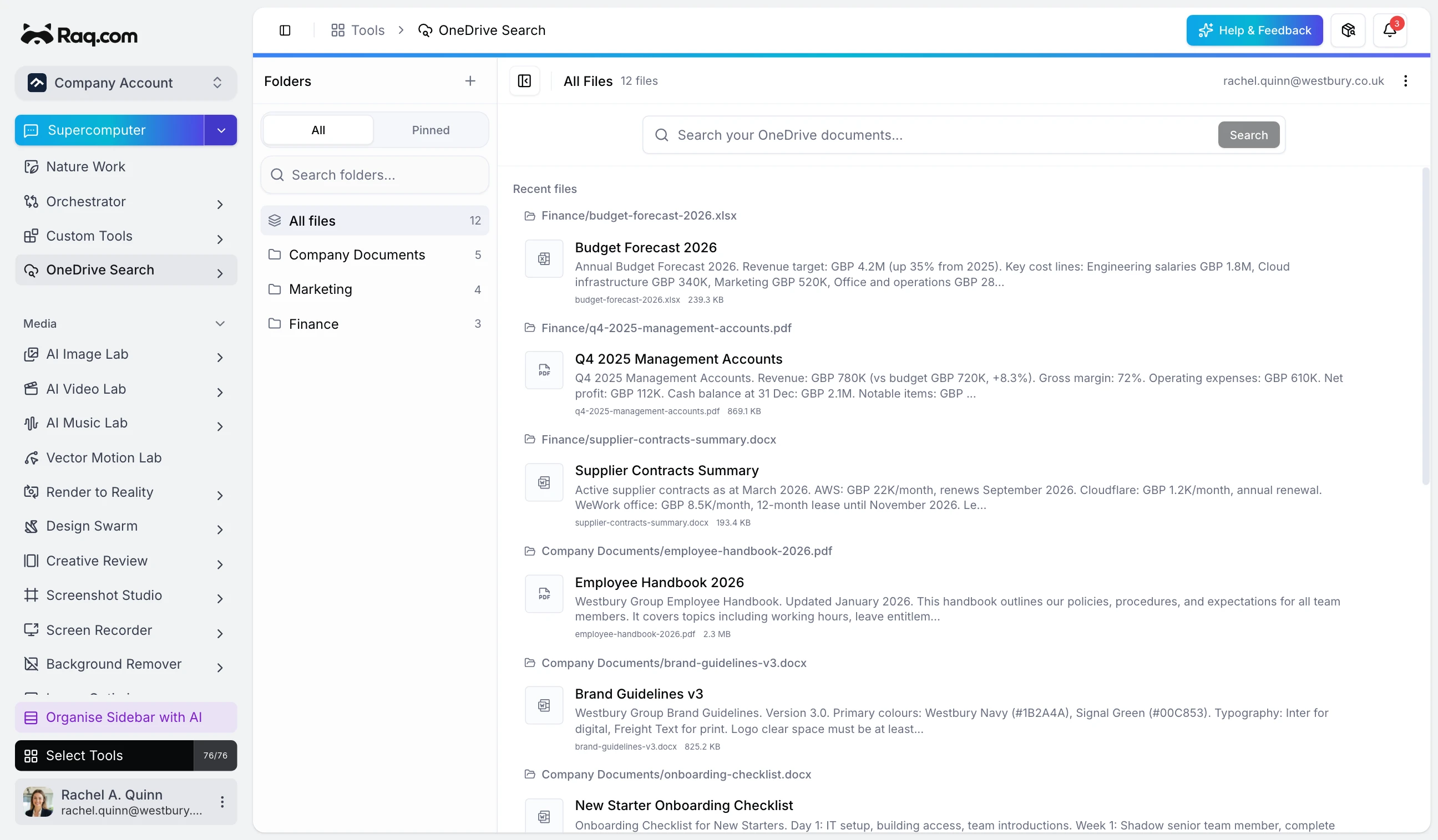
If your company runs on Microsoft, you probably have years of documents, contracts, and reports stored in OneDrive. That is not going to change overnight, and it should not have to. OneDrive Search on Raq.com connects to what you already use and makes all of it searchable, browsable, and accessible to AI.
Your documents are already somewhere. Meet them there.
Switching platforms is expensive and slow. Teams have built habits, folder structures, and sharing permissions around OneDrive and SharePoint. The realistic path forward is not to move everything into a new system. It is to connect the systems you already have and make them work together.
OneDrive Search does exactly that. Connect your Microsoft account, pick which folders to sync, and Raq.com indexes the contents in the background. Your files stay in OneDrive. Raq.com just makes them easier to find.
Full-text search across everything
OneDrive's own search is fine if you remember the file name. But when you need to find that clause in a contract, or the budget figure from a report you read last month, file names are not enough. OneDrive Search indexes the text content of your documents, so you can search for a phrase inside a PDF, a Word document, or a spreadsheet and get straight to it.
You control what gets synced
You choose exactly which folders to sync. Keep personal files private and only index the folders your team actually needs. Each folder syncs independently and shows its own file count, so you always know what is covered.
One connection, whole team access
One team member connects OneDrive and picks the folders. Everyone else on the account can then browse and search the synced files. No need for each person to connect separately.
Give your AI assistant access to your documents
This is where it gets interesting. OneDrive Search is fully exposed through MCP (Model Context Protocol). That means AI assistants, whether it is Supercomputer on Raq.com, Claude Code on your desktop, or any other MCP-compatible tool, can search your synced documents, read their contents, and use them as context when answering questions or generating work.
Ask your AI assistant "what were the key findings in the Q4 management accounts?" and it can pull the answer directly from the document sitting in your OneDrive. No copy-pasting, no uploading files into a chat window. Your documents are just there.
Bridging the gap
The broader idea is simple. Companies have data spread across existing platforms, and the tools that can actually use that data (AI assistants, workflow automations, internal apps) need a way in. OneDrive Search is the bridge for Microsoft-heavy teams. It turns a folder full of files into a searchable, AI-accessible knowledge base without asking anyone to change how they work.
Included with every plan
OneDrive Search is a free tool on Raq.com with no AI usage required. It is included with every subscription plan at no extra cost. Start your free trial. No credit card required.