
Vocalise: Studio-Quality Speech from a Text Box
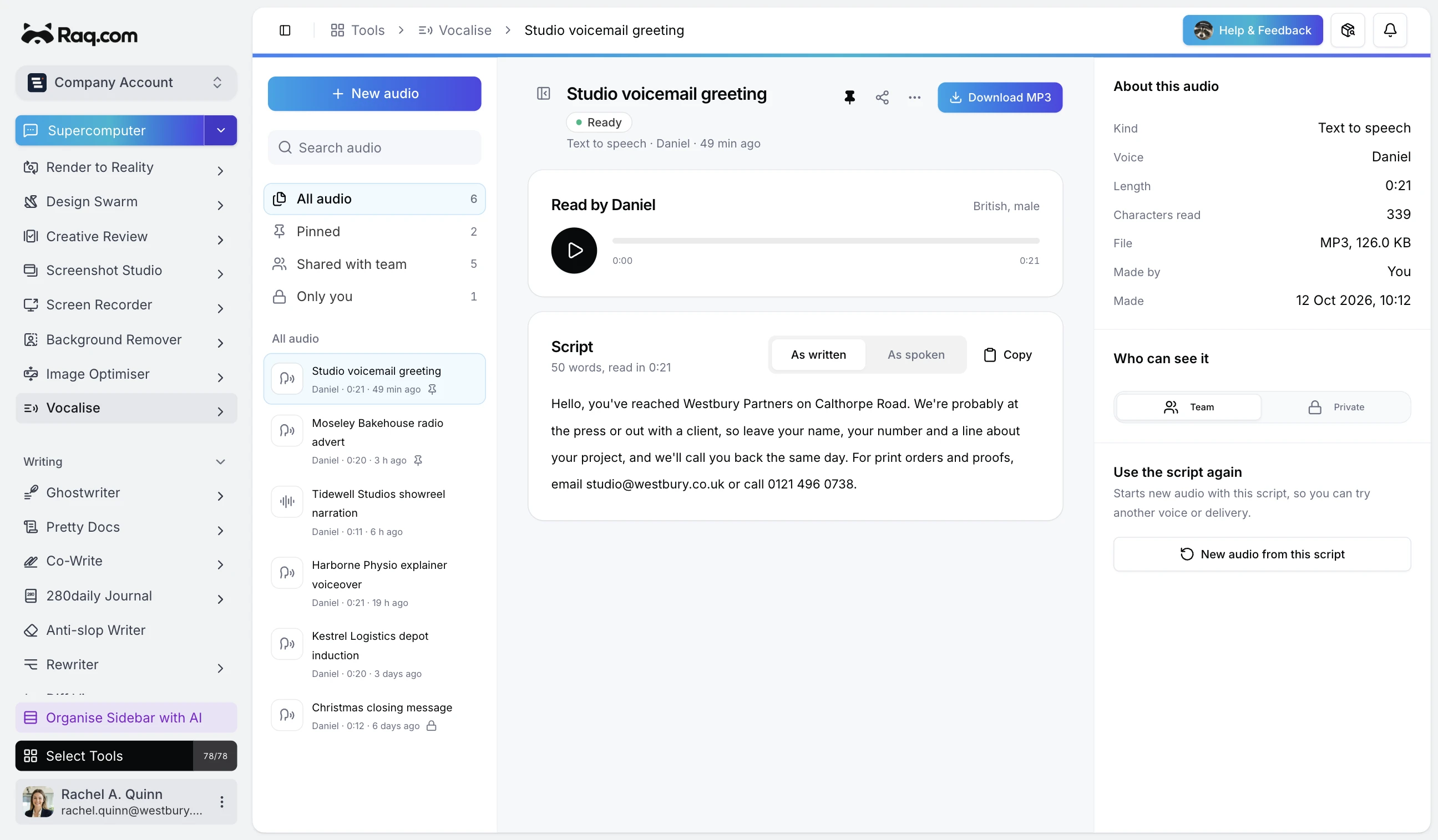
Paste text, pick a voice, download an MP3. Vocalise turns scripts up to 50,000 characters into natural-sounding speech you can use in presentations, podcasts, or anywhere you need audio.
How it works
Type or paste your text, choose a voice, and hit Generate. Vocalise returns an audio file you can play back in the browser or download as MP3.
80+ voices, seven accents
Choose from over 80 curated voices spanning American, Australian, British, Canadian, Indian, Irish, and Swedish accents. Each has a distinct character. Preview any voice before committing to a full generation.
Phonetic review
Names, acronyms, and technical terms often trip up speech engines. Vocalise includes an optional phonetic review step that suggests pronunciation adjustments before generation. You approve or tweak each one so the final audio sounds right.
Creativity modes
Three settings to control how expressive the voice sounds: Stable for formal content, Balanced for general use, and Creative for storytelling and conversational scripts.
Pricing
Vocalise is included in your Raq.com subscription. Free trial when you sign up, no commitment required.
Get started
Start your free trial. No credit card required. Open Vocalise from your dashboard and paste in your first script.