
PDF Page Studio: Combine, Reorder, and Annotate PDF Pages
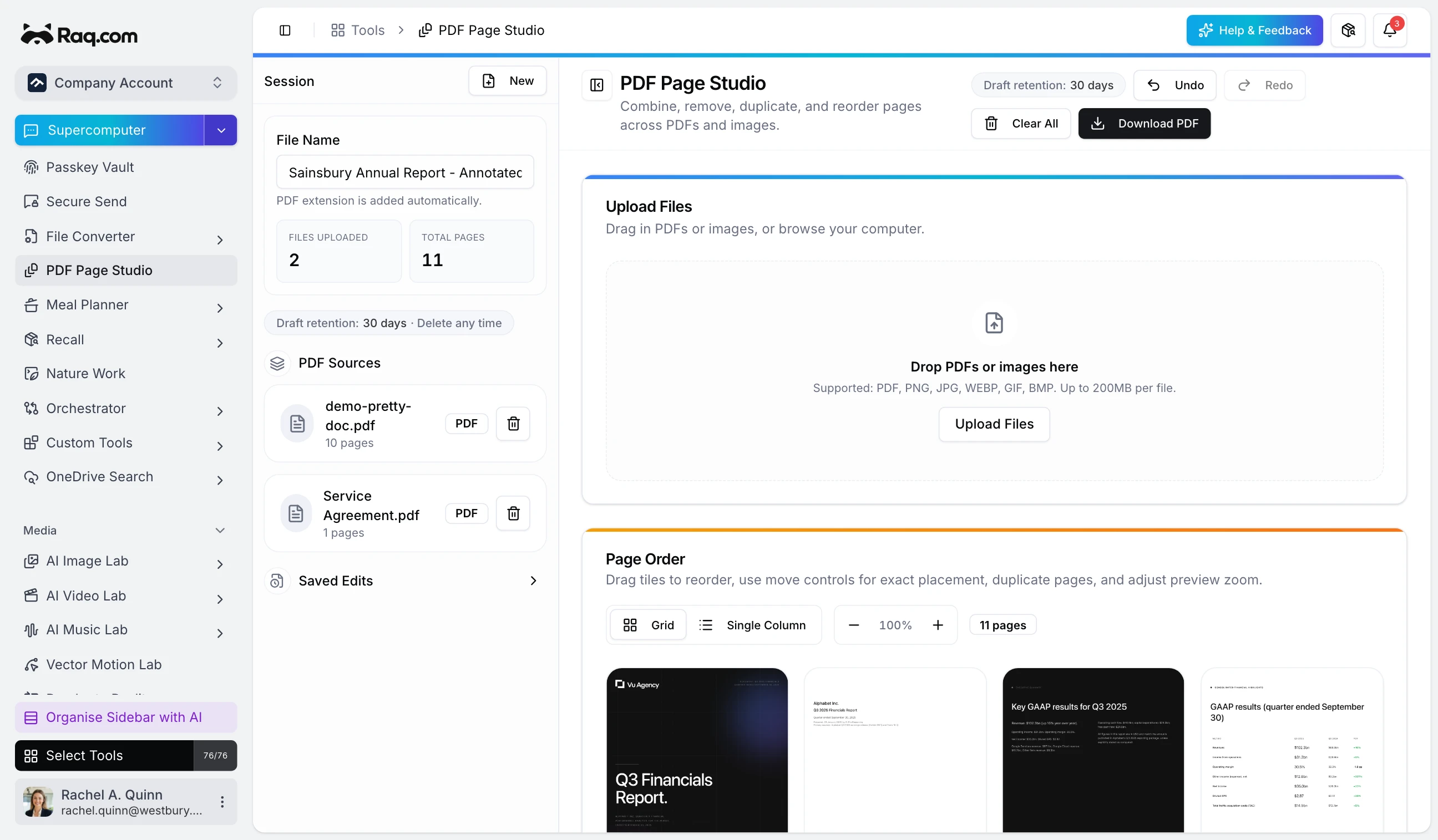
Working with PDFs usually means juggling multiple files, paying for desktop software, or uploading sensitive documents to unknown services. PDF Page Studio gives you a visual editor that runs entirely in your browser.
How it works
Drop one or more PDFs (or images) onto the canvas. Every page appears as a draggable thumbnail. Rearrange, duplicate, or remove pages, then hit Download PDF to get a clean combined file.
Annotate before you export
Open any page in the annotation editor. Add text, draw shapes, place signatures, or overlay images. Adjust colours, opacity, and stroke width. Every annotation is rendered into the final PDF.
Auto-save and undo
Undo and redo are always available. Your session is saved automatically. Close the tab, come back later, and pick up where you left off. Drafts are retained for 30 days.
Use cases
- Contracts: merge signature pages from different parties into one file.
- Proposals: combine a cover letter, scope of work, and terms into a single document.
- Reports: pull selected pages from multiple sources into one deliverable.
- Forms: strip cover sheets or blank pages before filing.
Privacy first
Every operation happens inside your browser. Your files are never uploaded to a server.
Get started
PDF Page Studio is included in your Raq.com subscription. Start your free trial. No credit card required.