
File Drop: Cloud Storage with AI-Powered Linking
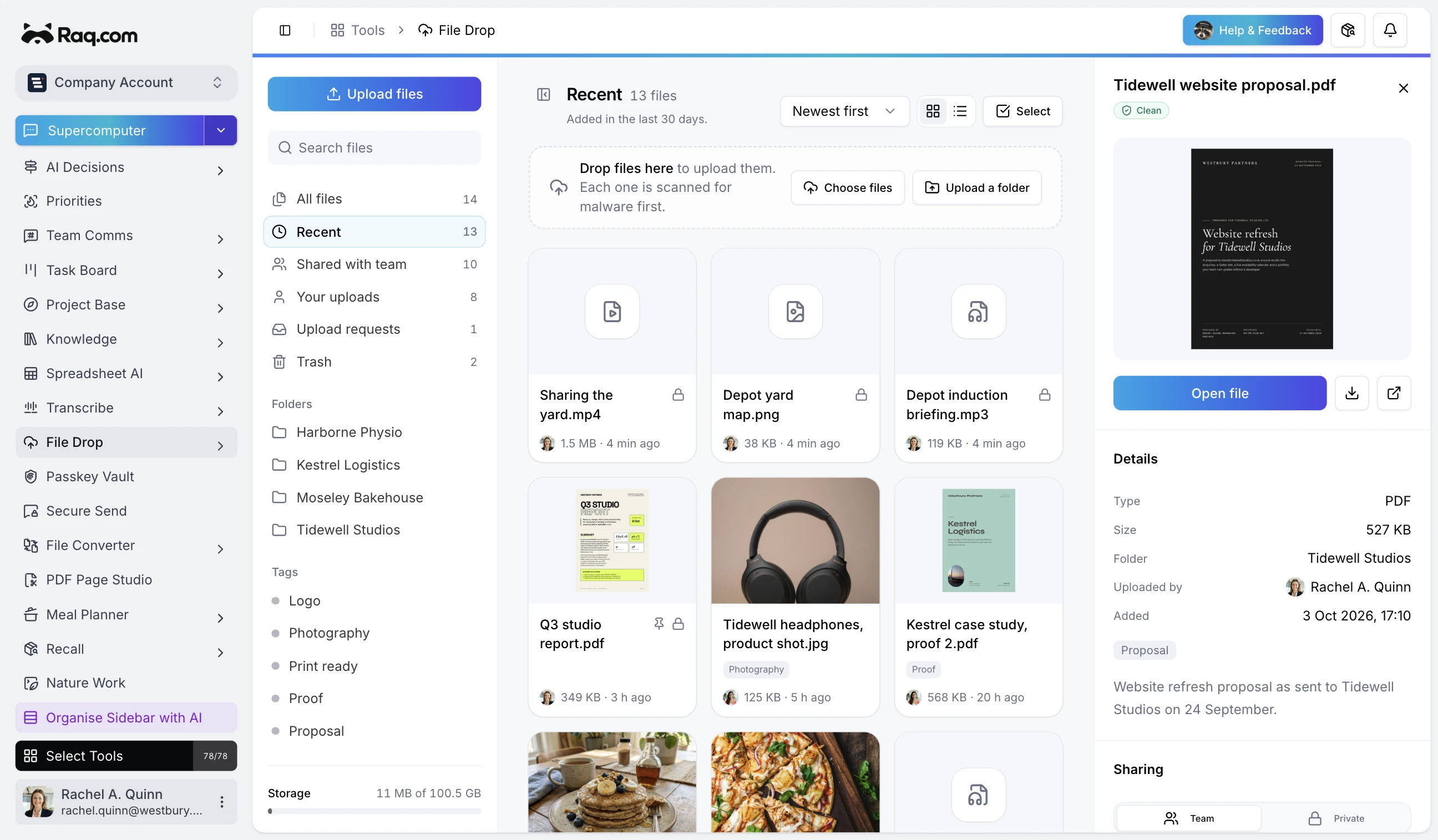
Most cloud storage tools do one thing: hold your files. File Drop goes further by connecting uploads to the rest of your workspace automatically.
Drop, organise, find
Drag files into the browser or choose them from your device. Organise with folders and tags. Search across filenames, descriptions, and tags to find anything instantly.
AI-powered linking
When you upload a file, AI analyses the content and suggests links to your existing boards, projects, and knowledge articles. Accept the suggestions or dismiss them. Your files stay connected to the work they belong to.
Versions and history
Upload a new version of any file and keep the full history. Compare versions, restore older ones, or download any version at any time. Content hashing means duplicates are flagged automatically.
Share with a link
Generate a share link for any file or folder. Set an expiry date or leave it open. Anyone with the link can view and download without needing an account.
Privacy and visibility
Every file can be team-visible or private. Private files are only accessible to you. Team files are available to everyone in your account. The trash retains deleted files for 30 days before permanent removal.
Get started
File Drop is included in your Raq.com subscription. Start your free trial. No credit card required.