
AI Video Lab: Generate Videos from Text, Images, and References
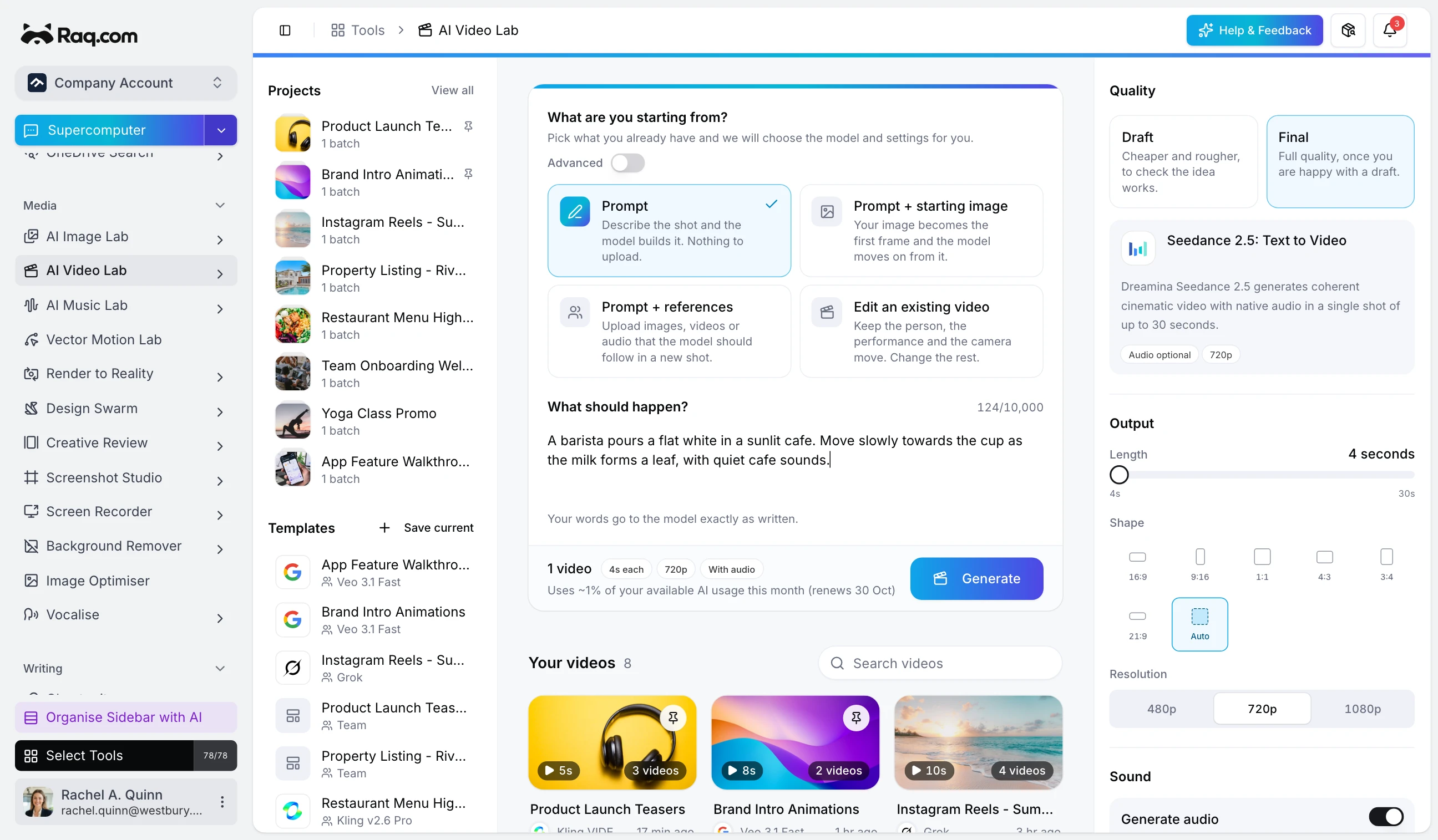
Creating AI video used to mean signing up for a separate platform, learning its interface, and generating one clip at a time. AI Video Lab puts 19 models in one workspace with batch generation, prompt expansion, and clear cost estimates before you commit.
How it works
Write a creative direction describing the video you want. Pick a model and configure settings like duration, aspect ratio, and resolution. AI Video Lab expands your direction into multiple prompt variations and generates videos for each one in parallel. Review the results, star your favourites, and download the ones you want.
19 models in three tiers
Budget models start from around 0.1% of your usage per video and are ideal for quick drafts and iterations. Mid-range models from Google Veo and Kling deliver higher quality with audio support. Premium models produce cinematic results with voice control and reference-based generation.
Every model shows its estimated cost before you generate, so there are no surprises.
On launch we have 19 models, and will update as new state-of-the-art models become available:
Budget
- Grok: Text to Video
- Grok: Image to Video
- Grok: Edit Video
- P-Video: Image to Video
- Kling v2.5 Turbo: Image to Video
- Kling v2.6 Pro: Image to Video
Mid-range
- Veo 3.1 Fast: Image to Video
- Veo 3.1 Fast: Extend Video
- Veo 3.1 Fast: First & Last Frame
- Kling v2.6: Motion Control
- Kling O3 Standard: Image to Video
Premium
- Veo 3.1: Reference to Video
- Kling v3 Pro: Text to Video
- Kling v3 Pro: Image to Video
- Kling O3 Pro: Text to Video
- Kling O3 Pro: Image to Video
- Kling O3 Pro: Reference to Video
- Kling O3 Pro: Edit Video
- Kling O3 Pro: Video Reference
Eight input types
Text-to-video is the starting point: describe a scene and get a video. Image-to-video animates a still photograph. Reference-to-video maintains consistent characters and objects across clips. Edit existing videos with AI instructions. Use first-and-last-frame to create smooth transitions between two images. Extend a clip with natural continuation. Transfer movement from one video onto a character image with motion control.
Prompt expansion
Write one creative direction and AI Video Lab generates multiple prompt variations automatically. Each variation takes a slightly different angle on your brief, giving you a range of results to choose from. If you prefer precise control, toggle "Use Exact Prompt" to skip expansion entirely.
Batch generation
Generate up to 30 videos in a single batch. Set the number of unique prompts and attempts per prompt, then launch. Progress updates in real time as each video completes. Pin your best batches to the sidebar for quick access later.
Audio and voice
Several models include audio generation by default. Others offer it as an option you can toggle on. Premium models support voice control where you can direct how characters speak within the video.
Pricing
AI Video Lab uses your Raq.com subscription allowance. A budget video at five seconds uses less than 1% of a Starter plan. Premium models with longer durations and audio cost more, but the estimate is always visible before you generate so there are no surprises.
Get started
Start your free trial. No credit card required. Open AI Video Lab from your dashboard and launch your first batch.