
File Converter: Reliable Secure Format Conversion for Teams
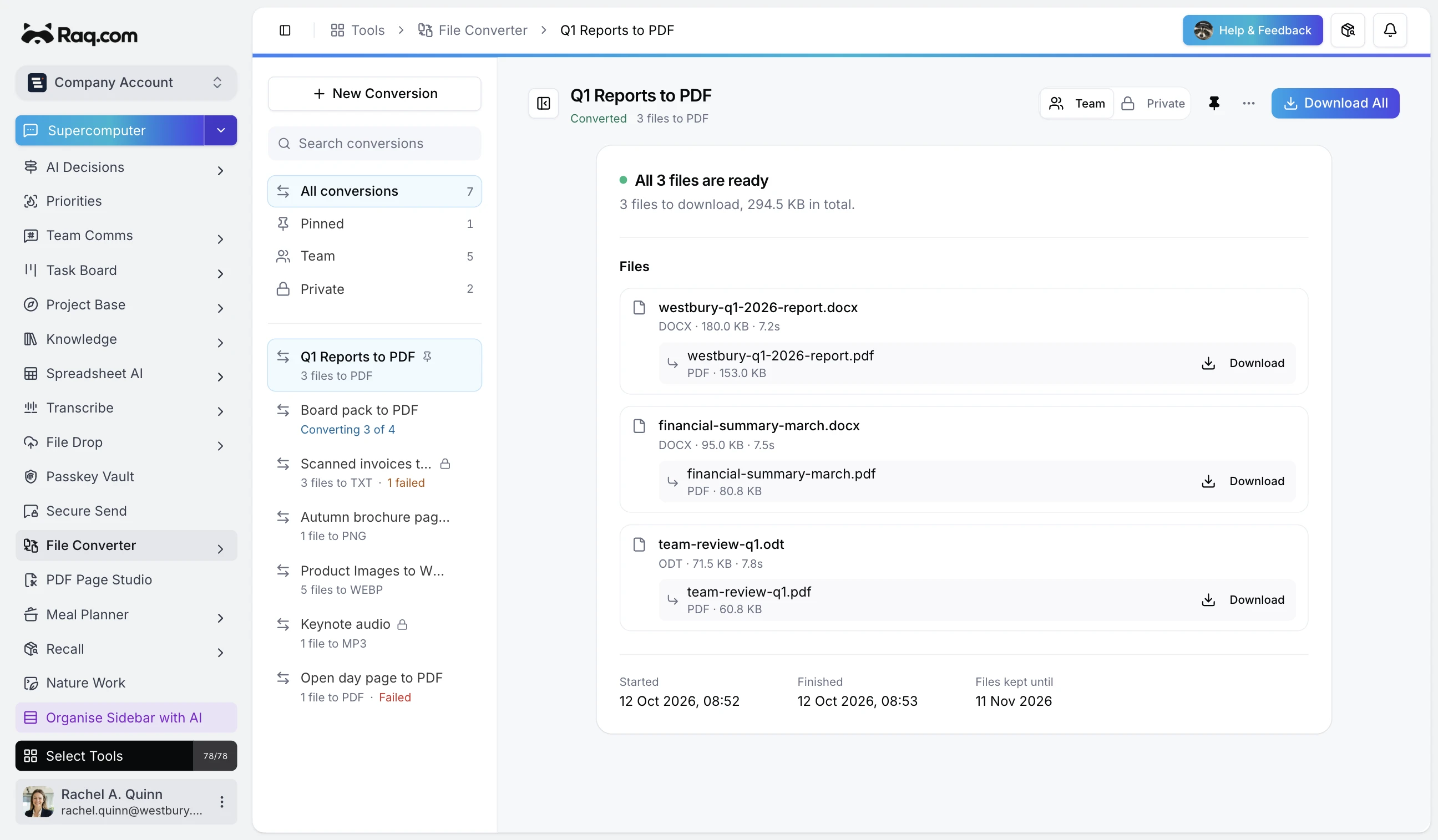
Most file conversions end up on a random site found via Google, with files uploaded to an unknown server and privacy policies nobody reads. File Converter keeps your files within your Raq.com account, converts in batch, and cleans up automatically.
What it converts
Documents: DOCX, ODT, RTF, TXT, Markdown, HTML, CSV, XLSX, ODS, PPTX, ODP, and PDF. Images: PNG, JPG, WEBP, GIF, BMP, TIFF, SVG, and PDF page exports. Media: audio format swaps, video to video, video to GIF, and video audio extraction. HDR phone video is converted to standard SDR, so it keeps its colours on ordinary screens instead of looking washed out. OCR exports turn scanned PDFs and images into plain text when standard parsing is not enough.
Once you add files, the target format list narrows to only the formats the whole batch supports. You cannot ask for a conversion that has no valid path.
What it does not do
PDF to DOCX rebuilds, Office to Office transforms, subtitle extraction, and niche design formats are all out of scope. These conversions tend to produce output that looks right but is not, and the tool favours a clear failure over a quietly broken result.
Batch tracking and storage
Each run shows per-item status so you can see exactly what completed and what failed. Document, image, and text outputs are kept for 30 days. Media and large artefacts are kept for 7 days, then removed automatically. You can mark runs as shared for team access, or pin them to the sidebar for quick retrieval.
Works from any AI assistant
File Converter is connected via MCP, so any AI assistant linked to your Raq.com account can create and run conversions on your behalf. Pass files through Supercomputer and the conversion runs without you opening the tool.
File Converter is included with every plan. Start your free trial and convert your first batch. No credit card required.