
Email Signatures: AI-Generated, Animated, and Ready to Paste
Upload a logo, enter your details, hit Generate. You get back 30 professional HTML signatures styled to your brief. Like the ones that are close, leave feedback, and get 30 more. Most people land on the right design within a round or two. Copy it, paste it into your email client, done.
How it works
Start a new project and enter your contact details: name, role, company, email, links. Upload your logo and optionally a headshot. Add any style notes ("use our brand blue", "keep it minimal") and hit Generate.
AI produces a batch of unique signature designs in seconds. Each one is a standalone HTML table that renders consistently across Gmail, Outlook, Apple Mail, and every other major email client. No images hosted on shaky free servers, no CSS that breaks in Outlook's rendering engine.
Refine until it fits
Like the ones that are close. Leave feedback on what to change. Generate a second round and the AI builds on your preferences. Most people find what they want in one or two rounds.
Animated logos
A static logo is fine. An animated one is better. Email Signatures can turn your logo into a looping GIF animation using built-in presets or AI-generated effects. The animation is subtle enough for professional use but eye-catching enough to stand out in an inbox.
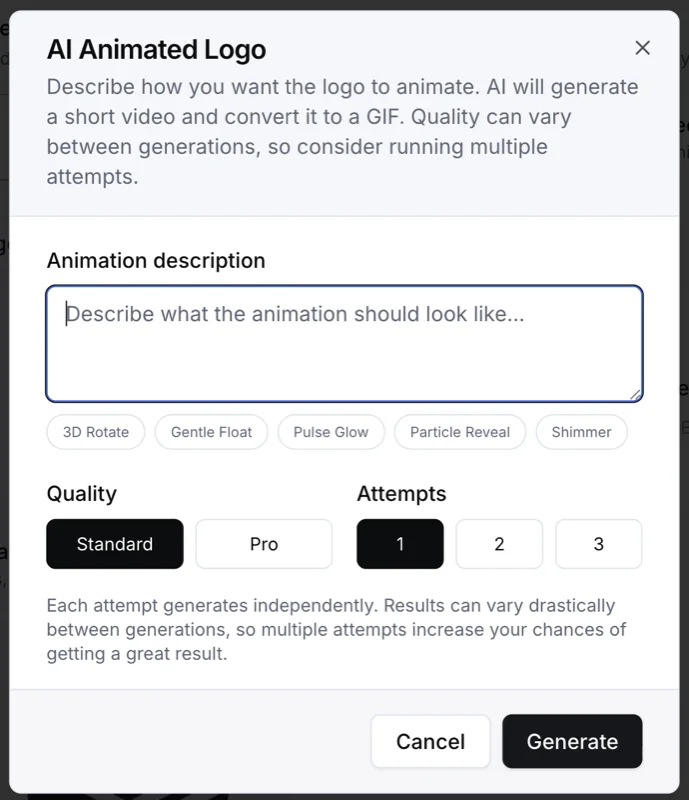
Upload your logo, describe how you want it to move, and AI generates a short video that gets converted into a GIF. You can run multiple attempts at different quality levels until one lands. The result drops straight into your signature.
Team signatures
Once you have a signature you like, switch to team mode and add your team members. AI generates matching signatures for each person, keeping the same layout and style with their individual details filled in. No more chasing colleagues for their job titles or hoping they use the right font.
Copy and paste
When you are happy with the result, copy the HTML with one click. Paste it into your email client's signature settings. The signature is self-contained and does not depend on external stylesheets or JavaScript.
Included with every plan
Email Signatures is included with your Raq.com subscription. Each generation costs a fraction of what standalone signature tools charge for a single template. Higher plans give you more AI usage across all tools.
- A free trial to try every AI tool once when you sign up
- Simple subscription plans when you need more
- Higher plans give you more AI usage across all tools
Get started
Start your free trial. No credit card required. Open Email Signatures from your dashboard, upload your logo, enter your details, and have a professional signature ready in under a minute.