
Design Swarm: Generate Dozens of Designs Across Every AI Model at Once
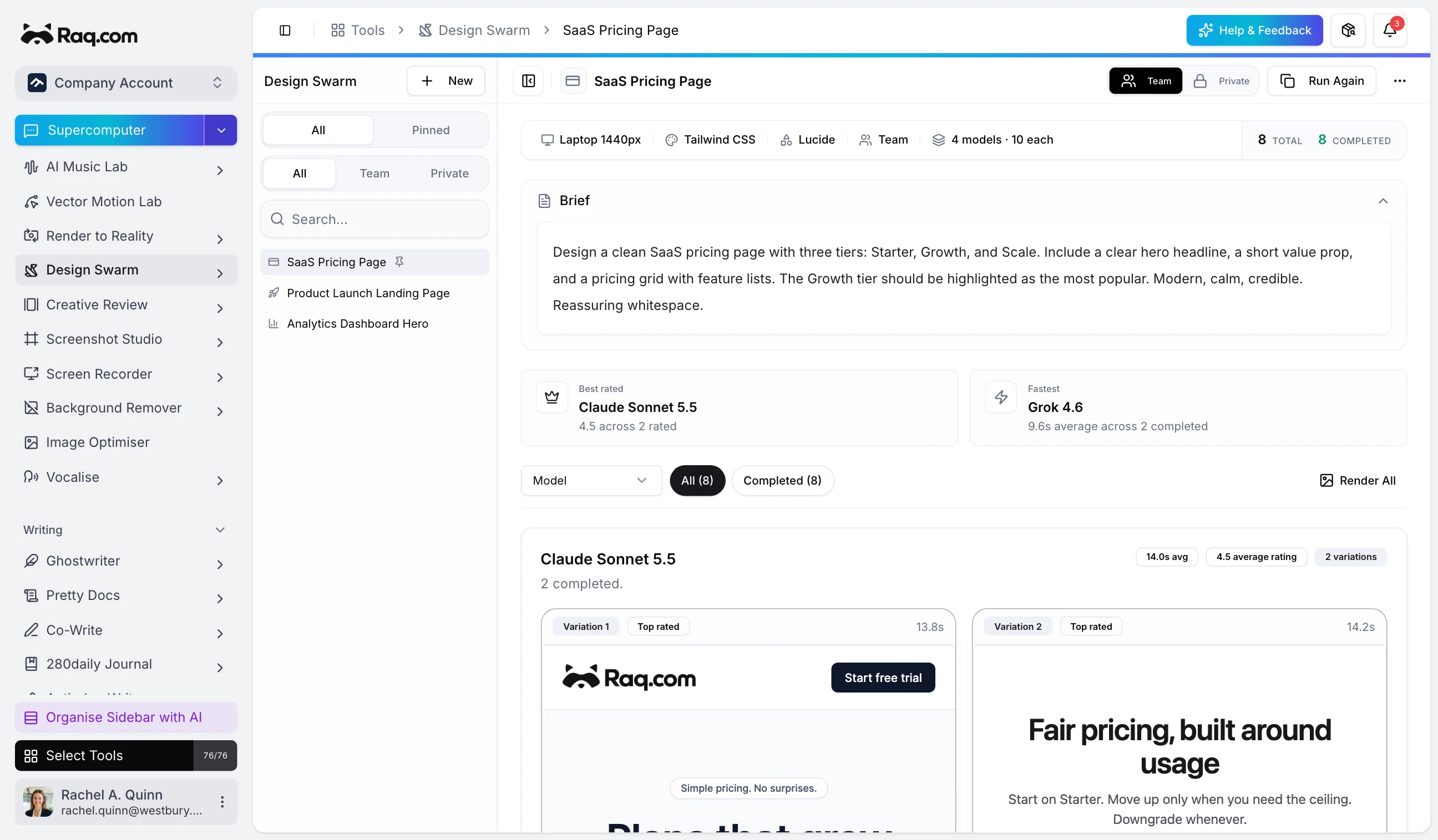
When you brief a designer, you get one or two ideas. When you brief a single AI model, you get one more. Design Swarm runs the brief past every frontier model at once, lines up the results side by side, and lets you pick the winner.
Describe once, generate in parallel
Write a short brief or paste existing HTML to improve. Pick the CSS library (Tailwind, Bootstrap, pure CSS, or inline), choose an icon set, and select the models you want to try. Every model generates in parallel, so the slowest run sets the pace rather than the total.
Results appear as live previews in a grid. Each card shows the model name, how long it took, and a rating control. Star a design out of five and the top-rated ones float to the top of the strip above the grid.
Hand it off to your AI assistant
Design Swarm is connected via MCP. From Supercomputer, Claude, or any MCP-enabled assistant you can kick off a swarm, check progress, and retrieve the winning HTML. Great for when you want a first draft waiting for you before you open your laptop, or when you want an agent to iterate on a design while you work on something else.
Pin the swarms you come back to
Brief a pricing page, a dashboard hero, or a landing page once. Pin the swarm so it stays in the sidebar, and you can return later to regenerate with more models, different CSS settings, or a wider viewport without retyping the brief.
Design Swarm is included with every plan. Higher plans give you more AI usage per month. Start your free trial and run your first swarm. No credit card required.