


Introducing Custom Tools in Raq.com
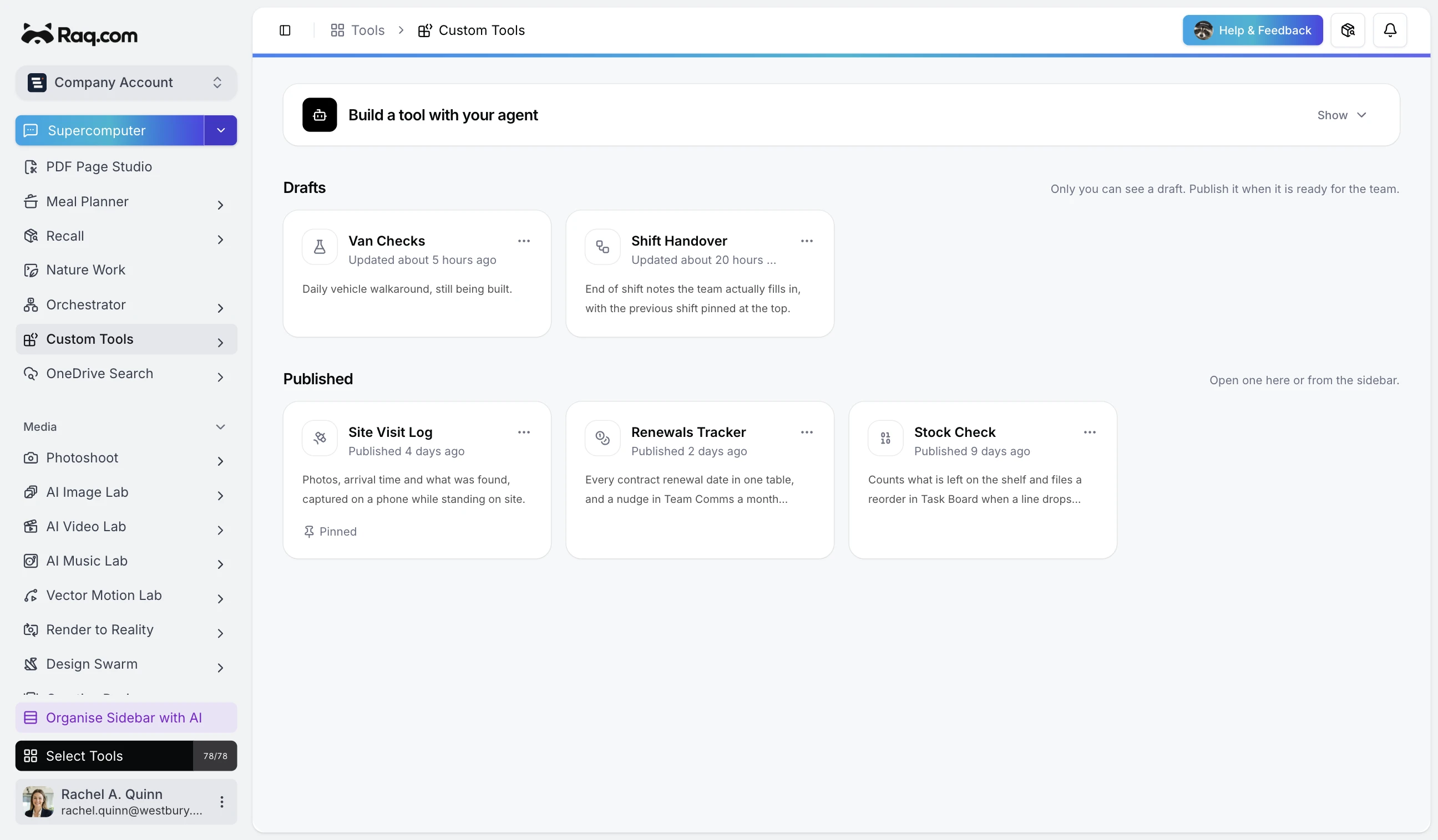
Every business has a job that no product quite covers. The stock count that follows your rules. The handover form your team will actually fill in. Custom Tools lets your own coding agent build that thing and run it inside Raq.com, next to everything else you use.
You describe it, your agent builds it
You do not build a Custom Tool in a form or a canvas. You connect a coding agent to Raq.com and tell it what you want. It writes the app, runs the tests and publishes it when they pass. What appears in your sidebar is a working tool, not a prototype you have to finish.
That agent is yours, running wherever you already work. Claude Code or Codex on your own machine, or the connectors built into Claude and ChatGPT. Anything that speaks MCP can do it. Because the building happens in your agent rather than ours, none of it draws on your Raq.com AI usage.
It runs here, so your team just opens it
A published tool runs on our infrastructure and appears in the sidebar for everyone in the account. Nobody installs anything, nobody runs a server, and there is no separate login. If you want to keep something to yourself while you work on it, drafts stay private until you promote them.
You get a proper database, a real web app and a URL that behaves like the rest of Raq.com. It follows your light and dark theme, so a tool your agent wrote this morning does not look like a stranger sitting among the others.
It can reach your Raq.com data, but only what you allow
The interesting part is what a tool can touch. A stock counter that files a reorder in Task Board. A renewals tracker that posts a reminder to Team Comms a month ahead. A site visit log that files its photos into File Drop.
Each tool declares the abilities it needs and gets exactly those. The default is none at all, so a tool that was never granted access to your Task Board cannot read it, whatever its code says. You can see and change what a tool holds at any time.
Other agents can call it by name
Your tool declares its own methods, and from then on any agent connected to Raq.com can discover and call them. Ask your agent to count the stock and it calls the method your tool exposes, with the arguments your tool described.
This is what turns a small internal app into part of the furniture. The tool is useful when a person opens it, and useful again when an agent needs it at two in the morning.
Changing it later is the same conversation
Tools are never finished. When the process changes, you tell your agent what is different and it edits the tool in place, runs the tests again and republishes. The people using it see the new version the next time they open it.
Custom Tools is included with every Raq.com plan. Open AI Connections, connect your coding agent, and ask it to build the thing your team keeps doing by hand.