


Client Governance: Keeping AI Agents Inside Each Client's Account
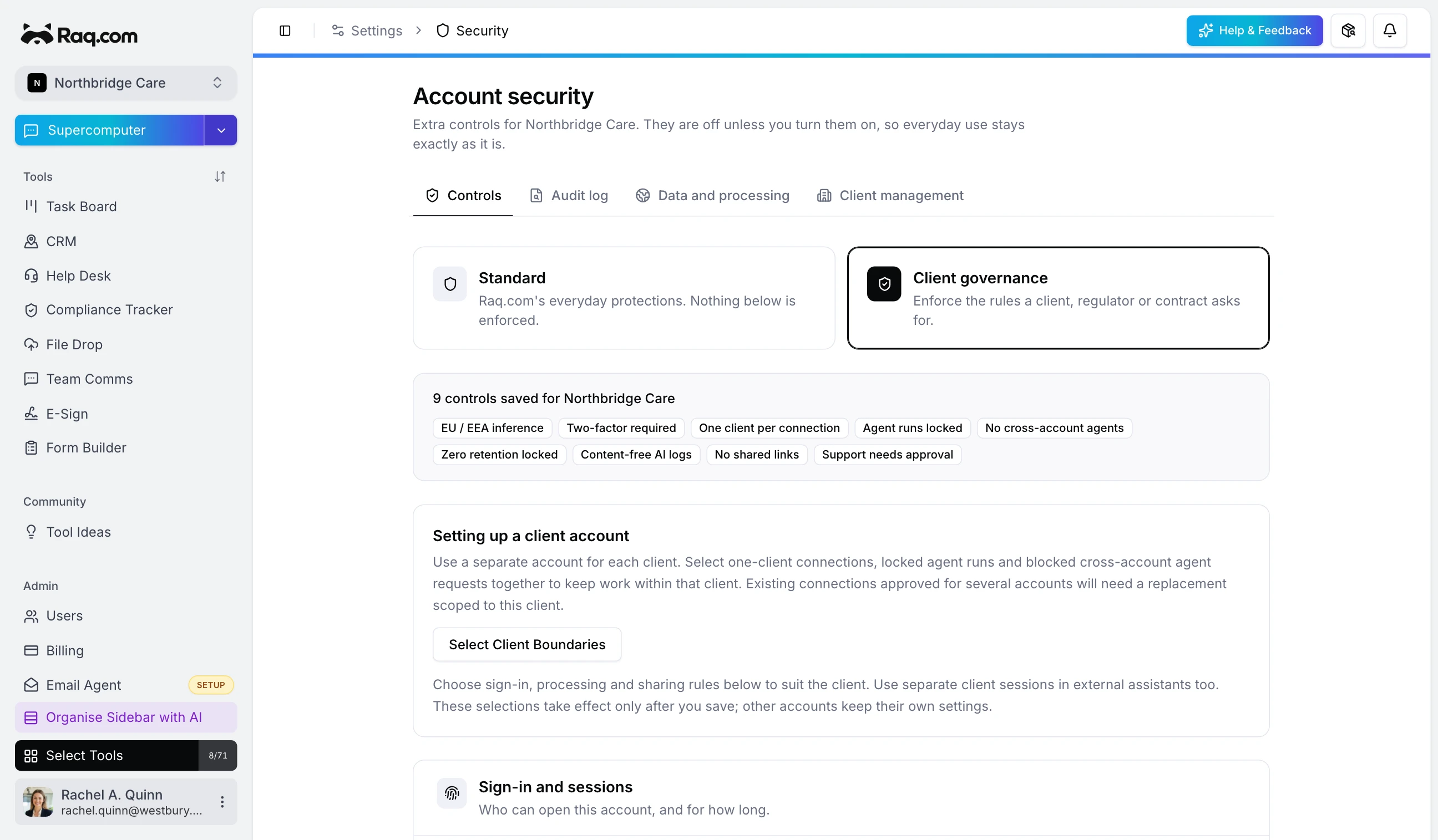
When your team works for several clients, one person can often open all of their accounts, and so can the AI assistant they connect. Client governance gives each client account its own rules, so an agent connected for one client can't reach another client's work. Accounts that don't turn it on carry on as before.
One account per client
Give each client its own Raq.com account. In Settings, open Security, switch the account to Client governance and press Select Client Boundaries. That turns on one client per connection, keeps agent runs inside the account and blocks cross-account agent requests. From then on Raq.com checks which account every agent request is for, including requests from other tools and automation steps, and refuses another client's records before the request reaches any data.
A connection for each client
With one client per connection on, a client's account only accepts an assistant connection approved for that account alone. Each account has its own connection address, under Agent connections on its Security page, with an Add to Claude button. Add Raq.com once per client using that client's address. The connections sit side by side in one assistant, each reaching only its own client, and an agent that tries a client through a shared connection is told which address to add.
Raq.com can't see what an assistant remembers. A conversation with two clients' connections switched on can read from both, so keep each client's work in its own conversation. Once information reaches ChatGPT, Claude or another assistant, that provider's terms apply.
Who can get in, and for how long
You can require two-factor authentication or sign-in through the client's verified Google Workspace or Microsoft organisation, and end sessions after a set time or when idle. Agent connections can be read-only or expire after a set number of days, and removing one on the Security page stops it straight away, including tokens the assistant already holds.
IT partners can manage client accounts from their own account once the client's owner approves. Partner staff access expires, and partners can't rewrite the client's security settings. Support access from Raq.com can need the owner's approval too.
Where AI processing happens
Text and chat AI use global routing with Zero Data Retention by default. If you lock a client's account to EU/EEA or US processing, supported model requests and their retries only use endpoints in that region, and a model that isn't available there fails instead of taking a global route. Features that can't honour the lock are switched off for that account, such as sandboxed agents and the document design service. You can also lock Zero Data Retention, limit the allowed models and block individual suppliers.
The lock covers AI processing only. Your workspace stays on our servers in Germany and Finland and in European file storage, and image, video and voice generation use their own providers, so block those suppliers if a client shouldn't use them. The subprocessor list shows where each service runs.
Showing a client what happened
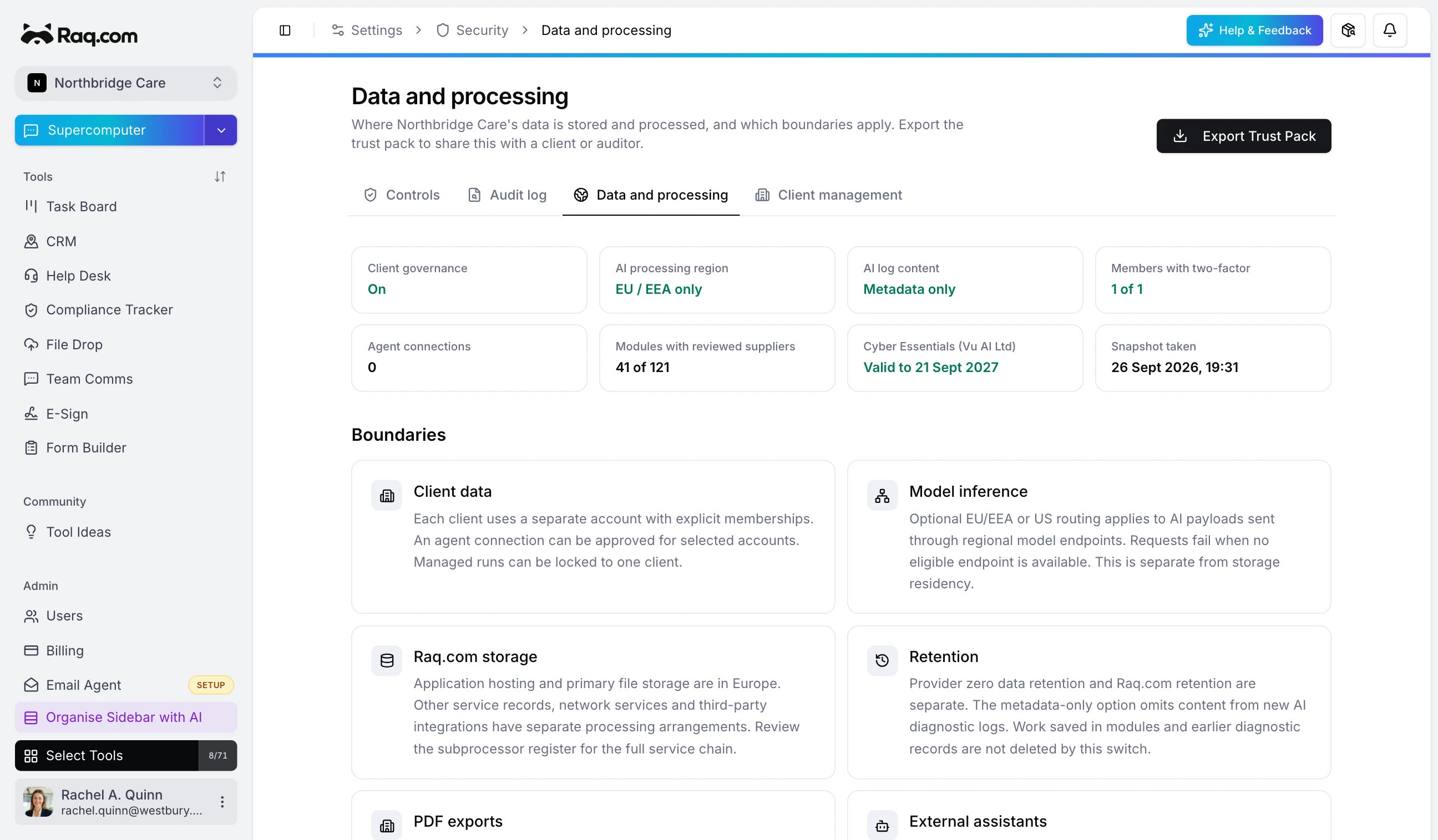
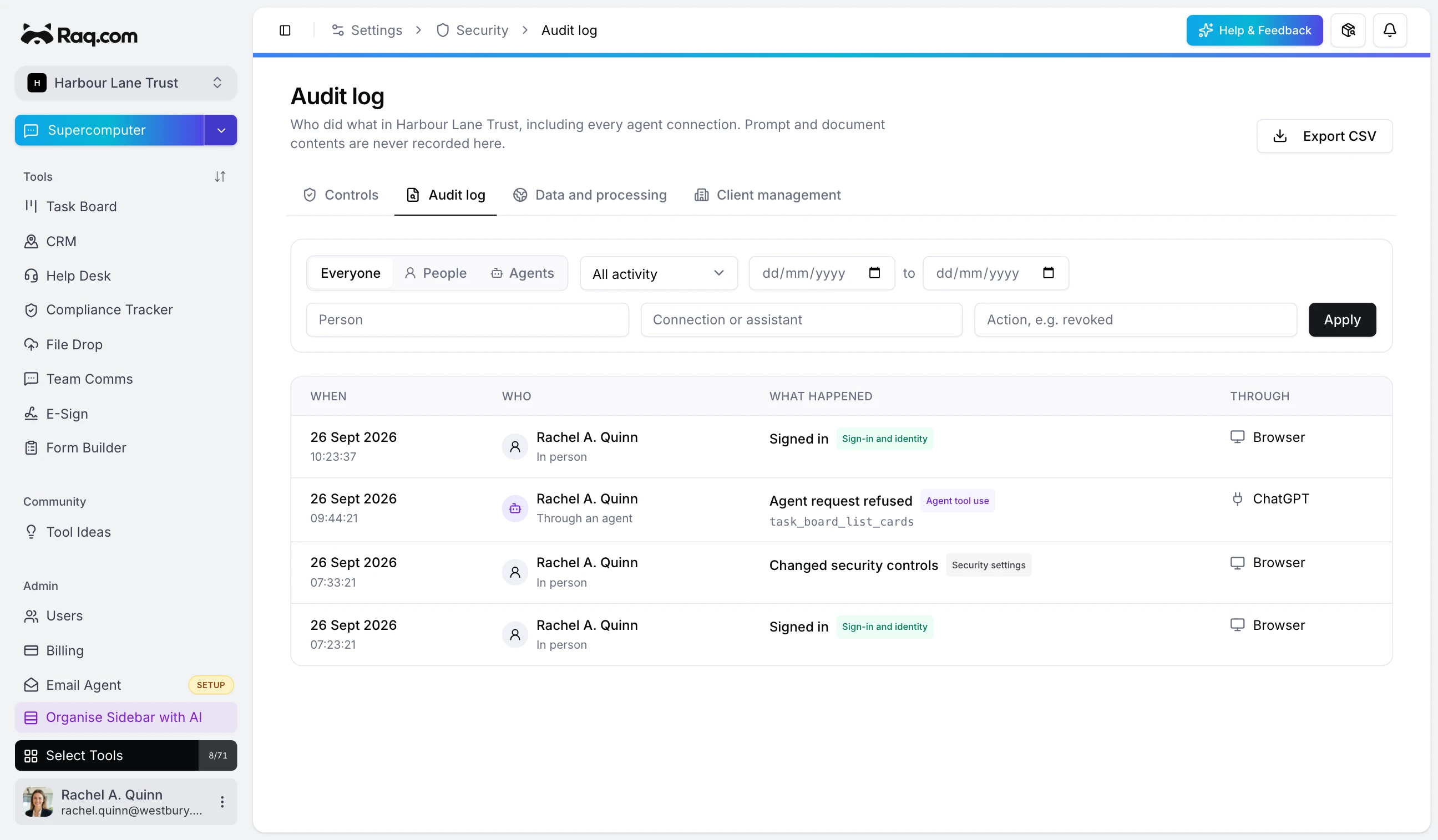
Each client account has its own audit log. With client governance on, it records sign-ins, security changes and agent tool activity next to the person the agent acted for. Refusals appear in the account the agent tried to reach. Repeat unsuccessful calls to the same tool by the same person in that account within 60 seconds do not create another audit entry. You can filter it by person, category or date and export it as CSV. Data and processing exports a trust pack of the account's settings, connections and processing services for the client or their auditor.
Before you start
If you're planning to use health or social care records, talk to us first so we can agree the processing purpose, a data processing agreement and any supplier terms alongside your own impact assessment.
To try it, set up two client accounts with made-up records, connect an agent to one and ask it for the other client's work, then find the refusal in the audit log. Email security@vu.co.uk if you'd like us to walk you through it.