
Introducing Passkey Vault in Raq.com
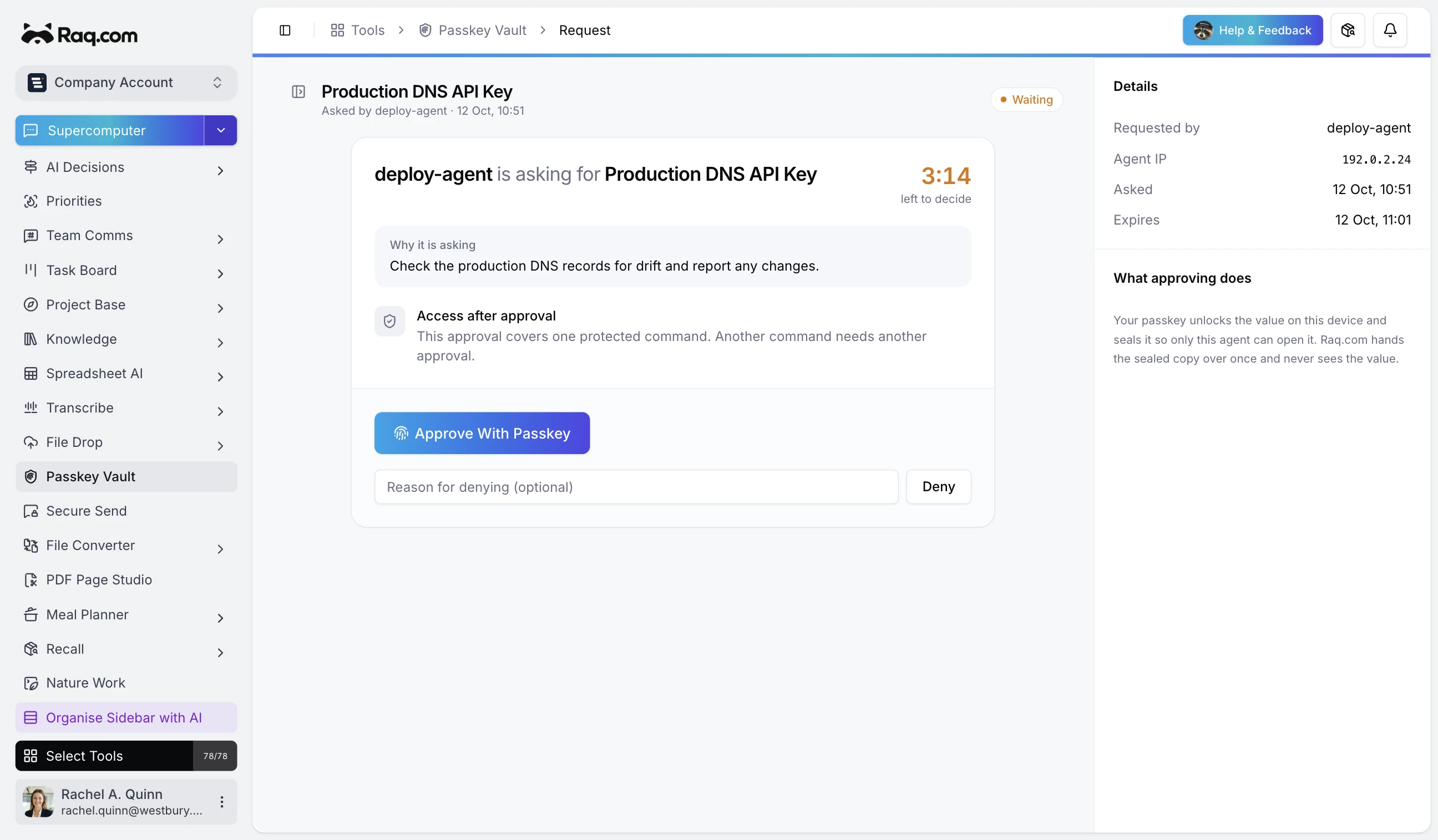
An MCP-connected agent can ask Passkey Vault for one named API key. You see the agent, the key name, its reason and a ten-minute countdown on your phone. One Face ID or fingerprint approval releases it to that agent once.
See each request before anything leaves the vault
Agents can list the names saved in your vault, but they cannot list the values. An agent requests one secret by its exact name and supplies a one-use public key. Passkey Vault sends the owner a notification and parks the request until it is approved, denied or expires.
The approval page shows which agent asked, its IP address, the secret name and the note attached to the request. You can approve with the passkey on your phone or deny it with an optional reason. A freeze control blocks all releases at once, and individual secrets can be frozen too.
Your browser encrypts the values
Your browser creates the Master Vault Key and encrypts each secret before upload. Raq.com stores the encrypted value, an encrypted copy of the vault key and ordinary metadata such as the secret name and last-used time. The server does not receive the plaintext secret or the Master Vault Key.
Your passkey unlocks the vault key in the browser. Each secret read and write needs a fresh passkey check, even when you are already signed into Raq.com.
The release is sealed to the requesting agent
After approval, the browser decrypts the chosen value and seals it to the public key supplied with that request. Raq.com relays the sealed result without opening it. The agent can collect it once, and Passkey Vault clears the stored result after collection.
Nature Work can keep the agent's private key in its local daemon, inject the released value into one child command and scrub the command output. The approved command still receives the secret, so it needs to be a command you trust.
Add another passkey and keep the recovery code
Synced passkeys let you approve from devices connected to the same passkey account. You can register another passkey for a different device or ecosystem. Passkey Vault also creates one recovery code during setup and shows it once.
The recovery code can unwrap the same vault key and enrol a new passkey. Raq.com cannot reset the vault if you lose all passkeys and the recovery code, because it does not hold a server-side decryption key.
Use it from any MCP-connected agent
Passkey Vault has MCP tools for listing secret names, requesting a value and checking the decision. Each request has a short expiry and an audit trail. Agents get the credential they need for one approved job without keeping a general-purpose copy in their prompt or chat history.
Passkey Vault is included with every Raq.com plan. Open it, register a passkey and save the recovery code before adding your first secret.