
Nature Work: Walk While Your Agents Work
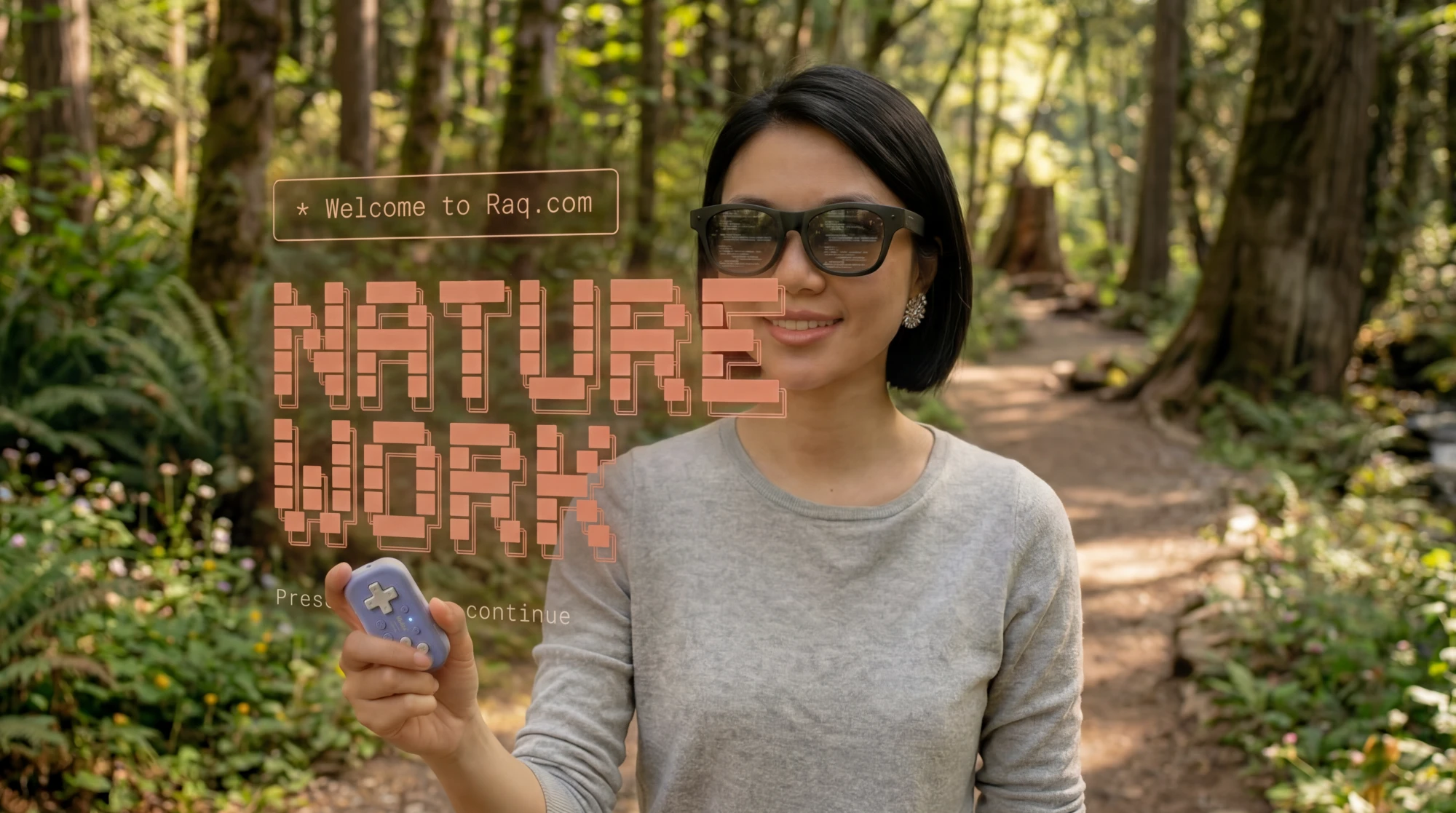
Controller in one hand, phone in your pocket. Claude Code and Codex running on your real machine back at the desk. They work while you walk. When they stop and need a decision, your phone buzzes, you talk, they carry on.
Claude Code and Codex, not just for code
Claude Code and Codex are the best agent harnesses right now, and both live in a terminal. If that looks intimidating, stick with it. You get used to it fast.
The terminal isn't just for writing code. Point either one at your Raq.com MCP connection and it'll drive your CRM, Task Board, Projects, Knowledge base, emails, any of it. Coding is one use out of many.
You also get full visibility into what's happening. Much more so than something like Claude, where the work sits behind a polished interface.
The walking work loop
You've got Claude Code running on one terminal (tmux) tab, Codex on another, and as many more as you want. One is finishing a feature, another is updating CRM contacts through your Raq.com account via MCP, a third is tailing logs. Give them their instructions, grab the controller, and walk out the door. A button blanks the screen so your eyes stay on the path.
Your phone buzzes. Claude has stopped and wants a decision. Tap voice, say what you want, and Claude carries on. Walk and talk, or bring the screen back if you want to read something first.
On your real machine
Your sessions are real terminal panes on your laptop, with your git checkout, your local database, your SSH keys, and your Raq.com session logged in as you. Because you're watching the real terminal, you see everything the agent does: file diffs scroll past, tests pass or fail, every MCP tool call and its response. You see what happened, not what the agent thinks happened.
Scroll up and live output pauses instantly so you can read back without it jumping around. Scroll to the bottom and it resumes.
If something looks off, hit voice and tell it to back out and try something else.
The controller
Any Bluetooth gamepad works. The 8BitDo Micro is a good one, around £18 on Amazon UK. Fits in one hand and has enough buttons for everything. Remap any of them in a few taps.
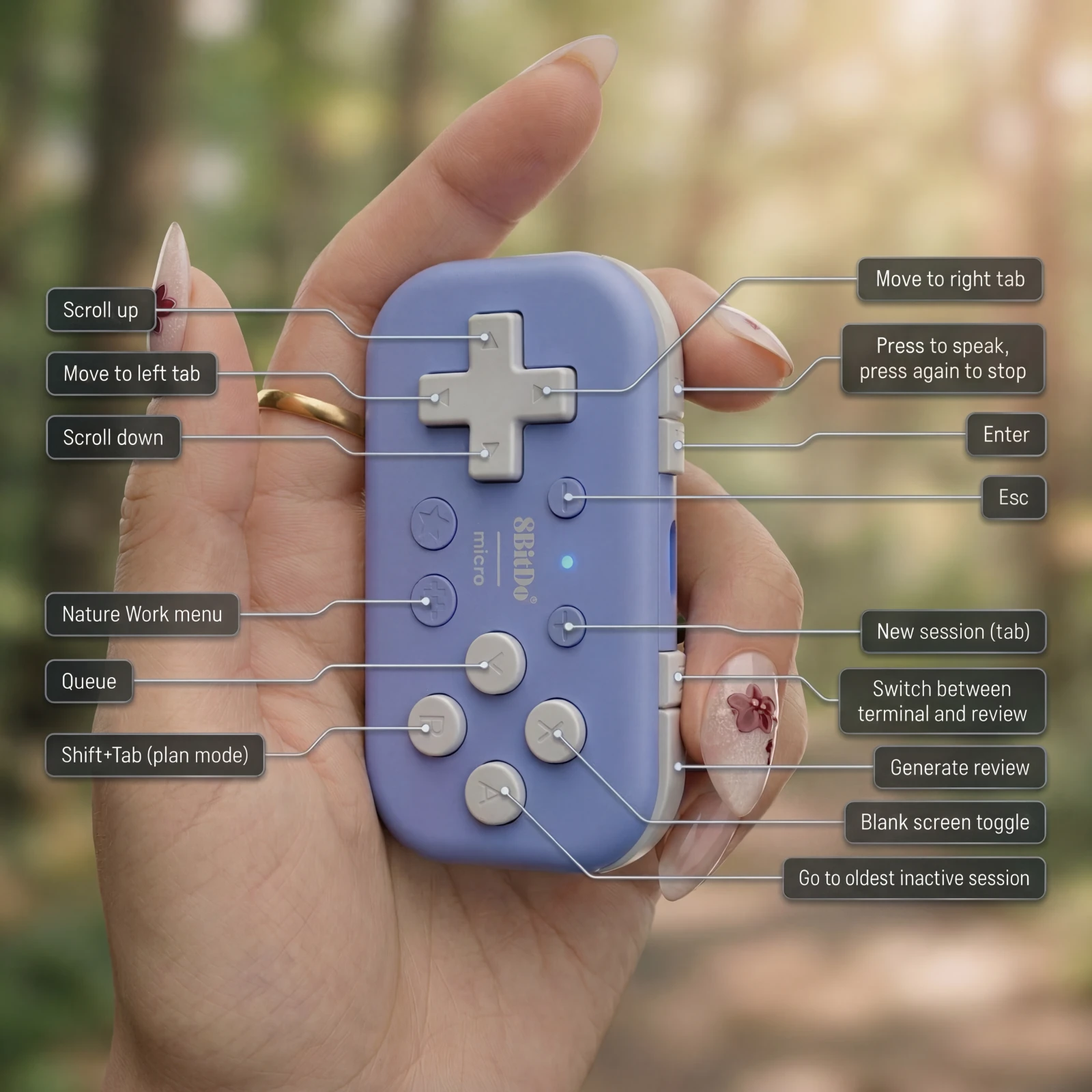
Phone and controller is the full rig. Everything after this is optional.
Optional: XReal AR glasses
Plug XReal AR glasses into the phone over USB-C, around £400 for the latest pair. Your sessions appear in front of you at any size, phone in your pocket.
Your laptop never moves
The machine stays at home, plugged in, with all your real shells and your Raq.com login. You just need the phone, the controller, optionally the glasses, and an internet connection.
Voice in, notifications out
Voice is the primary input. Hit the button, talk, release, and the transcript lands in the active session. Your phone buzzes the moment an agent finishes, stops to ask a question, or prints something you care about.
Codex has a built-in prompt queue, Claude Code doesn't, so Nature Work adds one. Type your next instruction while the agent is still working and it fires the moment the current turn finishes. Ask for a Review at any point and it generates a written report with screenshots, so you can check docs, web dev progress, or anything else away from the terminal.
Five years from now
Five years from now, with agents doing most of the work, is it really likely most people will still be sitting at desks in offices from nine to five watching them? Probably not.
Nature Work is us trying to find out what that looks like. We think about this a lot at Raq.com: how agents reshape the working day, and where people actually want to be when the work is running itself.
How to get started
Open Nature Work inside Raq.com, follow the one-line install command, and your terminal sessions show up in the browser within a minute. Controller profiles and notification rules are one-tap additions after that.
Nature Work is included with every plan. Start your free trial and try it out. No credit card required.