
Introducing Help Desk in Raq.com
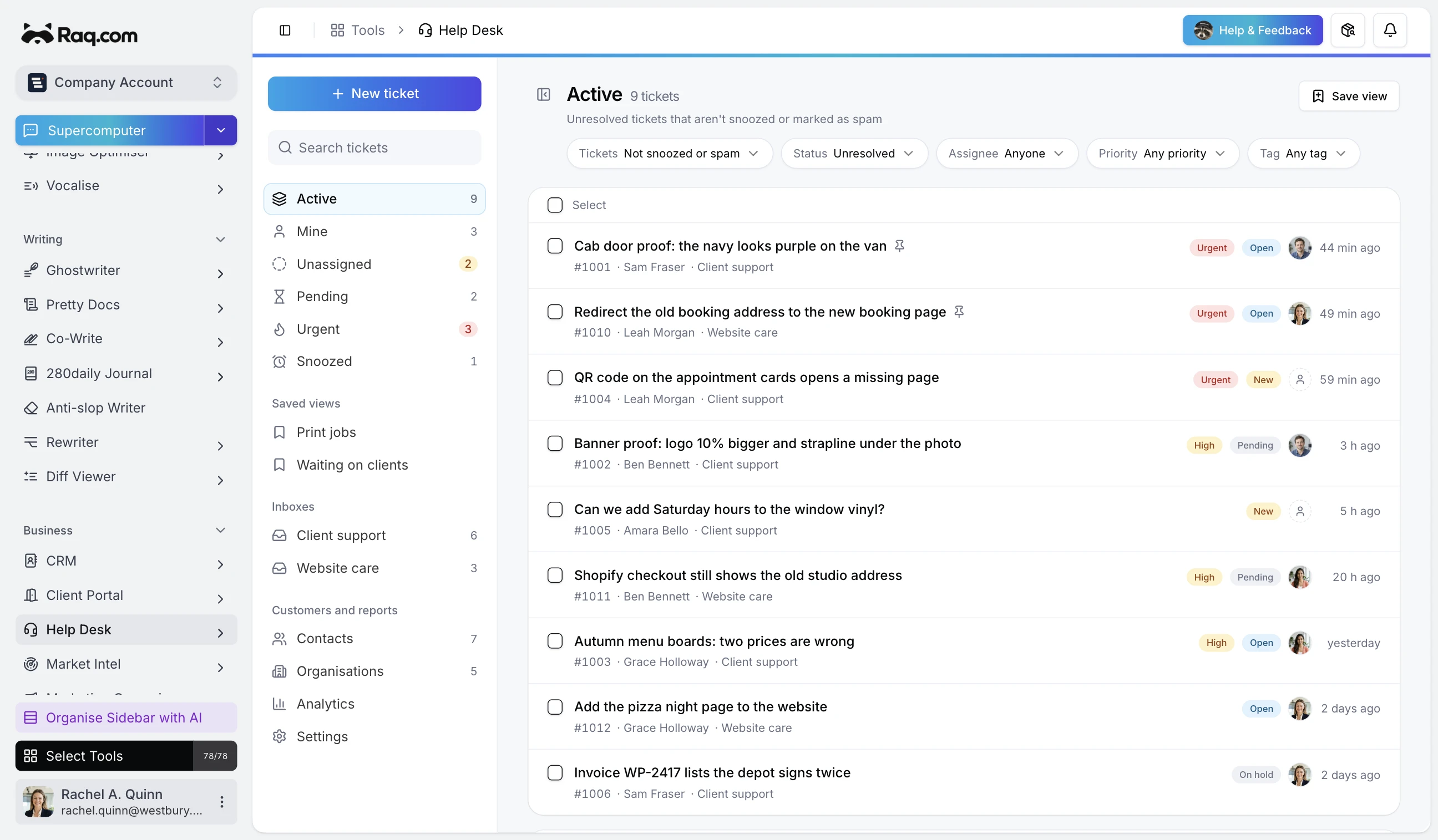
Help Desk brings support email, contact forms, customer replies, and the work they create into Raq.com. Your team gets one ticket queue, while AI and MCP-connected agents can help process it.
Forward your existing support address
Each inbox has its own forwarding address. Send mail from an existing address such as support@yourcompany.com to it and incoming messages become tickets. Raq.com sends replies under the inbox name and keeps later customer replies on the same thread. There is no mailbox login or Gmail connection to approve.
You can also publish a contact form. Customers get a portal where they can reply and see their ticket history without access to your Raq.com account.
Keep customer messages and internal work connected
A new ticket can send an acknowledgement, start an SLA timer, and run an automation. One automation can create a linked Task Board card with the customer, subject, and ticket link already attached. The source stays visible, so a direct client message does not get mistaken for an ordinary internal task.
Use AI on the parts that need it
New email tickets can be categorised automatically and have their sentiment recorded. On longer conversations, AI can summarise the thread or draft the next reply using the guidance saved for that inbox. A person still reviews anything sent to the customer.
Let an MCP agent work the queue
Help Desk has MCP tools for listing and searching tickets, reading a thread, assigning work, updating status and priority, adding an internal note, or replying. Supercomputer, Claude, Codex, and other MCP-connected agents can work with the same queue as your team.
Included with every plan
Help Desk is available on all Raq.com plans. The shared inbox, ticket workflow, SLAs, macros, Task Board handoff, and customer portal are included. AI features use the AI allowance in your plan, with higher plans providing more usage.