
Orchestrator: One Chat, Many Agents
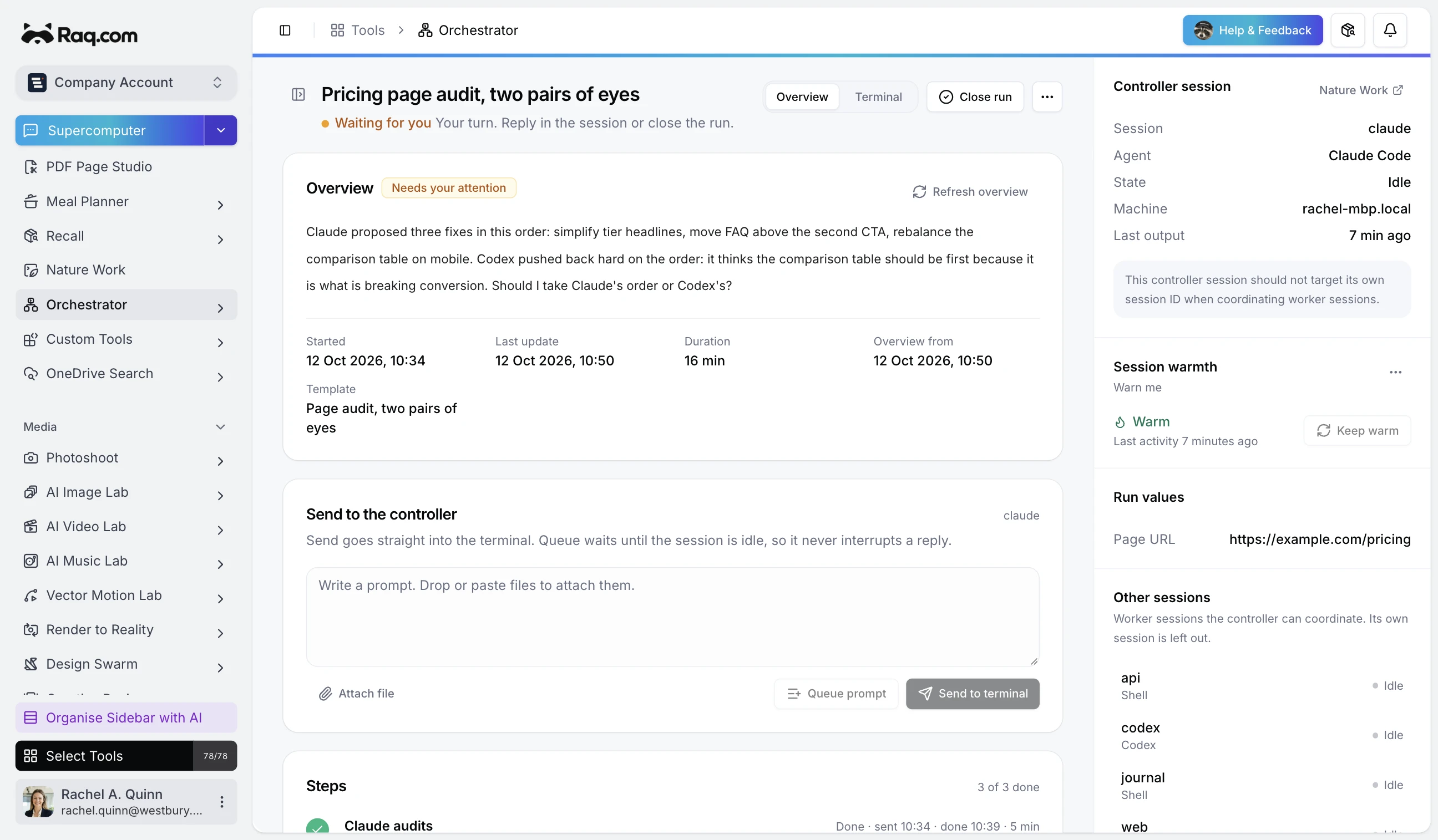
Orchestrator gives you one chat for multiple agents. The usual pattern is simple: the assistant you are talking to calls Orchestrator over MCP, and Orchestrator launches, steers, and watches the other agent sessions on your laptop.
MCP Is The Control Layer
Every Orchestrator action is exposed over MCP: start runs, list sessions, queue prompts, pause work, pull transcripts, and check what needs attention. Your assistant can operate the working agents for you instead of asking you to switch windows.
You still have live output when exact detail matters, but the normal control surface is the chat you are already using. Tell one agent what you want done, and it uses Orchestrator to manage the others.
Use it through MCP first. At the end of a good session, ask that assistant to turn what just worked into a small skill, with a few extra hints about how you like sessions launched, paused, questioned, and handed back.
Agents Stay Local
Under the hood, the agents run in local sessions through Nature Work. Orchestrator can launch a fresh session with the right mode, launch profile, preview URL, and review command, or attach to one that is already open.
Your files, tools, and subscriptions stay on your laptop. Raq.com becomes the management layer for the agents doing the work.
It Knows When To Move On
Orchestrator watches output, understands when an agent is idle, checks whether a step has actually finished, writes summaries, and recommends whether a run needs attention or can be closed.
A handoff can wait for a phrase, wait for the agent to finish thinking, or ask a small evaluator to decide. The next move happens when the work is ready, not because you happened to check at the right moment.
Save The Loops You Repeat
Some agent workflows are worth saving: build, review, fix, verify; research, go deeper, summarise; audit, challenge, reconcile. A saved pattern captures the prompts and continuation rules so the same loop can run again.
Variables make those patterns reusable across jobs. Fill in the module, branch, topic, or URL, then let your MCP-connected assistant start the run.
What It Is Good For
Coding is the obvious use, but the same pattern works for research, product audits, content review, data clean-up, KPI narratives, deployment prep, and housekeeping jobs.
If you would normally keep several agents open and nudge them along, Orchestrator gives the assistant you are using one control layer for the whole group.
Get started
Connect Nature Work, expose Orchestrator over MCP, and ask your assistant to start a run. Once the session feels right, have it write the skill that captures how you want to use Orchestrator next time.