
AI Benchmarker: Build Your Own AI Leaderboard, Powered By Your Prompts
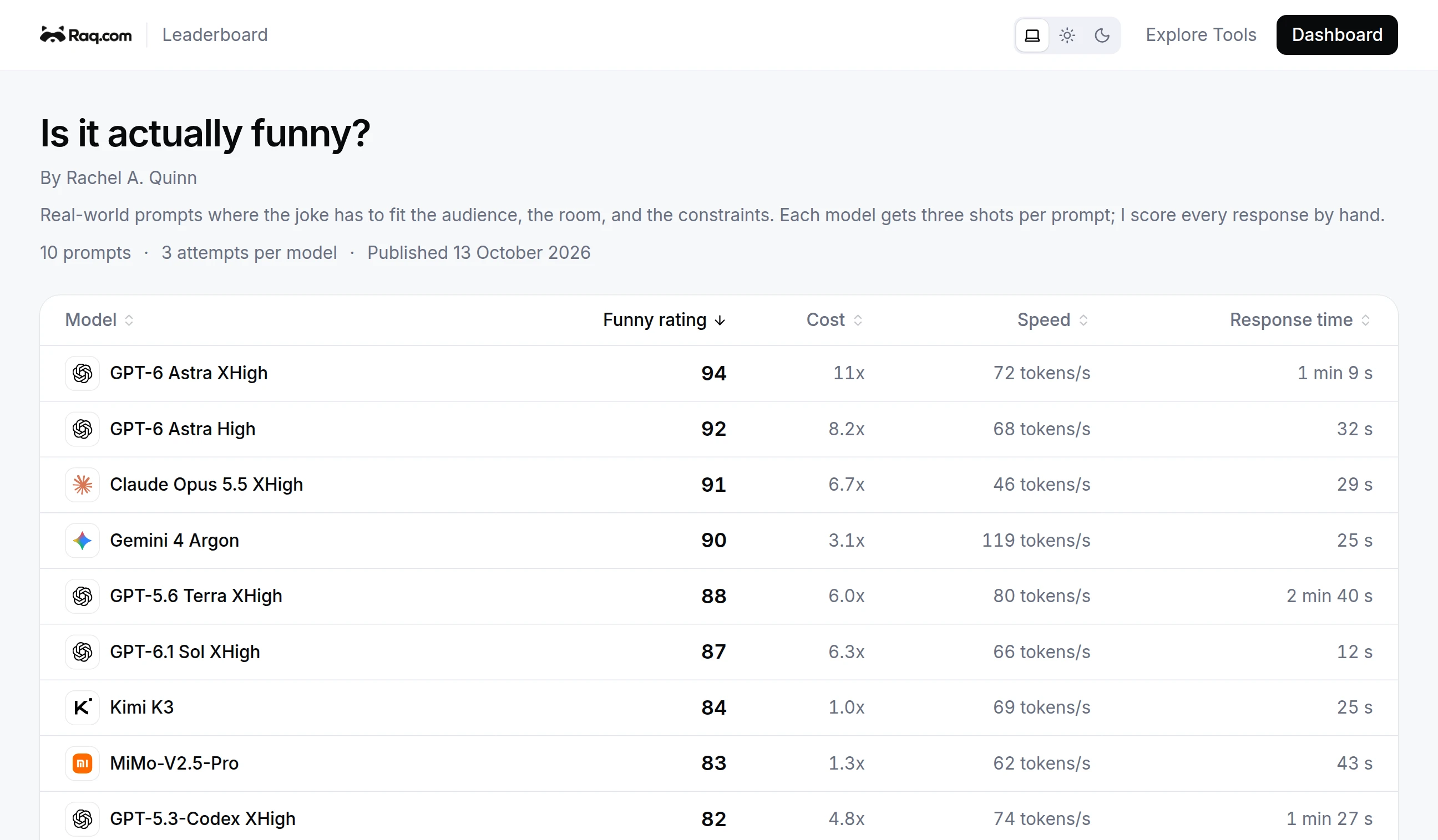
Public AI leaderboards are everywhere, but they almost never measure the work you actually do. AI Benchmarker fixes that. You write the prompts you care about, pick the models you trust, add new ones to compare, rate the responses by hand, and publish a sortable leaderboard at your own URL.
Your Prompts, Not Theirs
Most public benchmarks test reasoning puzzles or coding challenges. That is fine, but it does not tell you which model writes the right tone for your customer support replies, summarises a deck the way you actually want, or holds up under your specific way of asking for things.
A benchmark in here is a small bag of prompts that look like real work. You add them once, save them, and then run the same suite across whatever models you want, whenever you want. The leaderboard reflects how the models do on your job, not someone else's.
Vibes Mode Is The Default
A lot of work is hard to grade with a rubric. A joke either lands or it does not. A condolence message is either the right tone or jarringly wrong. A product description either feels like your brand or it feels generic.
Vibes mode runs every prompt across every model and lays the responses out side by side. You give each one a star rating from one to five. The averages roll up into a per-model score on the leaderboard, and you keep the receipts in case you ever want to look back at why a model lost.
Baselines, Then Challengers
Pin a few models you already trust as the baseline. Those run on every benchmark by default. When a new model lands, add it as a candidate, run the suite, and see whether it actually beats your baseline before you switch any real workflows over.
Up to ten attempts per prompt covers the variance. Some models are brilliant once and bland the next four times. The leaderboard surfaces the average, not the lucky outlier.
Publish A Leaderboard At Your Own URL
Every suite can be published as a public leaderboard at a URL you choose. You pick which run drives the table, set a display name, label the score column the way you want (Funny rating, Tone score, Brand fit), and credit yourself as the author.
Share the link the way you would share a Google Doc. Anyone can sort the table, see the prompts, and see who took the time to actually rate the responses. Update the published run any time you re-benchmark.
Hands-Off via MCP and Supercomputer
Every action is exposed over MCP, so you do not have to drive the UI by hand. Tell Supercomputer or your own AI assistant to set up a benchmark on a topic, populate it with prompts, run it across the latest models, and report which one came out on top. The same conversational pattern works for adding a new candidate model when one ships, or for nudging the suite to re-run on a schedule.
Coding suites with sandbox-run tests are also available for teams that want pass-or-fail scoring instead of star ratings, but the headline use is the human kind: real prompts, real reactions, your own ranking.
Get Started
Open AI Benchmarker, add a few prompts that look like work you actually do, pick the models you want to compare, and start rating. Once the leaderboard tells a story you trust, publish the URL and let other people see how the models really stack up on your job.