
Skill Library: Teach Your AI Once, Apply It Forever
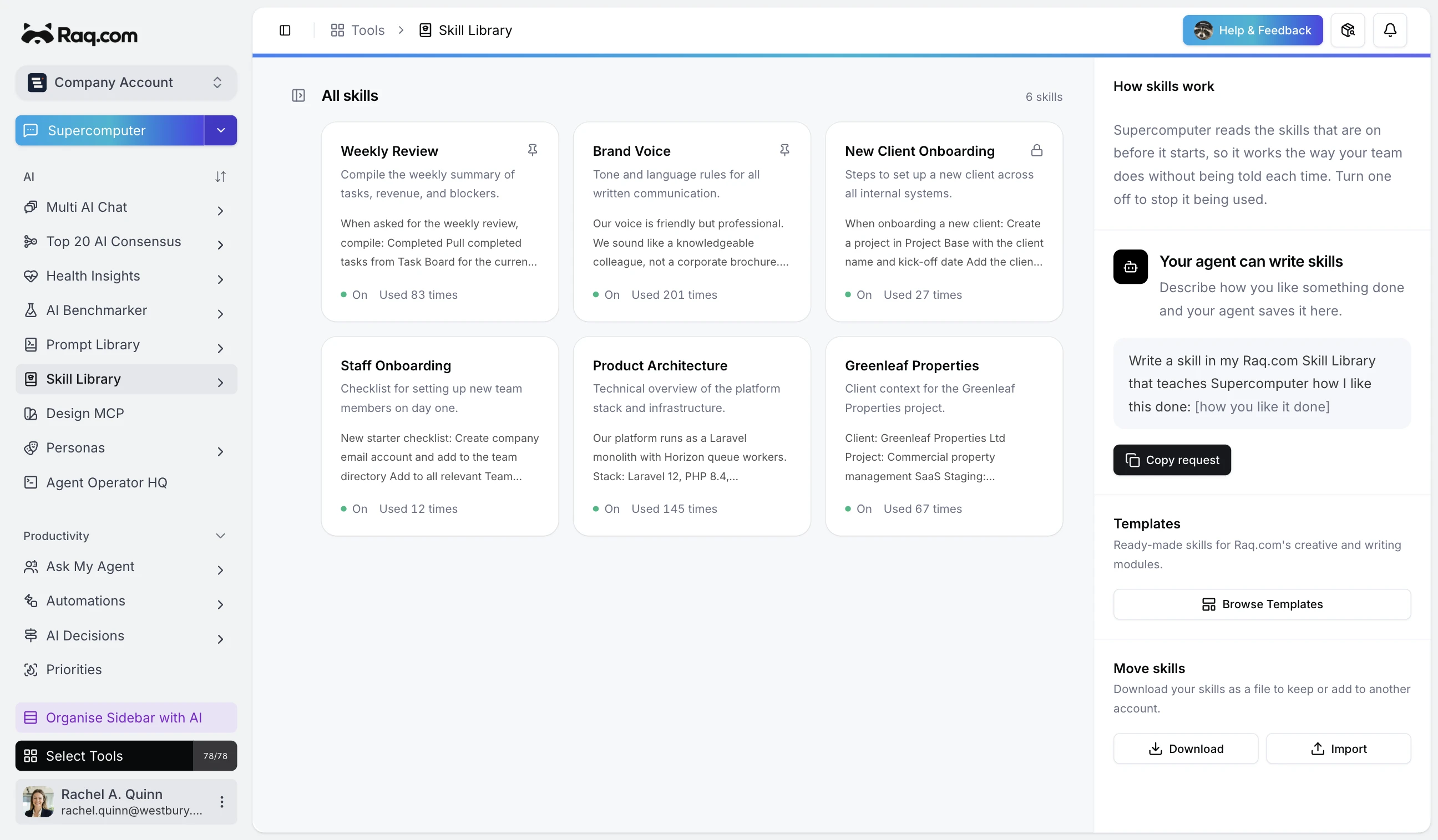
Supercomputer gets better the more you use it. Correct something once, say "remember that," and it sticks. Your preferences, your processes, your reference data - all carried forward automatically into every future conversation.
That's what skills are. Persistent instructions that the AI follows without being asked. They build up naturally as you work, and you can create them manually too.
The concept isn't new. The execution is.
If you use AI coding tools, you've probably seen this idea before. Cursor has Rules. Windsurf has Rules. Claude Code has Skills and CLAUDE.md files. GitHub Copilot has custom instructions. They all solve the same problem: giving the AI persistent context about how you want it to work.
The difference is that those systems are built for developers editing code. They live in dotfiles. They're scoped to repositories. You configure them in YAML.
Most people don't write code. They write reports, manage teams, plan projects, generate images, handle compliance. They need the same persistent AI memory, without the developer tooling.
That's what Skill Library does. Same concept, built for everyone.
You don't write skills. You just work.
The natural workflow is simple: use Supercomputer as normal, give corrections as you go, and at the end say "remember how we did this." The AI captures what you told it and saves it as a skill.
Say you're writing a quarterly report. During the conversation you mention: cite sources in footnotes, put a summary table at the top, keep it under 2,000 words. At the end you say "save this as a skill." Done. Every report after that follows your preferences without being asked.
Skills can hold anything. Style guides, standard procedures, phone numbers, checklists, preferred image settings. If you've corrected the AI about the same thing twice, it belongs in a skill.
What goes in a skill
Anything you'd normally explain to a colleague. A few examples:
- Style preferences. "Keep paragraphs short. No bullet points in client emails. Use a casual tone."
- Reference data. Team phone numbers, client account IDs, your company's brand colours, office addresses.
- Standard processes. "When writing a proposal, start with the problem statement, then the approach, then pricing. Always include a timeline."
- Tool defaults. "When generating images, default to 16:9 landscape. When writing blog posts, aim for 800 words."
Skills are active across every conversation and every tool on the platform. The agent reads them on demand and follows them without asking.
Works outside Raq.com too
Skills are available through MCP (Model Context Protocol), the open standard that connects AI tools together. If you use Claude Code, Cursor, or any MCP-compatible assistant, your Raq.com skills travel with you. One set of preferences, applied everywhere.
Templates, AI generation, version history
Don't want to start from scratch? There's a template gallery with pre-built skills for common workflows - image generation pipelines, writing styles, meeting notes formats. Add one with a click, then edit it to fit.
Or describe what you need in plain English and the AI writes the skill for you.
Every edit creates a versioned snapshot you can roll back to. Skills can be private or shared across your account. Link them to Company Knowledge articles so they stay in sync as your processes change. Export and import as JSON if you need to move between accounts.
Start your free trial and try it out. No credit card required.