
Task Board and Project Base: Plan, Track, and Organise
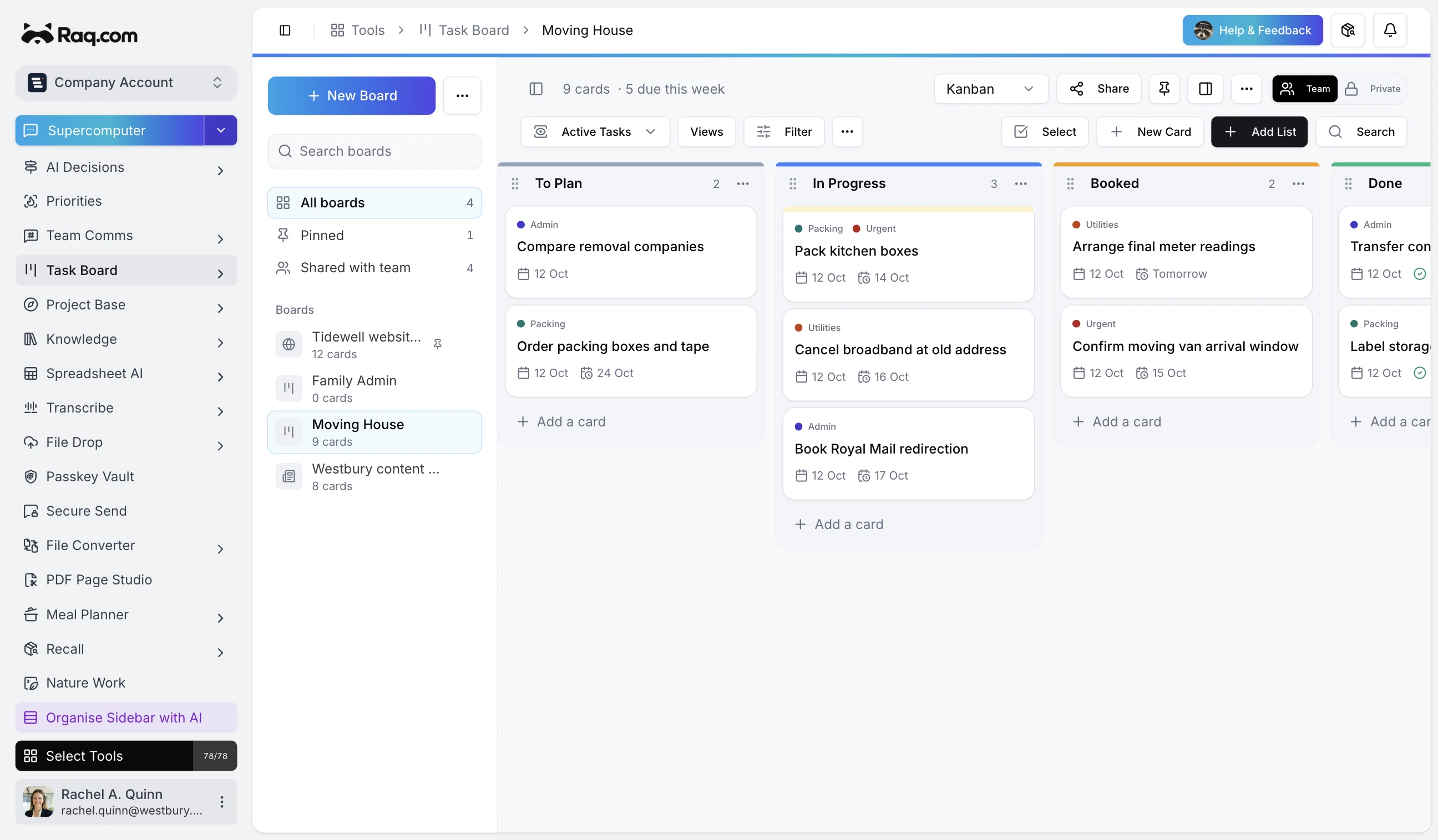
Two new tools on Raq.com included in account subscriptions: Task Board for managing work across boards, lists, and cards, and Project Base for organising notes, data, and resources in one hub.
Task Board
A full project management tool built around kanban boards. Create boards, add lists for each stage of your workflow, and drag cards between them as work progresses.
Six view modes
- Kanban: The classic board view with draggable cards across lists.
- Table: Spreadsheet-style for sorting and scanning large numbers of cards.
- Calendar: Cards laid out by due date.
- Timeline: Gantt-style for planning schedules and spotting overlaps.
- Workload: How tasks are distributed across team members.
- Dashboard: Key metrics at a glance.
Save any combination of view mode, filters, sorting, and grouping as a saved view.
Card features
- Checklists: Break cards into subtasks with checkable items.
- Dependencies: Mark cards that block or are blocked by other cards.
- Labels and custom fields: Colour-coded labels plus text, number, date, or dropdown fields per board.
- Time tracking: Estimate effort, log actual time, and generate reports by member or list.
- Comments and mentions: Discuss cards in context and notify team members directly.
- File attachments: Upload files and images. Set an image as the card cover.
- Subtasks: Nest cards under parent cards for hierarchical structures.
- Reminders: Per-user reminders so nothing slips through.
Automations and intake
Set up rules that fire when a card moves to a specific list: automatically assign a member, set a due date, or send a notification. Share a public intake form that lets anyone outside your team submit requests as new cards.
Templates and sharing
Save boards as templates for reuse. Share publicly in read-only or submission mode, or keep them private to your team.
Project Base
A hub for each project with four tabs: notes, data tables, links, and members.
Notes
Rich-text or markdown editor with headings, lists, code blocks, images, and @mentions. Every edit is versioned with full history, diffs, and restore. AI summaries condense long notes into scannable bullet points.
Data tables
Structured tables with typed columns: text, number, date, checkbox, URL, or dropdown. Describe what you need and let AI generate the structure, or build manually. Inline editing, auto-save, and CSV export.
Links and members
Link to external URLs, task boards, knowledge articles, or files. Invite team members with role-based access: owner, admin, member, or viewer.
Better together
From inside a project, link directly to your task boards. Use Project Base as the home for documentation and data, and Task Board to manage the work itself.
Pricing
Both tools are included in your Raq.com subscription. Create boards, projects, notes, and data tables from your account plan. AI features (note summaries and table generation) are included in your subscription.
- A free trial to try every AI tool once when you sign up
- Simple subscription plans when you need more
- No commitment required
Get started
Start your free trial. No credit card required. Open Task Board or Project Base from your dashboard and start building.